
快捷菜单
常用功能一站直达
更多功能请点顶栏「快捷菜单」
[[toc]]
[toc]
你想给自己Teek网站右上角配置一个时钟显示吗?
那就马上行动!😉
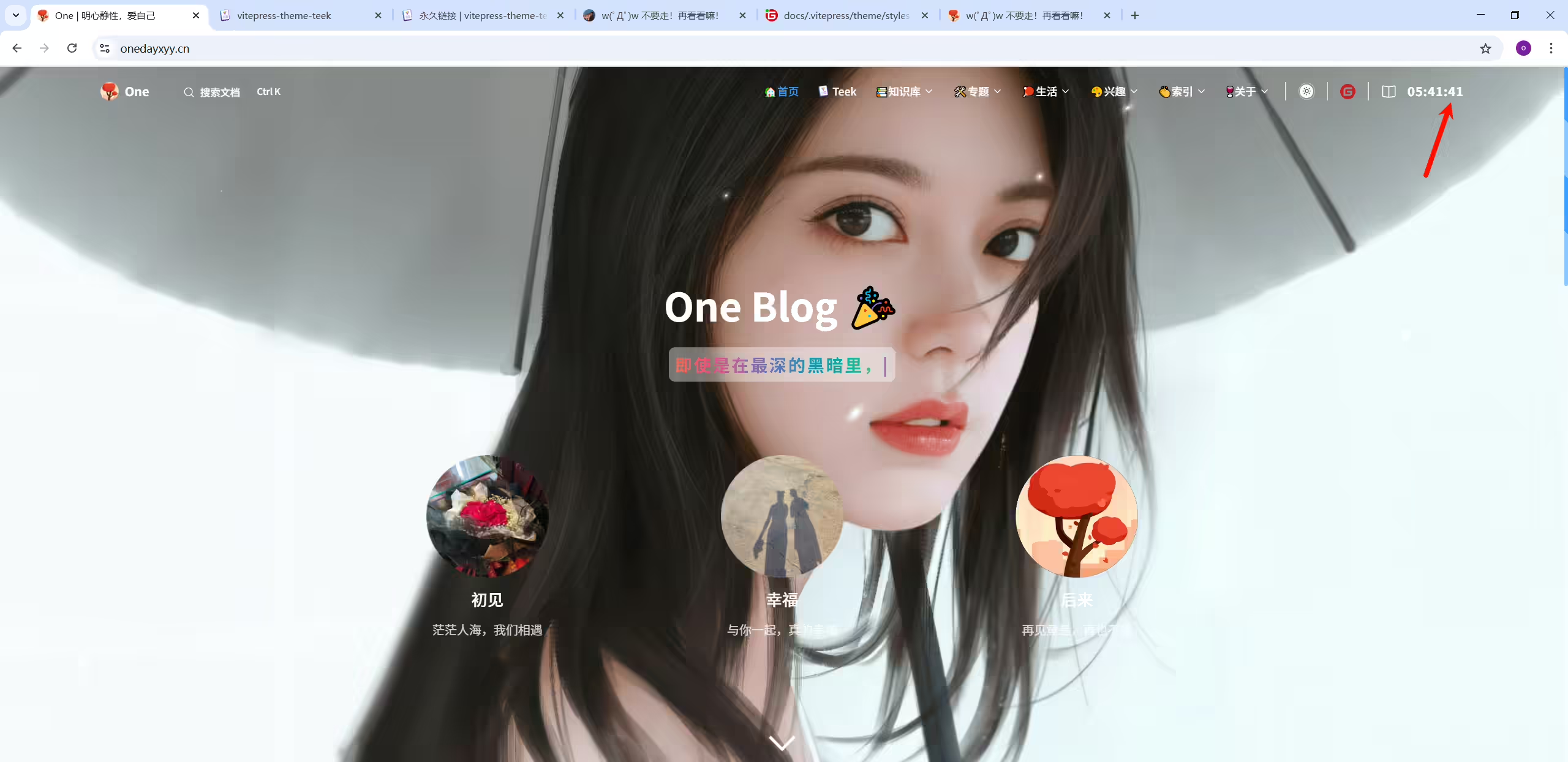
在 Teek@1.4.5-2025.8.24 上测试成功。
2025年8月28日测试。
配置来自《https://dl-web.top/》大佬的指导,感谢大佬💖💖💖。
(1)新建docs\.vitepress\theme\components\Clock.vue文件
  1<template>
  2  <div id="clock">
  3    <div class="time">
  4      <span class="hour">{{ hours }}</span>
  5      <span class="separator">:</span>
  6      <span class="minute">{{ minutes }}</span>
  7      <span class="separator">:</span>
  8      <span class="second">{{ seconds }}</span>
  9    </div>
 10  </div>
 11</template>
 12
 13<script setup lang="ts">
 14import { onMounted, onUnmounted, shallowRef } from "vue";
 15
 16// 定时器管理
 17const timerID = shallowRef<number | null>(null);
 18
 19// 时间状态 - 拆分小时、分钟、秒
 20const hours = shallowRef<string>('00');
 21const minutes = shallowRef<string>('00');
 22const seconds = shallowRef<string>('00');
 23
 24// 初始化时钟
 25const initClock = () => {
 26  if (timerID.value !== null) {
 27    cancelAnimationFrame(timerID.value);
 28  }
 29  timerID.value = requestAnimationFrame(animateClock);
 30};
 31
 32// 动画循环函数
 33function animateClock() {
 34  const now = new Date();
 35  const currentSeconds = now.getSeconds();
 36
 37  // 只有当秒数变化时才更新(避免同一秒内多次更新)
 38  if (currentSeconds !== parseInt(seconds.value)) {
 39    seconds.value = zeroPadding(currentSeconds, 2);
 40  }
 41
 42  // 分钟和小时变化频率低,单独判断更新
 43  const currentMinutes = now.getMinutes();
 44  if (currentMinutes !== parseInt(minutes.value)) {
 45    minutes.value = zeroPadding(currentMinutes, 2);
 46  }
 47
 48  const currentHours = now.getHours();
 49  if (currentHours !== parseInt(hours.value)) {
 50    hours.value = zeroPadding(currentHours, 2);
 51  }
 52
 53  timerID.value = requestAnimationFrame(animateClock);
 54}
 55
 56// 数字补零函数
 57function zeroPadding(num: number, digit: number): string {
 58  return String(num).padStart(digit, '0');
 59}
 60
 61onMounted(() => {
 62  // 组件挂载时初始化
 63  initClock();
 64})
 65
 66// 组件卸载时清理
 67onUnmounted(() => {
 68  if (timerID.value !== null) {
 69    cancelAnimationFrame(timerID.value);
 70  }
 71});
 72</script>
 73
 74<style scoped lang="scss">
 75#clock {
 76  order: 99;
 77  text-align: center;
 78  margin-left: 15px;
 79  display: flex;
 80  align-items: center;
 81
 82  .time {
 83    /* 隔离渲染范围 */
 84    contain: content;
 85    letter-spacing: 0.05em;
 86    font-size: 16px;
 87    font-weight: bold;
 88  }
 89
 90  .time span{
 91    /* 将每个部分用 inline-block 包裹,形成独立“绘制单元”,避免局部更新,整个重绘的问题 */
 92    display: inline-block;
 93  }
 94}
 95
 96/* 视口宽度 ≤ 767px 时生效(移动端),调整时间显示位置 */
 97@media (max-width: 767px) {
 98  // 移动端导航栏吸顶
 99  #clock{
100    order: 0;
101  }
102}
103
104/* 父级有.full-img-nav-bar类时的样式(Banner范围内) */
105:deep(.full-img-nav-bar #clock) {
106  color: var(--vp-c-white);
107  text-shadow: 0 0 20px rgba(10, 175, 230, 1), 0 0 20px rgba(10, 175, 230, 0);
108
109  /* 暗色模式下的样式 */
110/*  :deep(html.dark .full-img-nav-bar #clock) {
111    color: #b9199b;
112  }*/
113}
114
115/* 父级没有.full-img-nav-bar类时的样式(滚动离开Banner后) */
116:deep(:not(.full-img-nav-bar) #clock) {
117  color: var(--vp-c-text-1);
118  text-shadow: none;
119
120  /* 暗色模式下的样式 */
121/*  :deep(html.dark :not(.full-img-nav-bar) #clock) {
122    color: #daf6ff;
123  }*/
124}
125</style>
(2)引用
编辑docs\.vitepress\theme\components\TeekLayoutProvider.vue文件
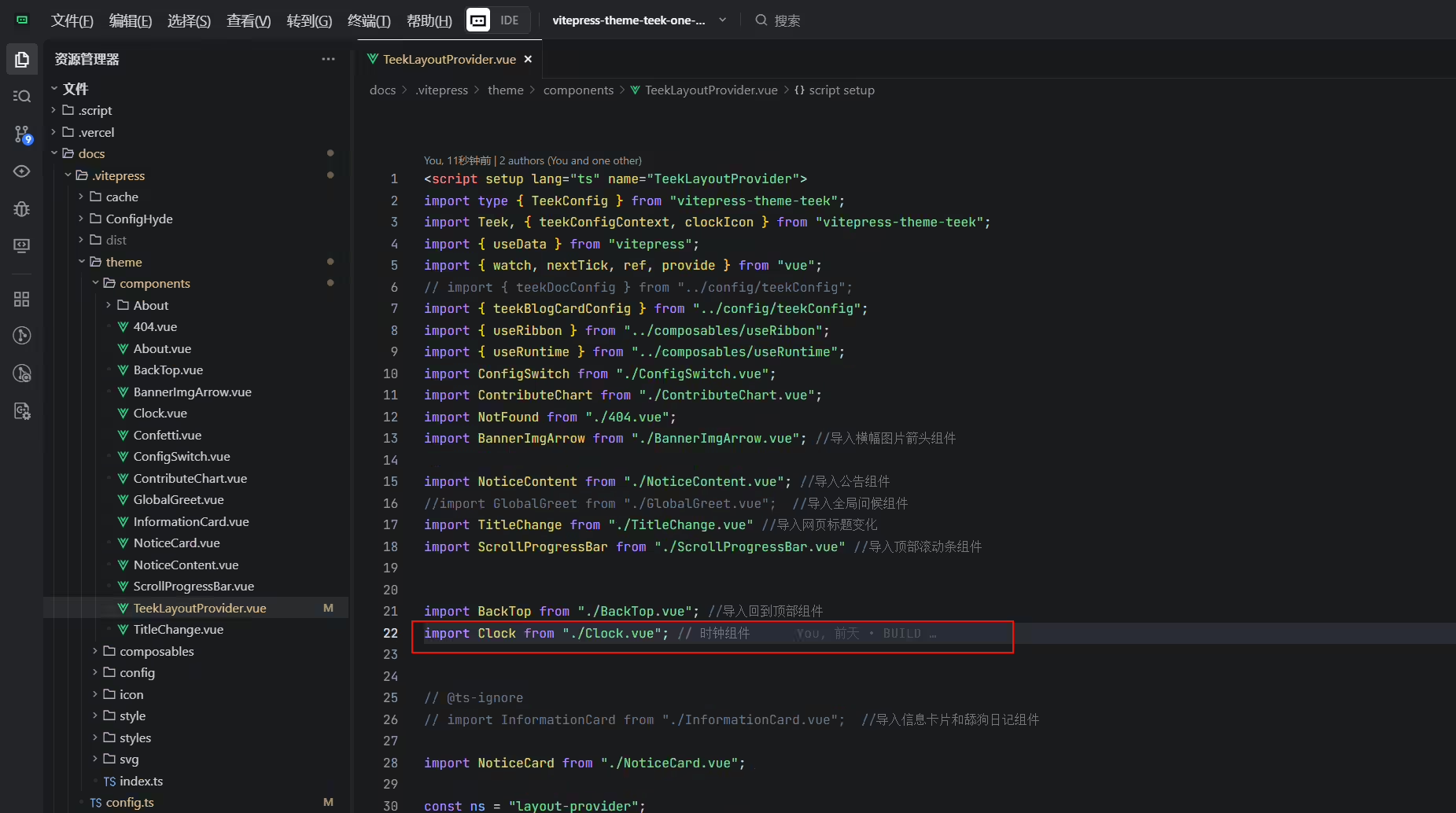
01处配置:
1import Clock from "./Clock.vue"; // 时钟组件
02处配置:
1    <!-- 右上角时钟组件 -->
2    <template #nav-bar-content-after>
3      <Clock/>
4    </template>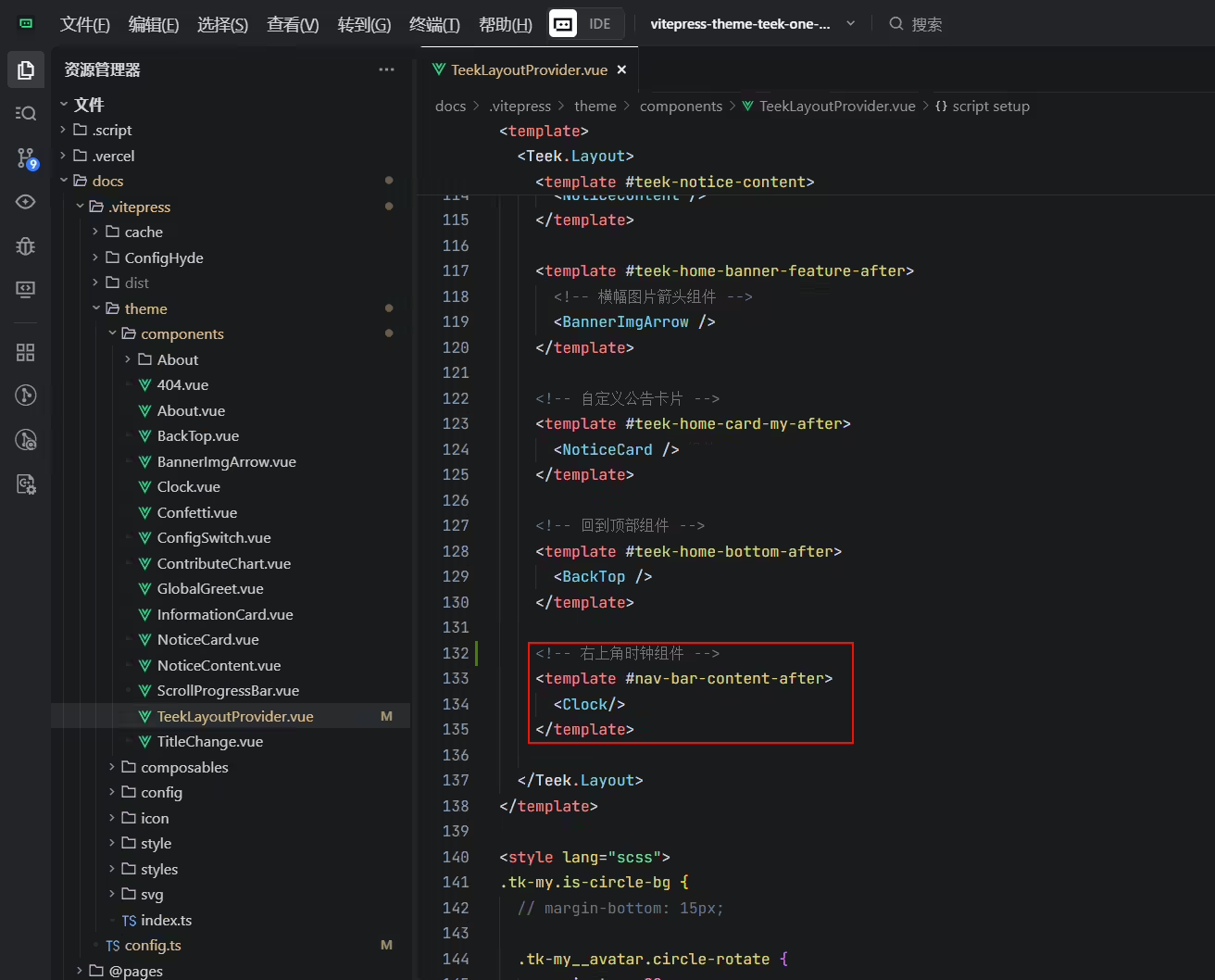
(3)运行测试。
结束。
赞赏 · 公众号

One的公众号
爱折腾博客的小白
