
快捷菜单
常用功能一站直达
更多功能请点顶栏「快捷菜单」
在 Teek@1.5.0-2025.9.23 版本上测试。
建议使用如下包管理器安装 vitepress-theme-teek:
如果你想快速构建一个和 Teek 文档类似的项目,可以直接拉取 Teek 文档模板仓库。
1git clone https://github.com/Kele-Bingtang/vitepress-theme-teek-docs-template.git如果你更喜欢从零开始慢慢研究 Teek,则可以按照下面的在线安装步骤构建并逐步丰富您的项目。
https://vp.teek.top/guide/quickstart.html 《快速开始(Teek官网)》

(1)在自己电脑 d盘 创建一个存放vitepress的目录:vitepress-theme-teek-one (名称无所谓,自己定义就好)
1cd /d/我的开源项目
2mkdir vitepress-theme-teek-one
3cd /d/我的开源项目/vitepress-theme-teek-one
(2)安装vitepress
有关 VitePress 的安装教程来源于 VitePress 文档。如果安装失败,请阅读 VitePress 文档查看最新的安装教程。
1pnpm add -D vitepress(3)快速初始化
VitePress 附带一个命令行设置向导,可以帮助你构建一个基本项目。安装后,通过运行以下命令启动向导:
1pnpm vitepress init将需要回答几个简单的问题:
记得选择在./docs目录下,其他步骤默认就好。
 1┌  Welcome to VitePress!
 2│
 3◇  Where should VitePress initialize the config?
 4│  ./docs
 5│
 6◇  Site title:
 7│  My Awesome Project
 8│
 9◇  Site description:
10│  A VitePress Site
11│
12◇  Theme:
13│  Default Theme
14│
15◇  Use TypeScript for config and theme files?
16│  Yes
17│
18◇  Add VitePress npm scripts to package.json?
19│  Yes
20│
21└ Done! Now run pnpm run docs:dev and start writing.1#进入项目根目录
2cd /d/我的开源项目/vitepress-theme-teek-one
3
4#执行命令
5pnpm install vitepress-theme-teek -D(1)根据 VitePress 的要求,需要在 .vitepress/theme/index.ts 文件中引入 Teek 主题。如果没有该路径,需要先创建它:
我这里需要创建theme目录,再创建theme/index.ts文件:(然后直接写入如下代码)
1// .vitepress/theme/index.ts
2import Teek from "vitepress-theme-teek";
3import "vitepress-theme-teek/index.css";
4
5export default {
6  extends: Teek,
7};
(2)然后在 .vitepress/config.mts 文件中引入 Teek 的配置信息:
 1// .vitepress/config.mts
 2import { defineConfig } from "vitepress"; //默认已存在
 3import { defineTeekConfig } from "vitepress-theme-teek/config";
 4
 5// Teek 主题配置
 6const teekConfig = defineTeekConfig({});
 7
 8// VitePress 配置
 9export default defineConfig({
10  extends: teekConfig,
11  // ...
12});
有关 Teek 更多的配置信息,请从 配置简介 开始阅读。
请查看你的 package.json 文件,确保存在下面 npm 脚本:(默认就是如此,无需配置)
1{
2  "scripts": {
3    "docs:dev": "vitepress dev docs",
4    "docs:build": "vitepress build docs",
5    "docs:preview": "vitepress preview docs"
6  }
7}
docs:dev 脚本将启动具有即时热更新的本地开发服务器。使用以下命令运行它:
来到项目根目录,运行:
1pnpm run docs:dev1pnpm dcos:build如果能成功打包的话,那就说明OK了。
浏览器打开http://localhost:5173/验证:
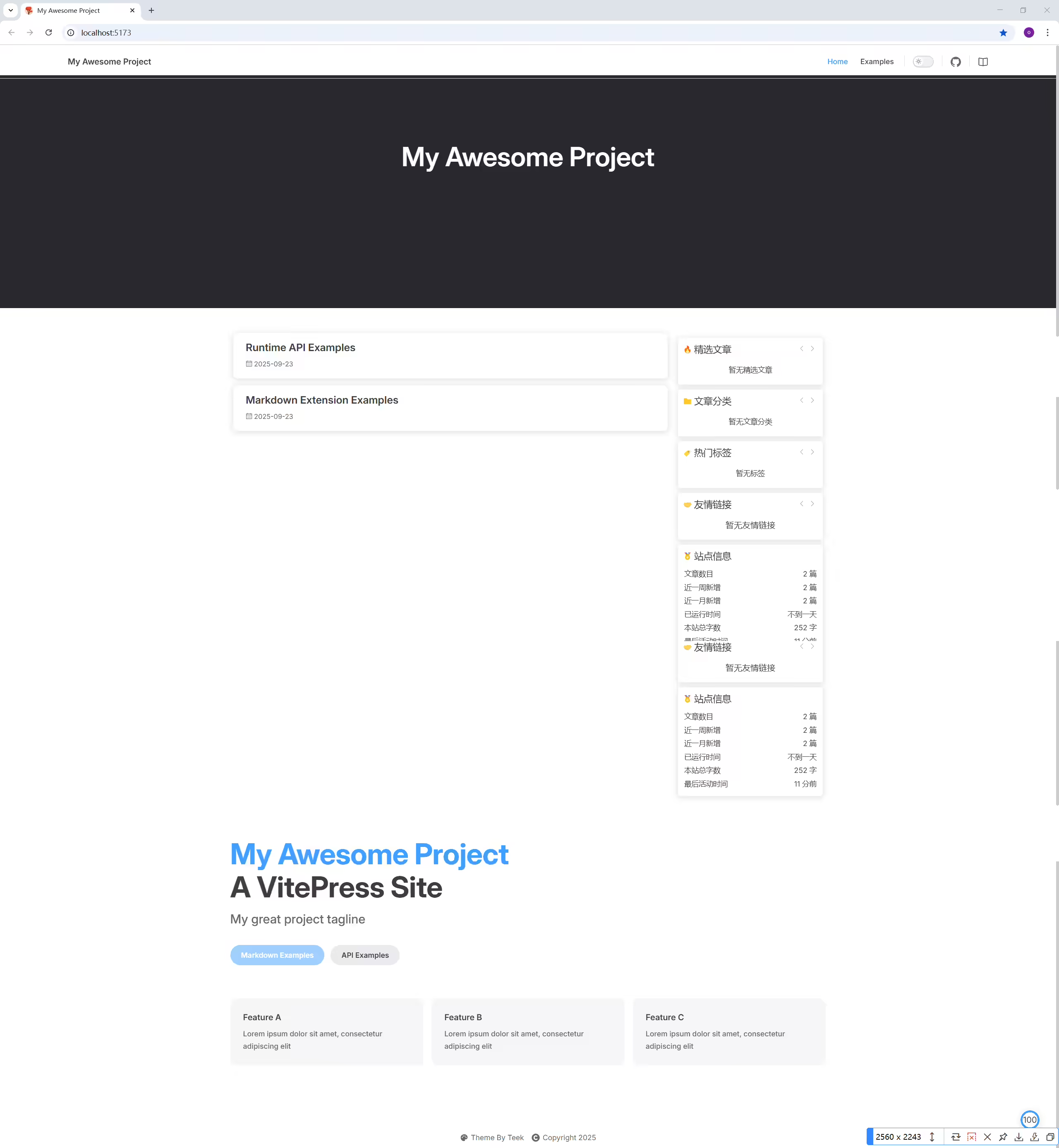
结束。

 1Administrator@DESKTOP-7PB0PFA MINGW64 /d/我的开源项目/vitepress-theme-teek-one
 2$ pnpm run docs:dev
 3
 4> @ docs:dev D:\我的开源项目\vitepress-theme-teek-one
 5> vitepress dev docs
 6
 722:35:16 [vitepress-plugin-sidebar-resolve v1.2.1] 自定义 Sidebar 必须是对象形式
 822:35:16 [vitepress-plugin-sidebar-resolve v1.2.1] Injected Sidebar Data Successfully. 注入侧边栏数据成功!
 922:35:16 [vitepress-plugin-permalink v1.2.1] Injected Permalinks Data Successfully. 注入永久链接数据成功!
1022:35:17 [vitepress-plugin-doc-analysis v1.0.13] Injected DocAnalysisInfo Data Successfully. 注入文档分析数据成功!
1122:35:17 [vitepress-plugin-catalogue v1.1.2] Injected Catalogues Data Successfully. 注入目录页数据成功!
1222:35:17 [vitepress-plugin-file-content-loader v1.0.13] Injected Posts Data Successfully. 注入 Posts 数据成功!
13
14  vitepress v1.6.4
15
16  ➜  Local:   http://localhost:5173/
17  ➜  Network: use --host to expose
18  ➜  press h to show help
 1$ pnpm run docs:build
 2
 3> @ docs:build D:\我的开源项目\vitepress-theme-teek-one
 4> vitepress build docs
 5
 6
 7  vitepress v1.6.4
 8
 9⠋ building client + server bundles...22:33:54 [vitepress-plugin-sidebar-resolve v1.2.1] 自定义 Sidebar 必须是对象形式
1022:33:54 [vitepress-plugin-sidebar-resolve v1.2.1] Injected Sidebar Data Successfully. 注入侧边栏数据成功!
1122:33:54 [vitepress-plugin-permalink v1.2.1] Injected Permalinks Data Successfully. 注入永久链接数据成功!
12⠙ building client + server bundles...22:33:54 [vitepress-plugin-doc-analysis v1.0.13] Injected DocAnalysisInfo Data Successfully. 注入文档分析数据成功!
1322:33:54 [vitepress-plugin-catalogue v1.1.2] Injected Catalogues Data Successfully. 注入目录页数据成功!
14⠸ building client + server bundles...22:33:54 [vitepress-plugin-file-content-loader v1.0.13] Injected Posts Data Successfully. 注入 Posts 数据成功!
15⠦ building client + server bundles...
16iconfont.woff2?t=1755181778742 referenced in iconfont.woff2?t=1755181778742 didn't resolve at build time, it will remain unchanged to be resolved at runtime
17
18iconfont.woff?t=1755181778742 referenced in iconfont.woff?t=1755181778742 didn't resolve at build time, it will remain unchanged to be resolved at runtime
19
20iconfont.ttf?t=1755181778742 referenced in iconfont.ttf?t=1755181778742 didn't resolve at build time, it will remain unchanged to be resolved at runtime
21⠸ building client + server bundles...
22iconfont.woff2?t=1755181778742 referenced in iconfont.woff2?t=1755181778742 didn't resolve at build time, it will remain unchanged to be resolved at runtime
23
24iconfont.woff?t=1755181778742 referenced in iconfont.woff?t=1755181778742 didn't resolve at build time, it will remain unchanged to be resolved at runtime
25
26iconfont.ttf?t=1755181778742 referenced in iconfont.ttf?t=1755181778742 didn't resolve at build time, it will remain unchanged to be resolved at runtime
27✓ building client + server bundles...
28✓ rendering pages...
29build complete in 7.85s.
30
31Administrator@DESKTOP-7PB0PFA MINGW64 /d/我的开源项目/vitepress-theme-teek-one
32$
结束。
2025年9月23日22:42:29。
这里我直接拉原作者的开源库吧,自己一步步配置太耗时了🤣!
刚好作者这里已经把Teek的开源库更新到最新版了:
https://github.com/Kele-Bingtang/vitepress-theme-teek-docs-template

精选 · 友链 · 更多

One的公众号
爱折腾博客的小白
