快捷菜单
常用功能一站直达
更多功能请点顶栏「快捷菜单」
2025年8月17日更新。
《https://vitepress.yiov.top/》大佬的《侧边栏样式美化》文章,感谢大佬的开源分享。💖💖💖
环境:在Teek@1.4.2-2025.8.17测试成功。
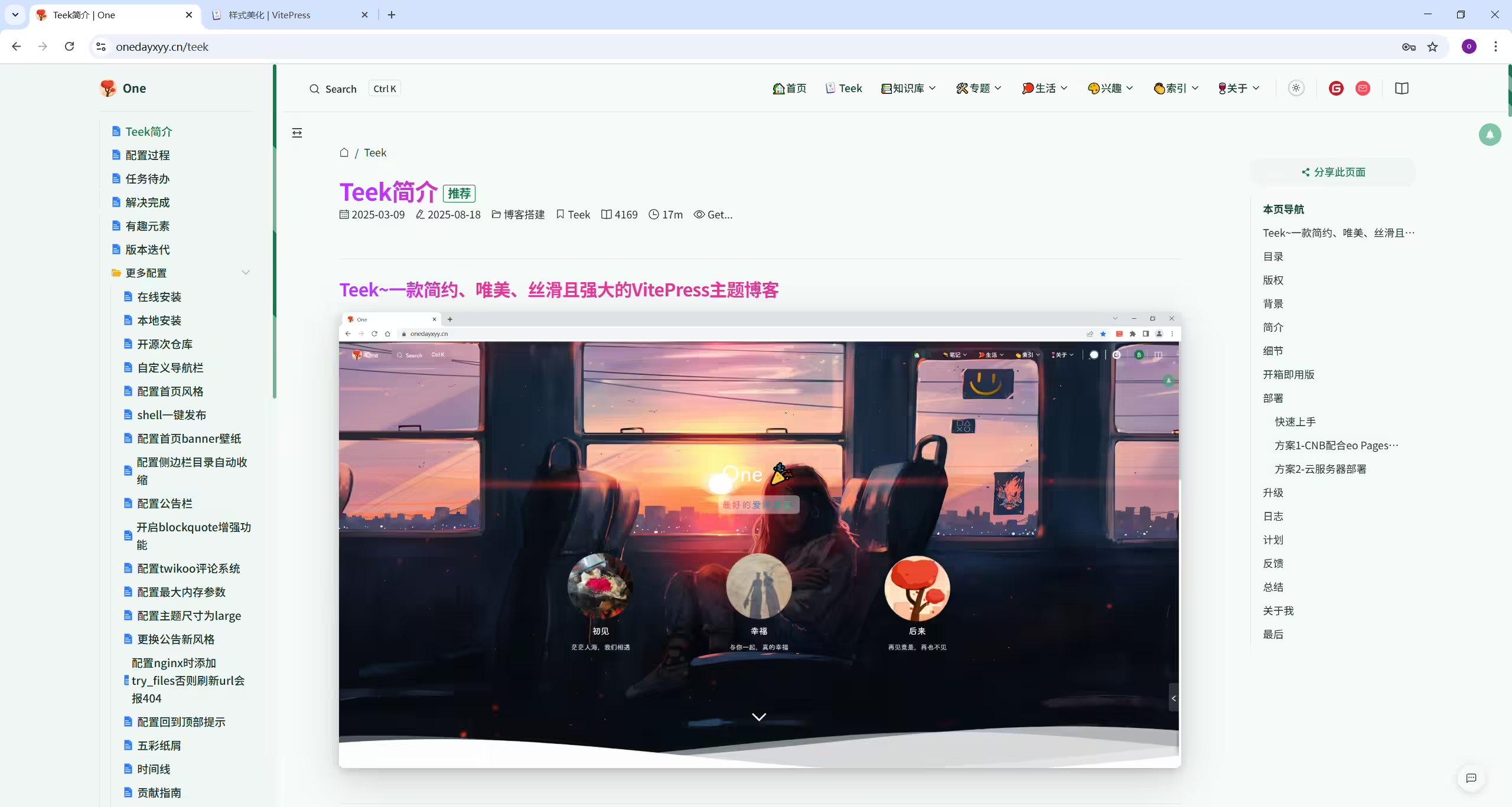
默认的侧边栏不太容易区分到底是目录还是文件,我们可以进行美化。
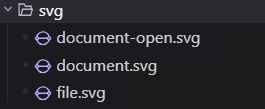
(1)在 .vitepress/theme/style 目录新建一个 sidebarIcon.css 文件
 1.
 2├─ docs
 3│  ├─ .vitepress
 4│  │  └─ config.mts
 5│  │  └─ theme
 6│  │     └─ style
 7│  │        └─ index.css
 8│  │        └─ sidebarIcon.css
 9│  └─ index.md
10└─ node_modules
其内容是 :
 1/* .vitepress/theme/style/sidebarIcon.css */
 2
 3/* 侧边栏缩放 */
 4.group:has([role='button']) .VPSidebarItem.level-0 .items {
 5  padding-left: 15px !important;
 6  border-left: 1px solid var(--vp-c-divider);
 7  border-radius: 2px;
 8  transition: background-color 0.25s;
 9}
10
11/* 侧边栏图标 */
12/* 选中所有 .VPSidebarItem 元素,排除带有 .is-link 类的 */
13#VPSidebarNav .VPSidebarItem:not(.is-link).collapsed >.item {
14    display: inline-flex;
15    align-items: center;  /* 垂直居中对齐图标和文本 */
16}
17
18/* 为所有不带 .is-link 的 .VPSidebarItem 折叠状态添加图标 */
19#VPSidebarNav .VPSidebarItem:not(.is-link).collapsed >.item::before {
20    content: '';
21    background-image: url('/svg/document.svg'); /* 设置图标路径 */
22    width: 16px;
23    height: 16px;
24    display: inline-block;
25    vertical-align: middle;  /* 确保图标与文本垂直居中 */
26    background-size: cover;
27    margin-right: 4px;  /* 给图标和文本之间增加间距 */
28}
29
30#VPSidebarNav .VPSidebarItem:not(.is-link) >.item {
31    display: inline-flex;
32    align-items: center;  /* 垂直居中对齐图标和文本 */
33}
34
35/* 为所有不带 .is-link 的 .VPSidebarItem 非折叠状态添加图标 */
36#VPSidebarNav .VPSidebarItem:not(.is-link) >.item::before {
37    content: '';
38    background-image: url('/svg/document-open.svg'); /* 设置图标路径 */
39    width: 16px;
40    height: 16px;
41    display: inline-block;
42    vertical-align: middle;  /* 确保图标与文本垂直居中 */
43    background-size: cover;
44    margin-right: 4px;  /* 给图标和文本之间增加间距 */
45}
46
47/* 选中带有 .is-link 的 .VPSidebarItem 的直接子元素 .item */
48#VPSidebarNav .VPSidebarItem.is-link > .item {
49    display: inline-flex;
50    align-items: center;  /* 垂直居中图标和文字 */
51}
52
53/* 为选中的 .item 添加图标 */
54#VPSidebarNav .VPSidebarItem.is-link > .item::before {
55    content: '';
56    background-image: url('/svg/file.svg'); /* 图标路径 */
57    width: 16px;
58    height: 16px;
59    display: inline-block;
60    vertical-align: middle;
61    background-size: cover;
62    margin-right: 4px;  /* 图标与文字间距 */
63}
(2)然后在 index.css 中引入生效
1/* .vitepress/theme/style/index.css */
2@import './sidebarIcon.css';
(3)验证效果(完美)
结束。