
快捷菜单
常用功能一站直达
更多功能请点顶栏「快捷菜单」

[[toc]]
[toc]
w3c大佬贡献的方式。感谢大佬💖💖💖
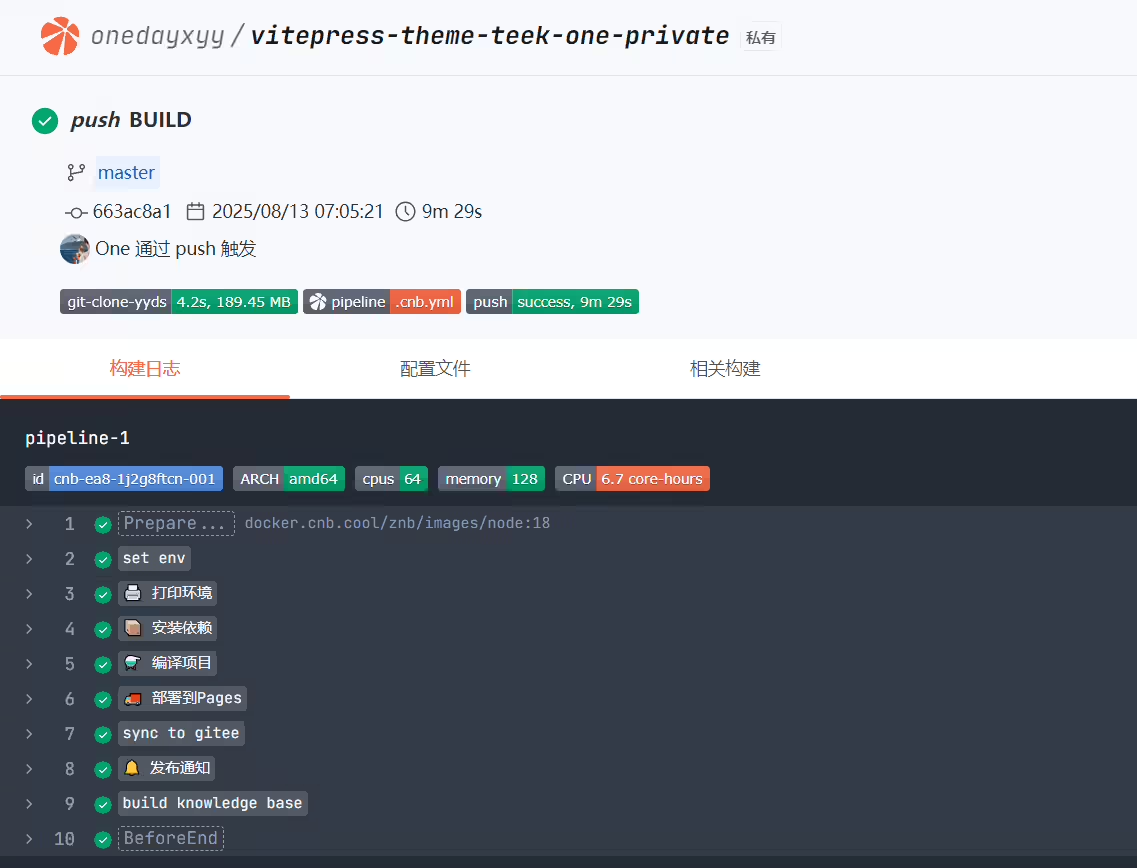
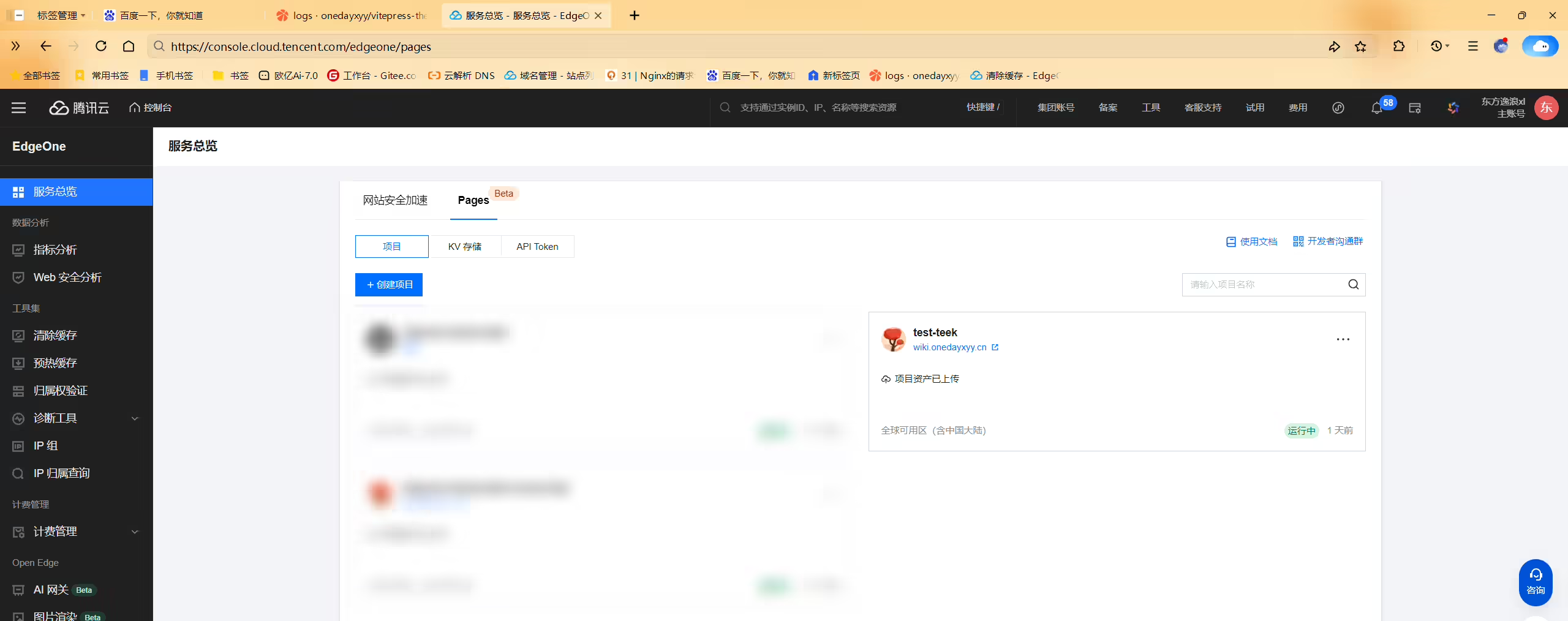
我的teek有600个文档,每次通过cnb部署到eo pages里,其它阶段还可以接受,但是
部署到Pages很耗时,要4min多。因此想通过以下方法把构建好的dist产物推送到本仓库的dist分支,那么每次构建好的都是增量推送,且推送耗时特短。
functions.zip位置:https://img.onedayxyy.cn/images/functions.zip
teek仓库:https://img.onedayxyy.cn/images/vitepress-theme-teek-one-public.zip

functions.ziphttps://cnb.cool/onedayxyy/vitepress-theme-teek-one-public/-/git/raw/dist/index.html
修改地方1:
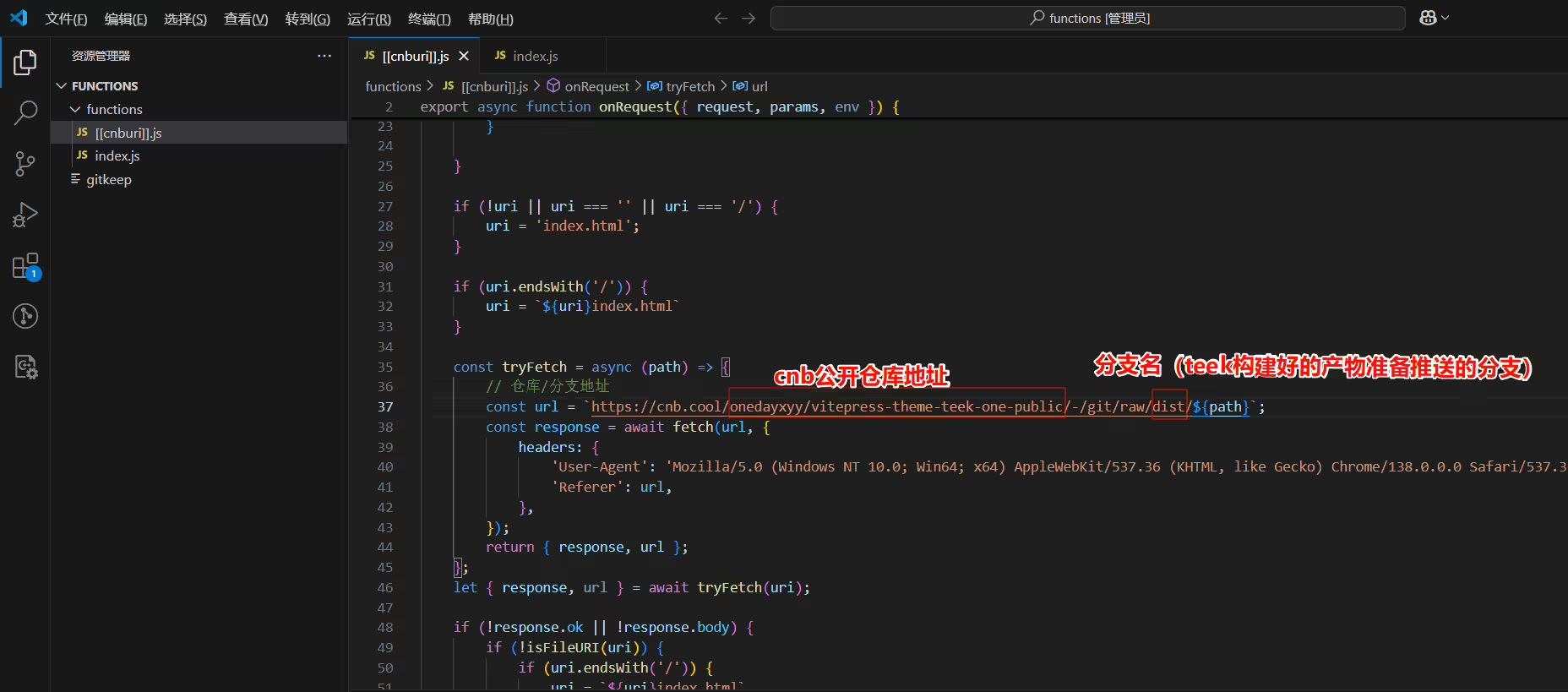
修改地方2:

只修好这2处地方就好,然后打包成zip格式。
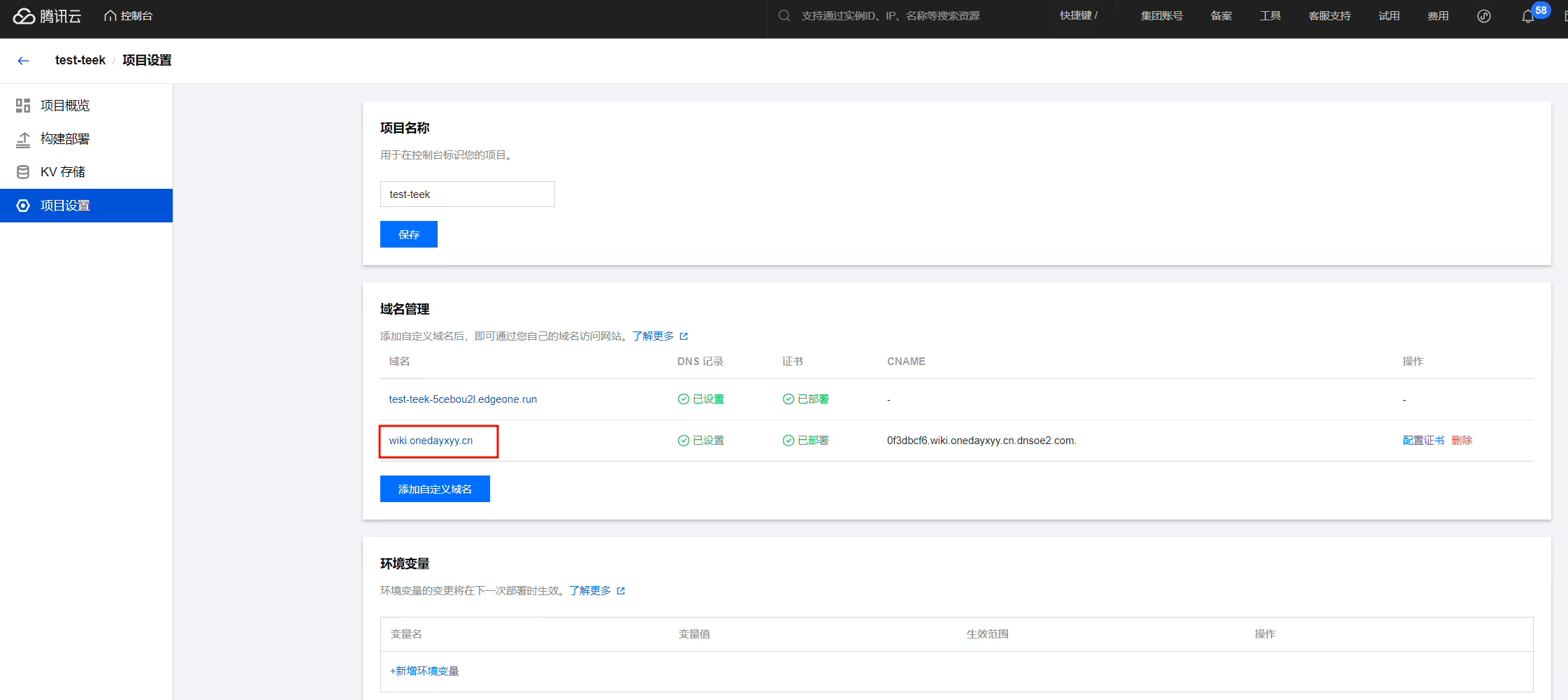
functions.zip上传到这个地方:
.cnb.yml: 1# # .cnb.yml
2# $:
3# # vscode 事件:专供页面中启动远程开发用
4# vscode:
5# - runner:
6# # 自定义CPU核心数,最大支持64核
7# cpus: 64
8# docker:
9# # 自定义开发环境
10# build:
11# # 指定构建镜像的 Dockerfile 文件
12# dockerfile: .ide/Dockerfile
13# services:
14# # 声明使用 vscode 服务
15# - vscode
16# # 声明在容器中支持 docker 命令
17# - docker
18# stages:
19# - name: 环境启动时执行以下命令
20# script:
21# # 安装pnpm并使用pnpm安装依赖
22# - npm install -g pnpm
23# - pnpm i
24
25# 云原生构建流程和自动部署
26# main:
27# push:
28# "volume-cache":
29# name: 云原生构建
30# runner:
31# cpus: 64
32# # tags: cnb:arch:amd64:gpu
33# docker:
34# image: node:22
35# volumes:
36# - node_modules:copy-on-write
37# stages:
38# - name: 构建当前项目
39# script: npm install -g pnpm && pnpm i && pnpm run docs:build
40# - name: 部署到Pages
41# imports: https://cnb.cool/w3c/envs/-/blob/main/pages.yml
42# script: npx edgeone pages deploy ./.vitepress/dist --name vitepress-theme-teek --token $EDGEONE_PAGES_API_TOKEN
43
44# web_trigger:
45# "volume-cache":
46# name: 云原生构建
47# runner:
48# cpus: 64
49# # tags: cnb:arch:amd64:gpu
50# docker:
51# image: node:22
52# volumes:
53# - node_modules:copy-on-write
54# stages:
55# - name: 构建当前项目
56# script: npm install -g pnpm && pnpm i && pnpm run docs:build
57# - name: 部署到Pages
58# imports: https://cnb.cool/w3c/envs/-/blob/main/pages.yml
59# script: npx edgeone pages deploy ./.vitepress/dist --name vitepress-theme-teek --token $EDGEONE_PAGES_API_TOKEN
60
61master:
62 push:
63 "volume-cache":
64 name: 云原生构建
65 runner:
66 cpus: 64
67 # tags: cnb:arch:amd64:gpu
68 docker:
69 image: node:22
70 volumes:
71 - node_modules:copy-on-write
72 env:
73 # 产物想要存入的分支名
74 DIST_BRANCH: dist
75 stages:
76 - name: check
77 script: |
78 git fetch origin --prune --tags
79 - name: install
80 script: |
81 apt update
82 apt install -y rsync
83 npm i -g pnpm
84 pnpm i
85 - name: check branch
86 script: |
87 if ! git ls-remote --exit-code --heads origin ${DIST_BRANCH}; then
88 echo "Remote branch '${DIST_BRANCH}' not found, creating it..."
89 git checkout --orphan ${DIST_BRANCH}
90 git rm -rf .
91 echo "# ${DIST_BRANCH} initialized" > README.md
92 git add README.md
93 git commit -m "chore: init ${DIST_BRANCH} branch"
94 git push origin ${DIST_BRANCH}
95 git checkout -
96 fi
97 - name: 构建
98 script: |
99 git fetch origin ${DIST_BRANCH}:${DIST_BRANCH}
100 rm -rf .deploy-tmp
101 pnpm run docs:build
102 git worktree add .deploy-tmp ${DIST_BRANCH}
103 find .deploy-tmp -mindepth 1 \
104 -not -name ".git" \
105 -not -name ".gitkeep" \
106 -exec rm -rf {} +
107 cp -rf ./docs/.vitepress/dist/* ./.deploy-tmp/
108 - name: 部署
109 script: |
110 cd ./.deploy-tmp/
111 git add -A
112 if ! git diff --cached --quiet; then
113 git commit -m "deploy: $(date '+%Y-%m-%d %H:%M:%S')" --allow-empty || echo "Nothing to commit"
114 git push origin ${DIST_BRANCH}
115 else
116 echo "No changes to deploy"
117 fi
118 cd ..
119 if [ -d ./.deploy-tmp/.git ]; then
120 git worktree remove .deploy-tmp --force
121 fi1git add -A
2git commit -m"commit"
3git push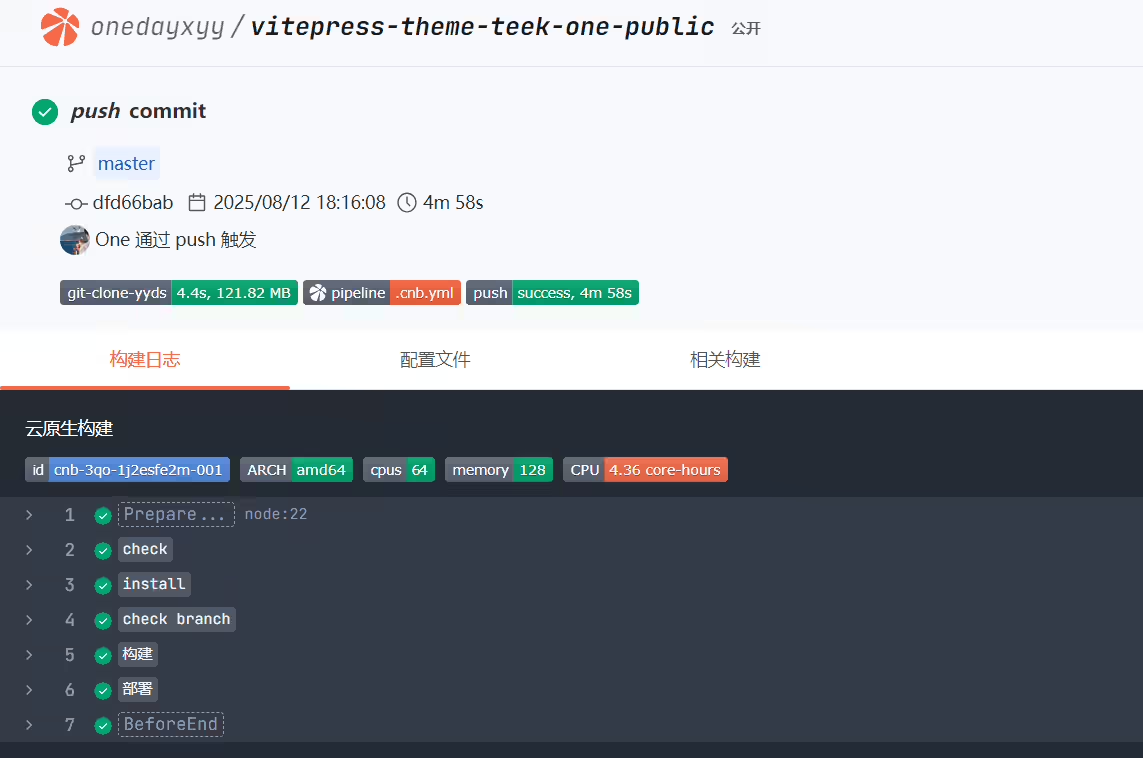

警告
::: details
访问主页正常,但是访问其它页面后,就会报404错误:

再刷新,就会出现以下这个提示:

以上问题的原因在于vue的老毛病了:

至于主页为啥能正常显示:

我的博客主旨:
🍀 个人网站

🍀 微信二维码
x2675263825 (舍得), qq:2675263825。

🍀 微信公众号
《云原生架构师实战》

🍀 csdn
https://blog.csdn.net/weixin_39246554?spm=1010.2135.3001.5421

🍀 知乎
https://www.zhihu.com/people/foryouone

如果你还有疑惑,可以去我的网站查看更多内容或者联系我帮忙查看。
如果你有更好的方式,评论区留言告诉我。谢谢!
好了,本次就到这里了,感谢大家阅读,最后祝大家生活快乐,每天都过的有意义哦,我们下期见!

精选 · 友链 · 更多

One的公众号
爱折腾博客的小白
