
快捷菜单
常用功能一站直达
更多功能请点顶栏「快捷菜单」

[[toc]]
[toc]
别的小伙伴Teek分享出来的链接都能调到指定位置,而唯独我的不行?




威威提供。

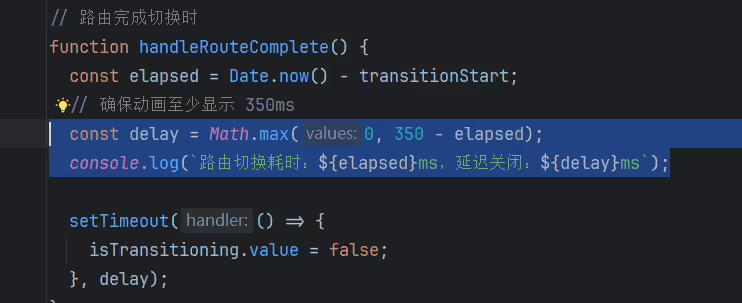
新建docs\.vitepress\theme\components\RouteSwitchingLoading.vue文件:
  1<template>
  2  <!-- Transition 控制整个遮罩的进入/离开 -->
  3  <Transition name="fade" mode="out-in">
  4    <div v-show="isTransitioning" class="transition-mask">
  5      <div class="loader">
  6        <div class="spinner"></div>
  7        <p>Teek is Loading...</p>
  8      </div>
  9    </div>
 10  </Transition>
 11</template>
 12
 13<script setup>
 14import { onBeforeMount, onMounted, ref } from "vue";
 15import { useRouter } from "vitepress";
 16
 17const router = useRouter();
 18const isTransitioning = ref(false);
 19let transitionStart = 0;
 20
 21// 保存 VitePress 内部默认的路由钩子
 22const originalBeforeRouteChange = router.onBeforeRouteChange;
 23const originalAfterRouteChange = router.onAfterRouteChange;
 24
 25// 路由开始切换时
 26const handleRouteStart = () => {
 27  transitionStart = Date.now();
 28  isTransitioning.value = true;
 29};
 30
 31// 路由完成切换时
 32const handleRouteComplete = () => {
 33  const elapsed = Date.now() - transitionStart;
 34  // 确保动画至少显示 600ms,提升视觉体验
 35  const delay = Math.max(0, 600 - elapsed);
 36
 37  setTimeout(() => {
 38    isTransitioning.value = false;
 39  }, delay);
 40};
 41
 42// 重写路由切换前的钩子
 43router.onBeforeRouteChange = to => {
 44  originalBeforeRouteChange && originalBeforeRouteChange(to);
 45  handleRouteStart();
 46};
 47
 48// 重写路由切换后的钩子
 49router.onAfterRouteChange = to => {
 50  originalAfterRouteChange && originalAfterRouteChange(to);
 51  handleRouteComplete();
 52};
 53
 54// 首次加载时显示遮罩
 55onBeforeMount(handleRouteStart);
 56onMounted(handleRouteComplete);
 57</script>
 58
 59<style scoped>
 60/* 过渡遮罩层样式,使用 scoped 避免样式污染 */
 61.transition-mask {
 62  position: fixed;
 63  top: 0;
 64  left: 0;
 65  width: 100%;
 66  height: 100%;
 67  display: flex;
 68  flex-direction: column; /* 让加载图标和文字垂直排列 */
 69  justify-content: center;
 70  align-items: center;
 71  background: rgba(255, 255, 255, 0.95); /* 调整透明度,增强遮罩效果 */
 72  z-index: 9999;
 73}
 74
 75.loader {
 76  text-align: center;
 77}
 78
 79.spinner {
 80  width: 50px; /* 增大加载图标,更醒目 */
 81  height: 50px;
 82  margin: 0 auto 12px;
 83  border: 5px solid #f3f3f3;
 84  border-top: 5px solid var(--vp-c-brand-1);
 85  border-radius: 50%;
 86  animation: spin 1s linear infinite;
 87}
 88
 89@keyframes spin {
 90  0% {
 91    transform: rotate(0deg);
 92  }
 93  100% {
 94    transform: rotate(360deg);
 95  }
 96}
 97
 98/* ✅ 添加过渡类 */
 99.fade-enter-active,
100.fade-leave-active {
101  transition: opacity 0.25s ease;
102}
103
104.fade-enter-from,
105.fade-leave-to {
106  opacity: 0;
107}
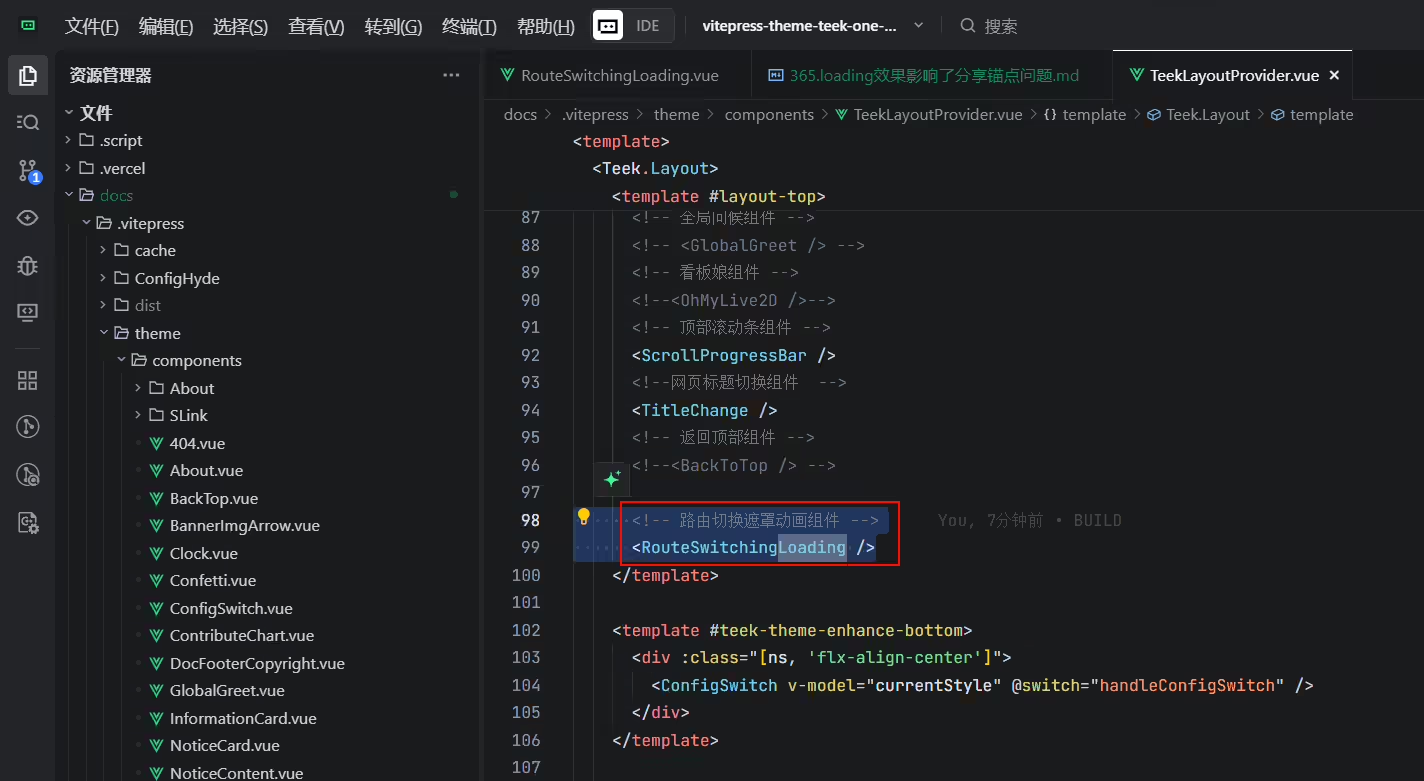
108</style>编辑docs\.vitepress\theme\components\TeekLayoutProvider.vue文件:
1import RouteSwitchingLoading from "./RouteSwitchingLoading.vue"; // 过渡动画组件
2
3      <!-- 路由切换遮罩动画组件 -->
4      <RouteSwitchingLoading />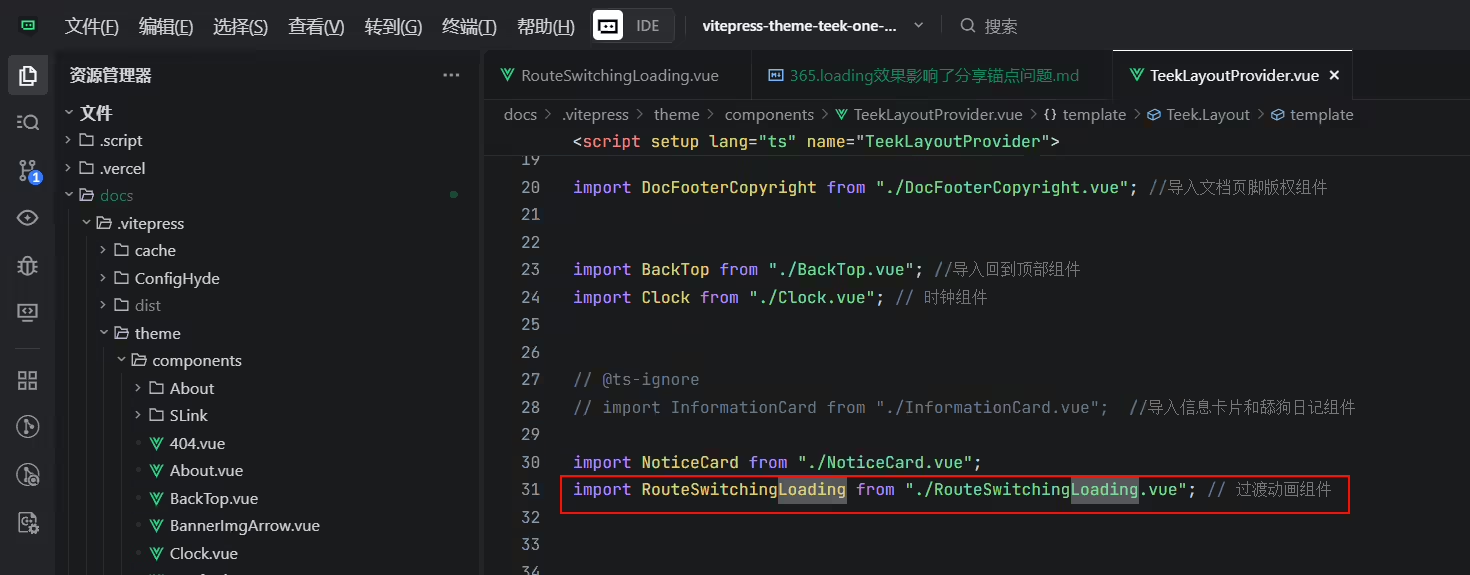
结束。
