
快捷菜单
常用功能一站直达
更多功能请点顶栏「快捷菜单」
2025年7月20日更新。
适用于Teek@1.3.5-2025.6.3
次功能来源于《Hyde》模板,感谢大佬贡献的代码。
创建docs\.vitepress\theme\components\InformationCard.vue文件:
  1<script setup lang="ts">
  2import { onMounted, ref,h } from 'vue';
  3import { TkMessage } from "vitepress-theme-teek";
  4
  5// 天气数据
  6const weatherData = ref({
  7  city: '',
  8  temperature: '',
  9  type: '',
 10  date: '',
 11  week: ''
 12});
 13
 14// 获取天气信息的函数
 15const error = ref(false);
 16const loading = ref(false); // 控制加载中状态
 17// 获取天气信息的函数
 18const getWeatherInfo = async () => {
 19  loading.value = true; // 开始加载
 20  try {
 21    const response = await fetch('https://api.vvhan.com/api/weather');
 22    const data = await response.json();
 23    if (data.success) {
 24      weatherData.value = {
 25        city: data.city,
 26        temperature: `${data.data.low}-${data.data.high}`,
 27        type: data.data.type,
 28        date: data.data.date,
 29        week: data.data.week
 30      };
 31    } else {
 32      error.value = true;
 33      TkMessage.error('获取天气信息失败,请检查网络或者关闭代理'); // 显示错误提示
 34    }
 35  } catch (err) {
 36    console.error('获取天气信息失败', err);
 37  } finally {
 38    loading.value = false; // 加载结束
 39  }
 40};
 41
 42// 储存舔狗日记内容
 43const diaryContent = ref('');
 44
 45// 获取舔狗日记的函数
 46const getDiary = async () => {
 47  try {
 48    const response = await fetch('https://api.vvhan.com/api/text/dog?type=json');
 49    const data = await response.json();
 50
 51    if (data.success) {
 52      diaryContent.value = data.data.content; // 获取内容
 53    } else {
 54      console.error('获取舔狗日记失败:', data.message);
 55    }
 56  } catch (fetchError) {
 57    console.error('获取舔狗日记失败', fetchError);
 58  }
 59};
 60
 61const init = async () => {
 62  await getWeatherInfo(); // 获取天气信息
 63  await getDiary(); // 获取舔狗信息
 64};
 65
 66// 新增:控制显示选项
 67const isConfigOpen = ref(false);
 68const showFPS = ref(true);
 69const showWeather = ref(true);
 70const showDate = ref(true);
 71const showTemperature = ref(true);
 72const showWeek = ref(true);
 73// const showgetDiary = ref(true);
 74
 75// 新增:FPS计算
 76const fps = ref(0);
 77let frameCount = 0;
 78let lastTime = 0;
 79
 80const updateFPS = (time: DOMHighResTimeStamp) => {
 81  if (lastTime === 0) {
 82    lastTime = time;
 83    requestAnimationFrame(updateFPS);
 84    return;
 85  }
 86
 87  const delta = time - lastTime;
 88  frameCount += 1;
 89
 90  if (delta > 1000) {
 91    fps.value = Math.round((frameCount * 1000) / delta);
 92    frameCount = 0;
 93    lastTime = time;
 94  }
 95
 96  requestAnimationFrame(updateFPS);
 97};
 98
 99onMounted(async () => {
100  await init();
101  requestAnimationFrame(updateFPS);
102});
103
104onMounted(() => {
105  getWeatherInfo();
106});
107</script>
108
109<template>
110  <!-- 修改:欢迎卡片,包含天气信息和新功能 -->
111  <ElCard class="info-card animate__animated animate__fadeIn welcome-card mobile-card" shadow="hover">
112    <div class="welcome-content">
113      <!-- 新增:FPS显示 -->
114      <div v-if="showFPS" class="fps-display">FPS: {{ fps }}</div>
115
116      <!-- 新增:配置开关 -->
117      <El-Switch v-model="isConfigOpen" class="config-switch" active-color="#13ce66" inactive-color="#ff4949"></El-Switch>
118
119      <!-- 配置面板 -->
120      <div v-if="isConfigOpen" class="config-panel">
121        <ElCheckbox v-model="showFPS">显示 FPS</ElCheckbox>
122        <ElCheckbox v-model="showWeather">显示天气</ElCheckbox>
123        <ElCheckbox v-model="showDate">显示日期</ElCheckbox>
124        <ElCheckbox v-model="showTemperature">显示温度</ElCheckbox>
125        <ElCheckbox v-model="showWeek">显示星期</ElCheckbox>
126        <!-- <ElCheckbox v-model="showgetDiary">显示舔狗</ElCheckbox> -->
127      </div>
128
129      <!-- 欢迎信息 -->
130      <template v-else>
131        <h2 v-if="!error && weatherData.city" class="greeting">
132          欢迎来自
133          <span class="highlight">{{ weatherData.city }}</span>
134          的小伙伴!🎉🎉🎉
135        </h2>
136        <div class="info-container">
137          <div v-if="showTemperature" class="info-item">
138            <i class="el-icon-sunny"></i>
139            <span v-if="!error && weatherData.city">
140              今日温度:
141              <span class="highlight">{{ weatherData.temperature }}</span>
142            </span>
143          </div>
144          <div v-if="showWeather" class="info-item">
145            <i class="el-icon-cloudy"></i>
146            <span v-if="!error && weatherData.city">
147              天气:
148              <span class="highlight">{{ weatherData.type }}</span>
149            </span>
150          </div>
151          <div v-if="showDate" class="info-item">
152            <i class="el-icon-date"></i>
153            <span v-if="!error && weatherData.city">
154              日期:
155              <span class="highlight">{{ weatherData.date }}</span>
156            </span>
157          </div>
158          <div v-if="showWeek" class="info-item">
159            <i class="el-icon-calendar"></i>
160            <span v-if="!error && weatherData.city">
161              星期:
162              <span class="highlight">{{ weatherData.week }}</span>
163            </span>
164          </div>
165          <!-- <div v-if="showgetDiary" class="info-item">
166            <i class="el-icon-calendar"></i>
167            <h1 class="vertical-title">舔狗日记:</h1>
168            <p v-if="diaryContent" class="diary-content">{{ diaryContent }}</p>
169            <p v-else class="diary-content">加载中...</p>
170          </div> -->
171        </div>
172      </template>
173    </div>
174  </ElCard>
175</template>
176
177<style lang="scss" scoped>
178.welcome-card {
179  margin: 4px;
180  padding: 1.5rem;
181  border-radius: 12px;
182  text-align: center;
183  font-size: 1.1rem;
184  transition: all 0.3s ease;
185  background: var(--day-bg);
186  color: var(--day-text);
187  box-shadow: 0 4px 6px var(--day-shadow);
188  transform: translateY(0);
189  position: relative;
190  border: 1px solid rgba(255, 255, 255, 0); /* 完全透明的边框 */
191
192  &.night-mode {
193    background: var(--night-bg);
194    color: var(--night-text);
195    box-shadow: 0 4px 6px var(--night-shadow);
196
197    &:hover {
198      box-shadow: 0 10px 20px var(--night-shadow);
199    }
200
201    .highlight {
202      color: var(--vp-c-brand-1);
203    }
204  }
205
206  .welcome-content {
207    display: flex;
208    flex-direction: column;
209    gap: 1rem;
210  }
211
212  .greeting {
213    font-size: 1.5rem;
214    margin: 0;
215    font-weight: bold;
216  }
217
218  .highlight {
219    color: var(--vp-c-brand-1);
220  }
221
222  .info-container {
223    display: flex;
224    flex-wrap: wrap;
225    justify-content: center;
226    gap: 1rem;
227  }
228
229  .info-item {
230    display: flex;
231    align-items: center;
232    gap: 0.5rem;
233
234    i {
235      font-size: 1.2rem;
236    }
237  }
238
239  .fps-display {
240    font-size: 0.9rem;
241    font-weight: bold;
242  }
243
244  .config-switch {
245    position: absolute;
246    top: 0.5rem;
247    right: 0.5rem;
248  }
249
250  .config-panel {
251    display: flex;
252    flex-wrap: wrap; /* 自动换行 */
253    justify-content: center; /* 水平居中对齐 */
254    align-items: center; /* 垂直居中对齐 */
255  }
256
257  .config-panel .el-checkbox {
258    width: 15%; /* 每个元素占据 15% 宽度,PC保持1列 */
259    margin: 5px; /* 元素间距 */
260    display: flex;
261    justify-content: center; /* 文字与复选框居中 */
262    align-items: center;
263  }
264
265  @media (max-width: 768px) {
266    .config-panel .el-checkbox {
267      width: 40%; /* 如果屏幕更小,双列显示 */
268    }
269  }
270}
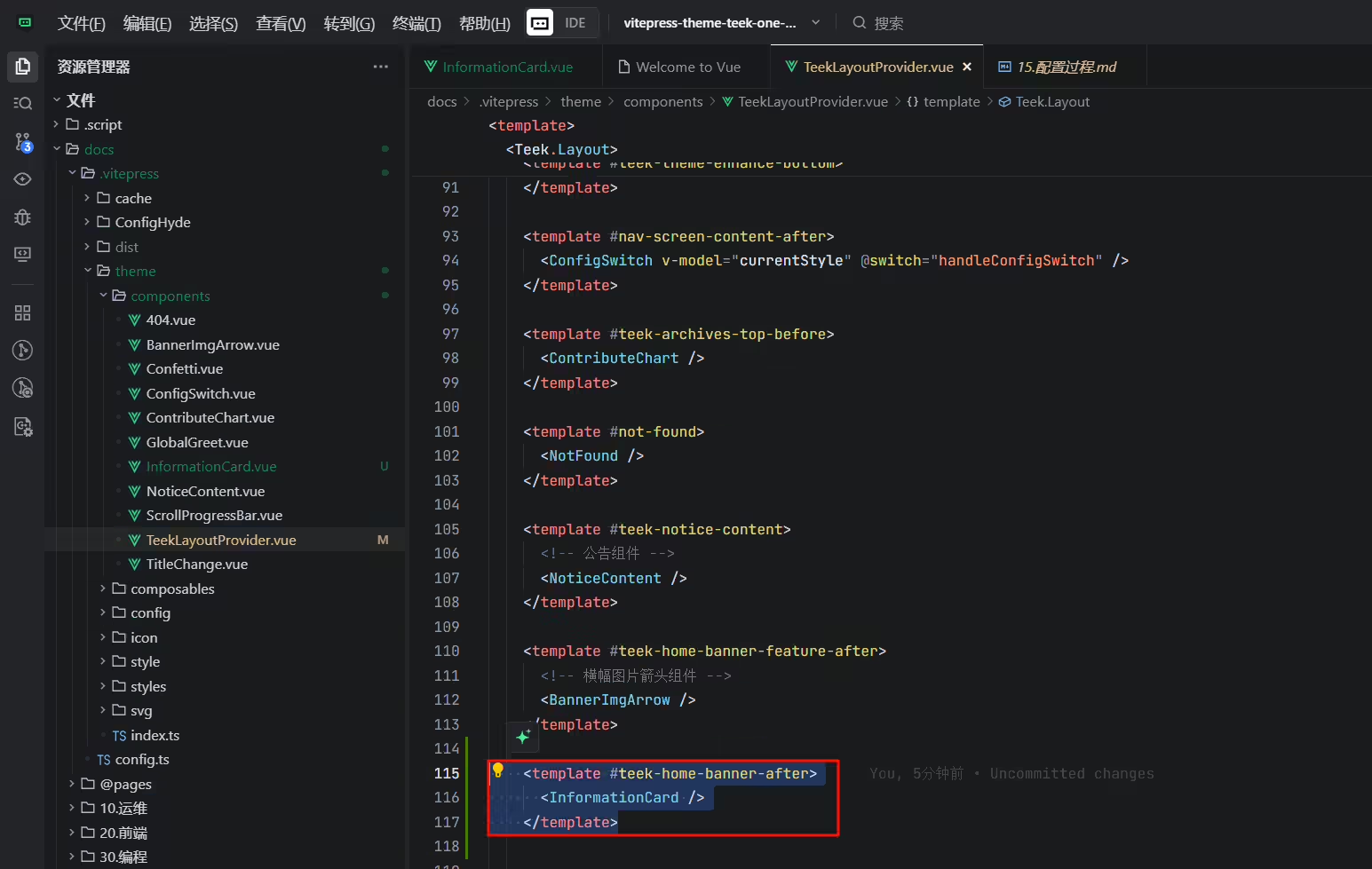
271</style>编辑docs\.vitepress\theme\components\TeekLayoutProvider.vue文件:
1import InformationCard from "./InformationCard.vue";  //导入信息卡片和舔狗日记组件
2
3    <template #teek-home-banner-after>
4      <InformationCard />
5    </template>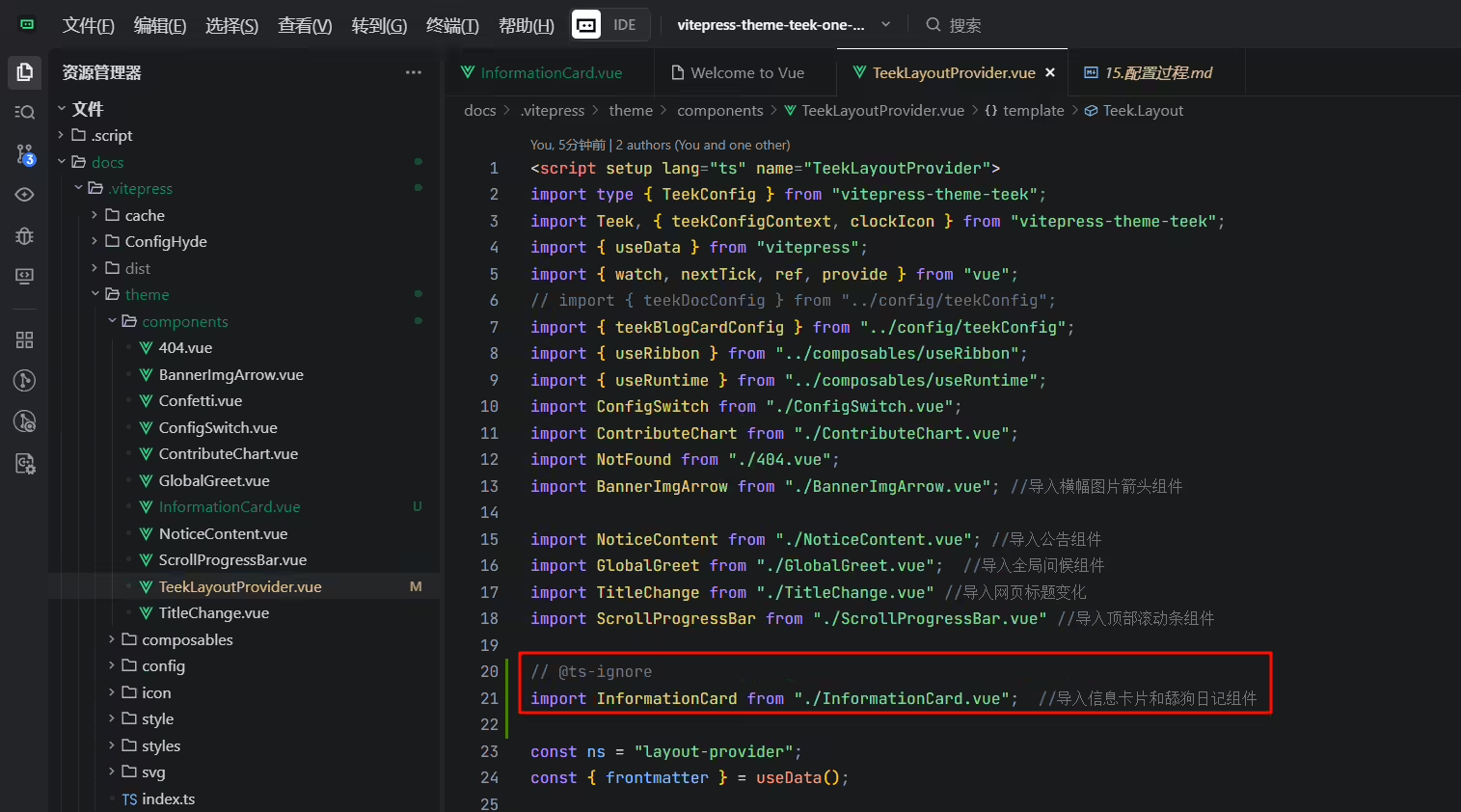
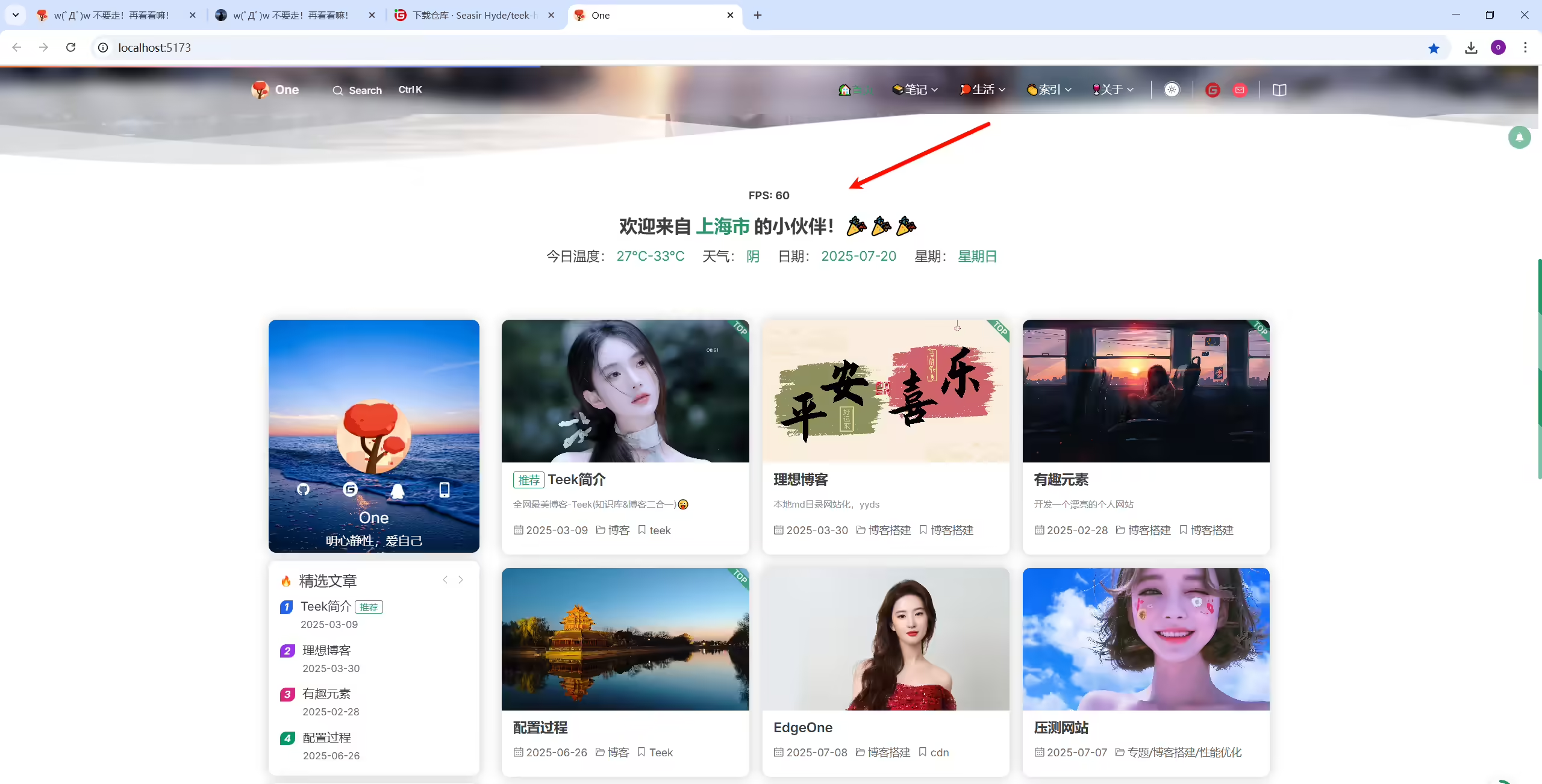
配置完,重新运行就可以看到现象了。
精选 · 友链 · 更多

One的公众号
爱折腾博客的小白
