
快捷菜单
常用功能一站直达
更多功能请点顶栏「快捷菜单」

[[toc]]
[toc]
次功能来自《hyde》大佬的《返回顶部火箭》文章,感谢大佬贡献的功能。❤️❤️❤️
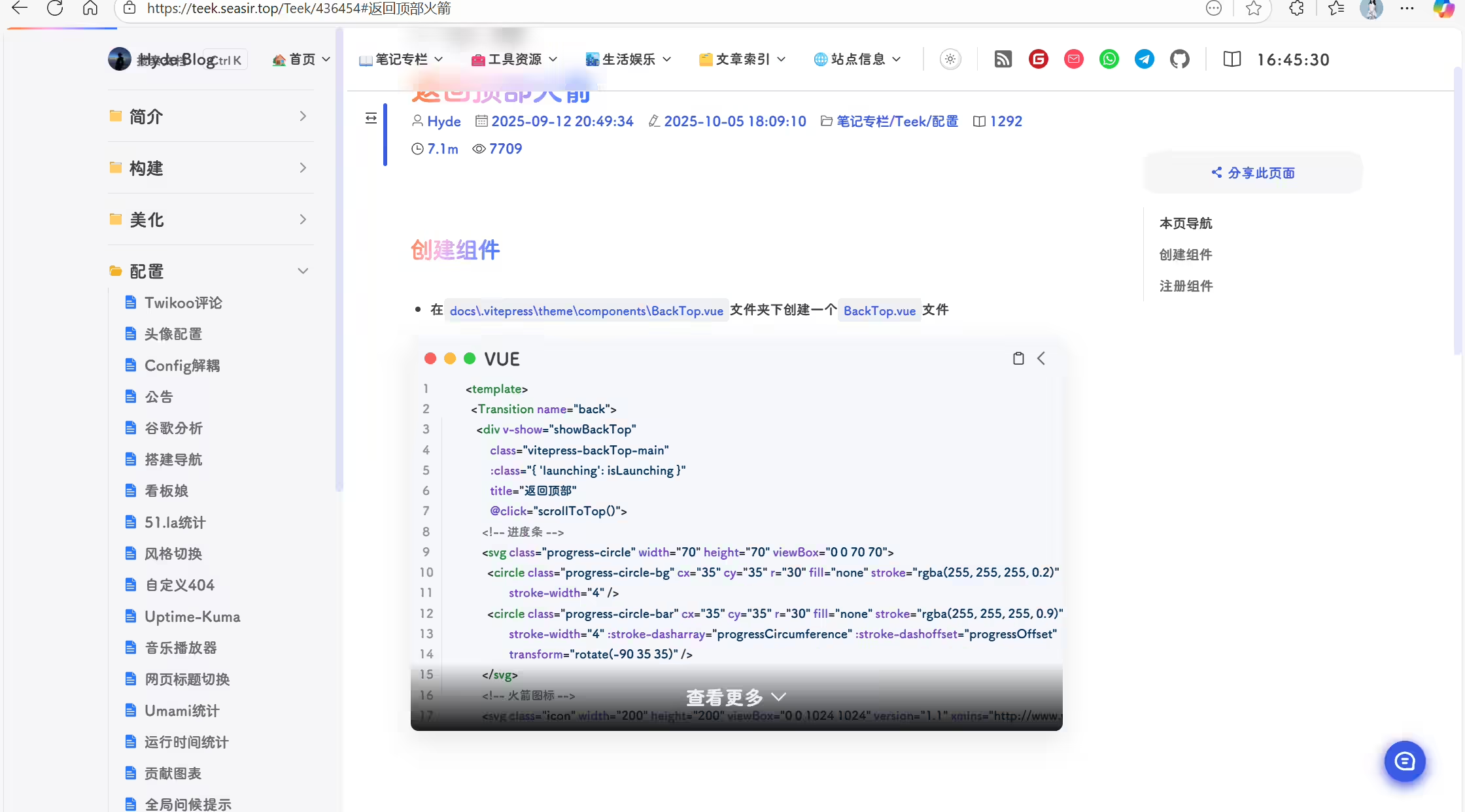
Teek-one开箱即用版仓库:https://cnb.cool/onedayxyy/vitepress-theme-teek-one-public
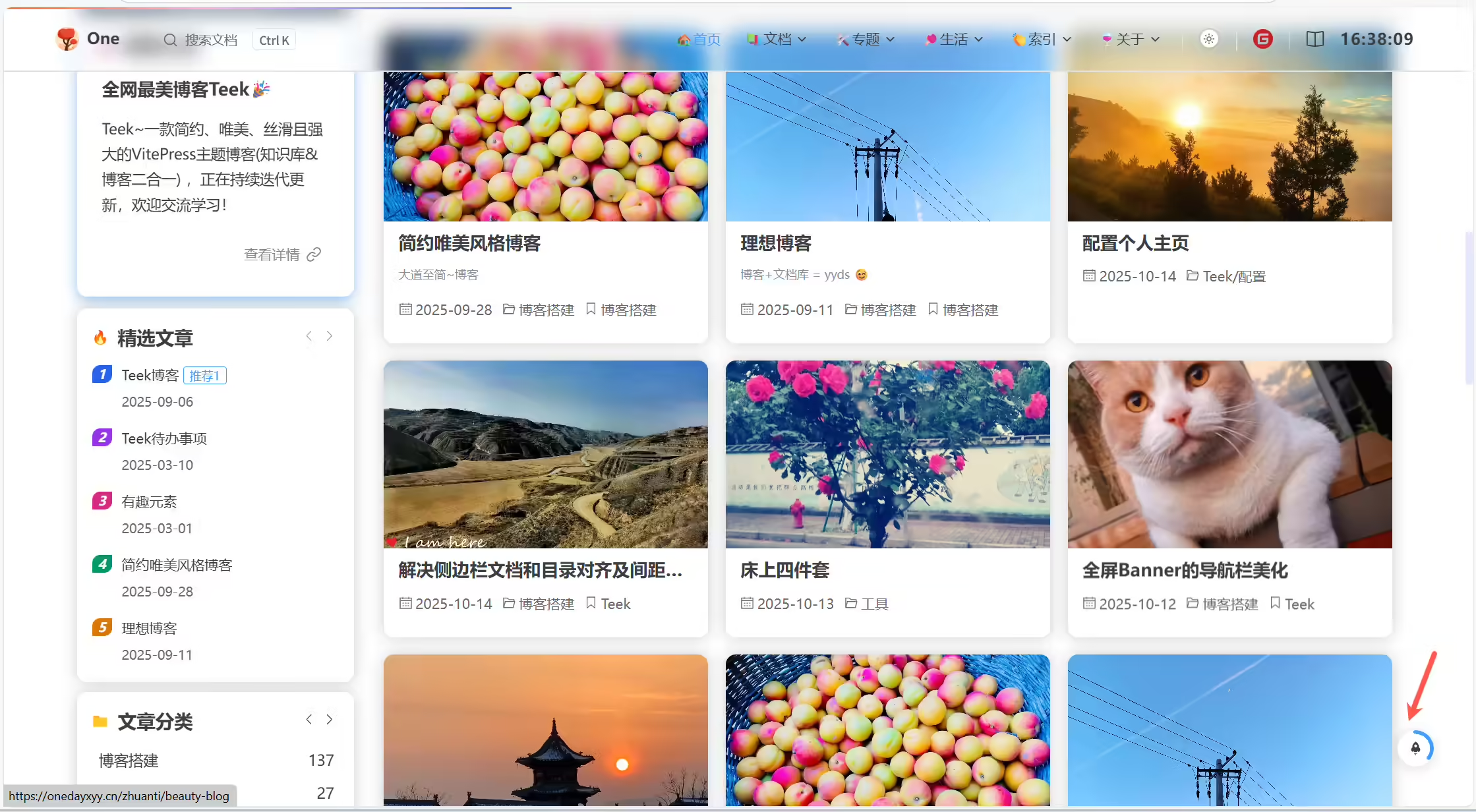
自己Teek博客默认的返回顶部小火箭 不好看,没hyde得好看,那么我要抄作业了。
自己当前丑丑的小火箭:

(1)创建docs\.vitepress\theme\components\BackTop.vue文件
  1<template>
  2  <Transition name="back">
  3    <div
  4      v-show="showBackTop"
  5      class="vitepress-backTop-main"
  6      :class="{ launching: isLaunching, hover: isHovered }"
  7      title="返回顶部"
  8      @click="scrollToTop()"
  9      @mouseenter="isHovered = true"
 10      @mouseleave="isHovered = false"
 11      @touchstart="isHovered = true"
 12      @touchend="handleTouchEnd()"
 13    >
 14      <!-- 进度条 -->
 15      <svg class="progress-circle" width="70" height="70" viewBox="0 0 70 70">
 16        <circle
 17          class="progress-circle-bg"
 18          cx="35"
 19          cy="35"
 20          r="30"
 21          fill="none"
 22          stroke="rgba(255, 255, 255, 0.2)"
 23          stroke-width="4"
 24        />
 25        <circle
 26          class="progress-circle-bar"
 27          cx="35"
 28          cy="35"
 29          r="30"
 30          fill="none"
 31          stroke="rgba(255, 255, 255, 0.9)"
 32          stroke-width="4"
 33          :stroke-dasharray="progressCircumference"
 34          :stroke-dashoffset="progressOffset"
 35          transform="rotate(-90 35 35)"
 36        />
 37      </svg>
 38      <!-- 火箭图标 -->
 39      <svg class="icon" width="200" height="200" viewBox="0 0 1024 1024" xmlns="http://www.w3.org/2000/svg">
 40        <path
 41          fill="#FFF"
 42          d="M752.736 431.063C757.159 140.575 520.41 8.97 504.518 0.41V0l-0.45 0.205-0.41-0.205v0.41c-15.934 8.56-252.723 140.165-248.259 430.653-48.21 31.457-98.713 87.368-90.685 184.074 8.028 96.666 101.007 160.768 136.601 157.287 35.595-3.482 25.232-30.31 25.232-30.31l12.206-50.095s52.47 80.569 69.304 80.528c15.114-1.23 87-0.123 95.6 0h0.82c8.602-0.123 80.486-1.23 95.6 0 16.794 0 69.305-80.528 69.305-80.528l12.165 50.094s-10.322 26.83 25.272 30.31c35.595 3.482 128.574-60.62 136.602-157.286 8.028-96.665-42.475-152.617-90.685-184.074z m-248.669-4.26c-6.758-0.123-94.781-3.359-102.891-107.192 2.95-98.714 95.97-107.438 102.891-107.93 6.964 0.492 99.943 9.216 102.892 107.93-8.11 103.833-96.174 107.07-102.892 107.192z m-52.019 500.531c0 11.838-9.42 21.382-21.012 21.382a21.217 21.217 0 0 1-21.054-21.34V821.74c0-11.797 9.421-21.382 21.054-21.382 11.591 0 21.012 9.585 21.012 21.382v105.635z m77.333 57.222a21.504 21.504 0 0 1-21.34 21.626 21.504 21.504 0 0 1-21.34-21.626V827.474c0-11.96 9.543-21.668 21.299-21.668 11.796 0 21.38 9.708 21.38 21.668v157.082z m71.147-82.043c0 11.796-9.42 21.34-21.053 21.34a21.217 21.217 0 0 1-21.013-21.34v-75.367c0-11.755 9.421-21.299 21.013-21.299 11.632 0 21.053 9.544 21.053 21.3v75.366z"
 43        ></path>
 44      </svg>
 45    </div>
 46  </Transition>
 47</template>
 48
 49<script setup>
 50import { onBeforeUnmount, onMounted, ref, computed } from "vue";
 51
 52// 是否显示返回顶部
 53const showBackTop = ref(false);
 54// 滚动进度 (0-1)
 55const scrollProgress = ref(0);
 56
 57// 进度条周长
 58const progressCircumference = computed(() => 2 * Math.PI * 30);
 59// 进度条偏移量
 60const progressOffset = computed(() => {
 61  return progressCircumference.value * (1 - scrollProgress.value);
 62});
 63
 64// 手动控制 hover 状态,解决移动端点击无法复原bug
 65const isHovered = ref(false);
 66
 67// 处理触摸结束:延迟清除 hover,避免与点击冲突
 68const handleTouchEnd = () => {
 69  // 延迟清除,确保点击事件已触发
 70  setTimeout(() => {
 71    isHovered.value = false;
 72  }, 100);
 73};
 74
 75// 是否正在执行发射动画
 76const isLaunching = ref(false);
 77
 78const scrollToTop = () => {
 79  if (isLaunching.value) return;
 80
 81  // 设置发射状态
 82  isLaunching.value = true;
 83
 84  // 立即开始滚动,同时触发发射动画
 85  window.scrollTo({
 86    top: 0,
 87    behavior: "smooth",
 88  });
 89
 90  // 监听滚动结束,重置发射状态
 91  const checkScrollEnd = () => {
 92    if (window.scrollY <= 0) {
 93      // 到达顶部后重置状态
 94      setTimeout(() => {
 95        isLaunching.value = false;
 96      }, 300);
 97      window.removeEventListener("scroll", checkScrollEnd);
 98    }
 99  };
100
101  window.addEventListener("scroll", checkScrollEnd);
102};
103
104// 计算滚动进度
105const calculateScrollProgress = () => {
106  // 获取页面总高度(包括滚动部分)
107  const totalHeight = document.documentElement.scrollHeight - window.innerHeight;
108  // 获取当前滚动位置
109  const currentScroll = window.scrollY;
110  // 计算滚动百分比 (0-1)
111  // 当滚动到底部或接近底部时,确保返回1
112  if (totalHeight <= 0) return 0; // 防止除以零
113  if (currentScroll >= totalHeight - 1) return 1; // 接近底部时返回1
114  return Math.min(Math.max(currentScroll / totalHeight, 0), 1);
115};
116
117const updateScrollProgress = () => {
118  // 更新是否显示返回顶部按钮(这个可以每帧更新)
119  showBackTop.value = Boolean(window.scrollY > 100);
120  // 更新滚动进度
121  scrollProgress.value = calculateScrollProgress();
122};
123
124const onScroll = () => {
125  // 使用requestAnimationFrame最佳的性能和准确性平衡
126  requestAnimationFrame(updateScrollProgress);
127};
128
129// 监听滚动事件
130onMounted(() => {
131  window.addEventListener("scroll", onScroll);
132  // 初始化进度
133  scrollProgress.value = calculateScrollProgress();
134});
135
136// 移除监听事件
137onBeforeUnmount(() => window.removeEventListener("scroll", onScroll));
138</script>
139
140<style lang="css" scoped>
141.vitepress-backTop-main {
142  z-index: 999;
143  position: relative;
144  cursor: pointer;
145  width: var(--back-top-size);
146  height: var(--back-top-size);
147  border-radius: 50%;
148  background: linear-gradient(135deg, #6366f1 0%, #8b5cf6 100%);
149  display: flex;
150  justify-content: center;
151  align-items: center;
152  box-shadow: 0 4px 20px rgba(107, 70, 193, 0.3);
153  transition: all 0.3s ease;
154}
155
156/* 通过 home.scss 的--back-top-size进行控制 */
157/*@media (max-width: 720px) {
158   !*  低宽度下缩小尺寸 *!
159  .vitepress-backTop-main {
160    width: 38px;
161    height: 38px;
162  }
163}*/
164
165.vitepress-backTop-main.hover {
166  background: linear-gradient(135deg, #4f46e5 0%, #7c3aed 100%);
167  transform: translateY(-3px);
168  box-shadow: 0 6px 25px rgba(107, 70, 193, 0.4);
169}
170
171/* 进度圆环 */
172.progress-circle {
173  position: absolute;
174  top: 0;
175  left: 0;
176  width: 100%;
177  height: 100%;
178  filter: drop-shadow(0 0 2px rgba(255, 255, 255, 0.3));
179}
180
181.progress-circle-bg {
182  stroke-linecap: round;
183}
184
185.progress-circle-bar {
186  stroke-linecap: round;
187  transition: stroke-dashoffset 0.3s ease;
188  filter: drop-shadow(0 0 1px rgba(255, 255, 255, 0.5));
189}
190
191/* 火箭图标 */
192.icon {
193  width: 50%;
194  height: 50%;
195  z-index: 2;
196  filter: drop-shadow(0 0 2px rgba(255, 255, 255, 0.5));
197  transition: transform 0.3s ease;
198}
199
200.vitepress-backTop-main.hover .icon {
201  transform: translateY(-5px);
202}
203
204/* 发射动画 - 修改为保持可见状态 */
205@keyframes launch {
206  0% {
207    transform: translateY(0) scale(1);
208    opacity: 1;
209  }
210
211  20% {
212    transform: translateY(-20px) scale(0.9);
213    opacity: 0.9;
214  }
215
216  100% {
217    transform: translateY(-30px) scale(0.8);
218    opacity: 0.8;
219  }
220}
221
222/* 发射状态 */
223.launching .icon {
224  animation: launch 1s ease-in forwards;
225}
226
227/* 发射轨迹 - 修改为持续可见 */
228.launching::after {
229  content: "";
230  position: absolute;
231  bottom: 20px;
232  left: 50%;
233  transform: translateX(-50%);
234  width: 10px;
235  height: 0;
236  background: linear-gradient(to top, rgba(255, 255, 255, 0), rgba(255, 255, 255, 0.8));
237  border-radius: 50%;
238  animation: rocket-trail 0.5s ease-out forwards;
239}
240
241@keyframes rocket-trail {
242  0% {
243    height: 0;
244    opacity: 0;
245  }
246
247  100% {
248    height: 30px;
249    opacity: 0.8;
250  }
251
252  50% {
253    height: 20px;
254    opacity: 1;
255  }
256
257  100% {
258    height: 30px;
259    opacity: 0;
260  }
261}
262
263/* 进入 退出动画 */
264.back-enter-active,
265.back-leave-active {
266  transition: opacity 0.5s ease;
267}
268
269.back-enter-from,
270.back-leave-to {
271  opacity: 0;
272}
273</style>
(2)引入
编辑docs\.vitepress\theme\components\TeekLayoutProvider.vue文件:
1import BackTop from "./BackTop.vue"; //导入回到顶部组件
2
3
4
5    <!-- 回到顶部组件插槽 -->
6    <template #teek-back-top>
7      <BackTop />
8    </template>
(3)验证
运行项目,验证:
结束。
精选 · 友链 · 更多

One的公众号
爱折腾博客的小白
