
快捷菜单
常用功能一站直达
更多功能请点顶栏「快捷菜单」
[[toc]]
[toc]
感谢w3c大佬手把手指导。💖💖💖
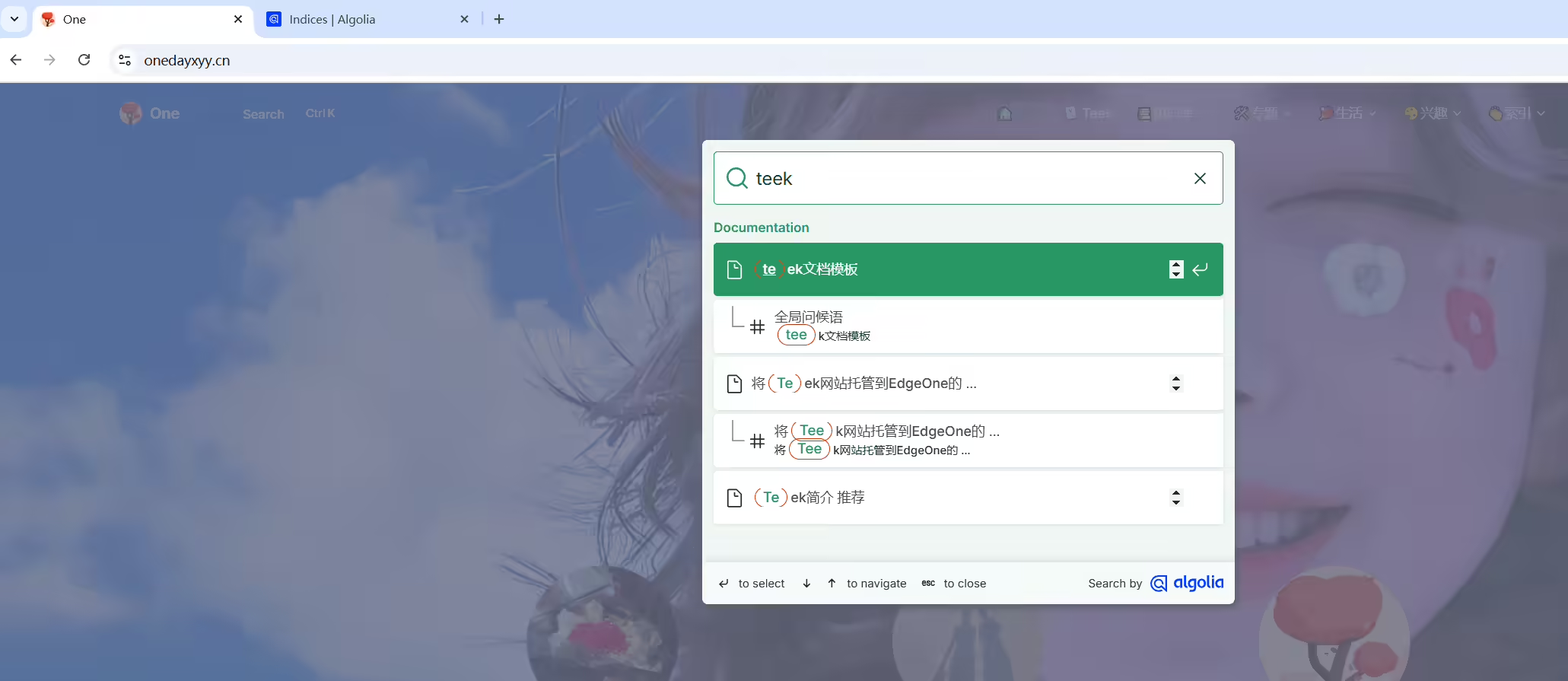
自己的Teek网站已经部署好久了,默认是自带本地搜索的,但是当网站数据量大了后,点击搜索后,会卡顿好久。因此这里直接给自己网站配置Algolia搜索。
具有自己的Teek网站 😜
什么是Algolia
这个配置过程挺简单的,按文档操作,就OK的。
docusaurus搭建的静态网站,默认是不具有全站内容搜索功能的,因此这里配置Algolia 实现内容搜索。
Algolia 是一个搜索、推荐服务平台,可以通过简单的配置来为站点添加全文检索功能。
基本原理:
通过爬虫对目标网站的内容创建 Records (记录), 在用户搜索时调用接口返回相关内容。
为网站添加 实时搜索, 采用 Docusaurus2 官方支持的 Algolia DocSearch
Docsearch 每周一次爬取网站 (可在网页界面上配置具体时间), 并将所有内容汇总到一个 Algolia 索引中
随后,前端页面会调用 Algolia API 来直接查询这些内容。
一定要先向Docsearch 官网申请成功后,再创建自己的数据源才行,不然可能会测试失败的。
前置条件:
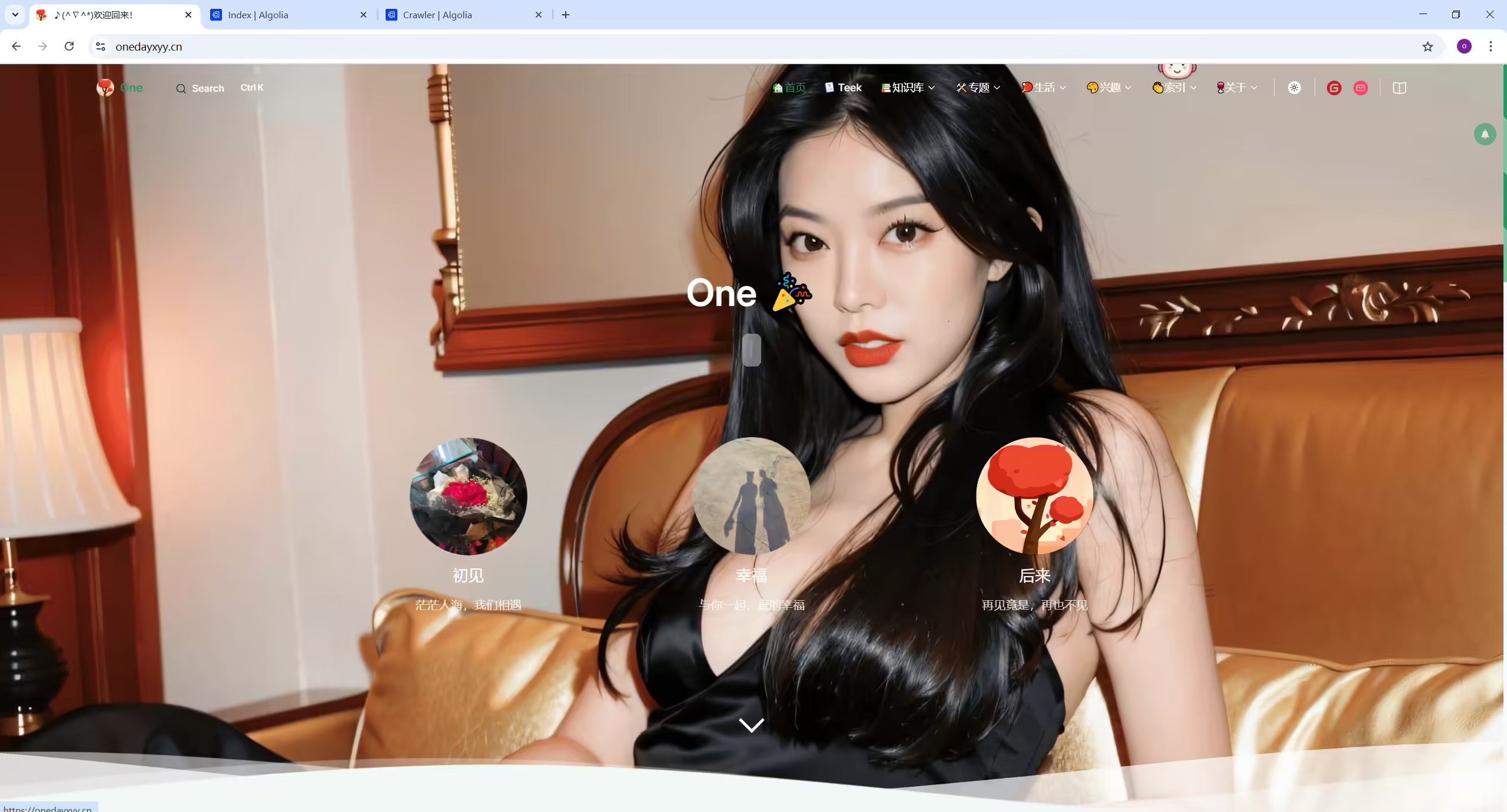
这个是自己的Teek文档网站。
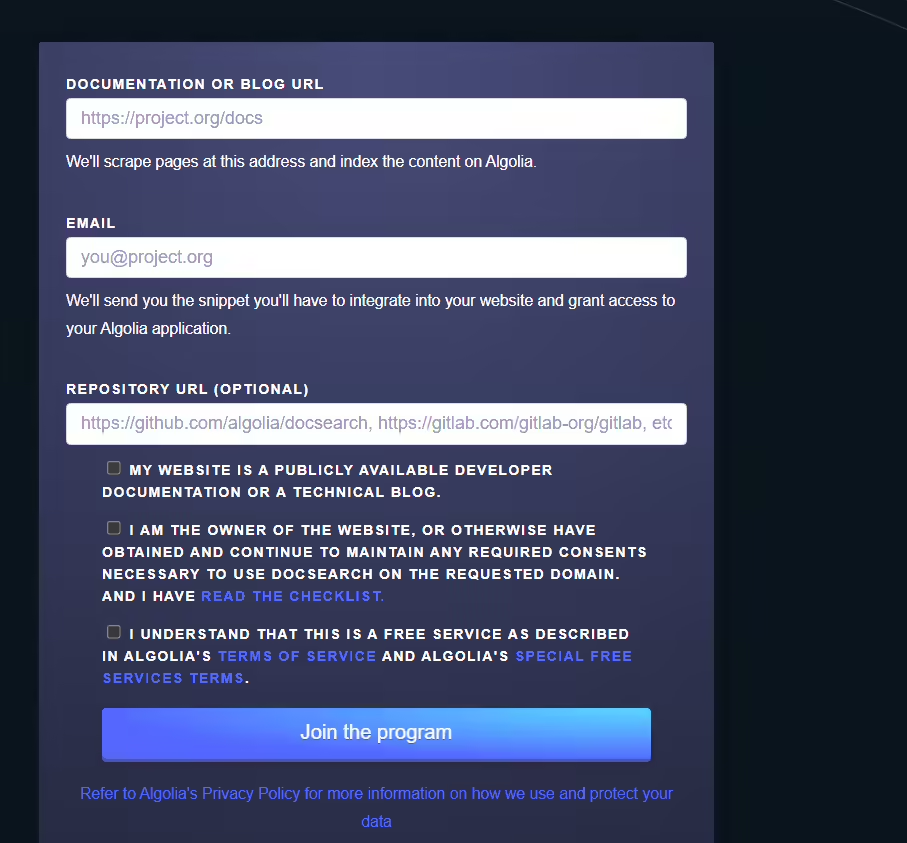
https://docsearch.algolia.com/apply/

提交后大约 2 天内会收到 反馈邮件, 通知注册成功:

自己的测试过程如下:
https://docsearch.algolia.com/apply/


点击Join后,怎么没有反应呢?奇怪。。。(点击后,就自动提交了,我们只需要耐心等待即可)
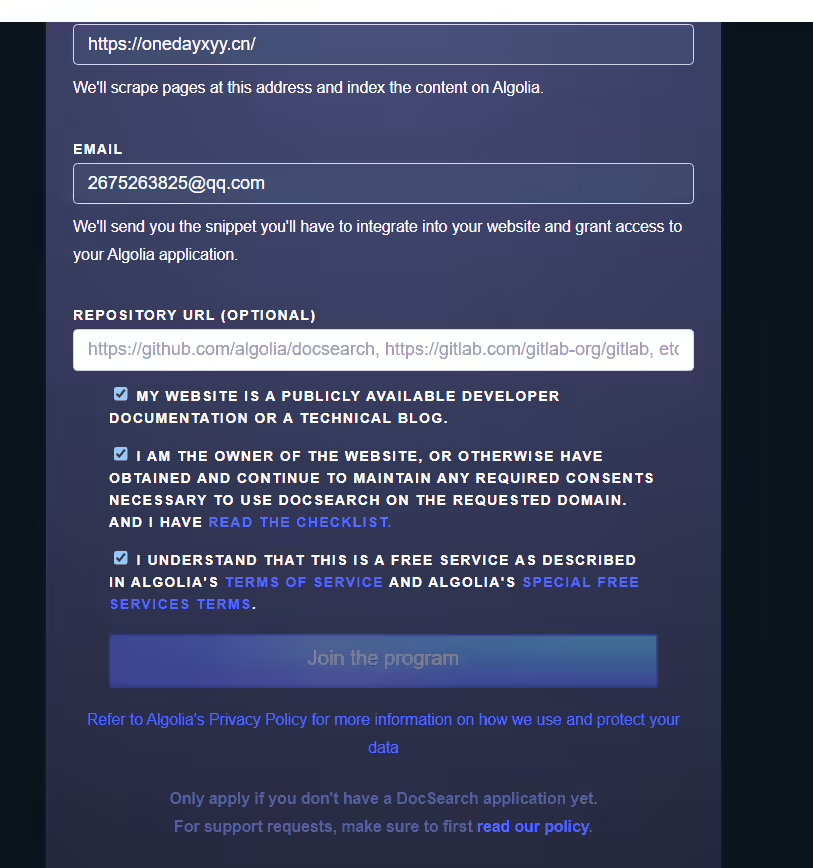
看下后续是否会收到邮件吧?
当前操作时间为:2023年11月15日14:25:55
(几个小时就会得到回复了)

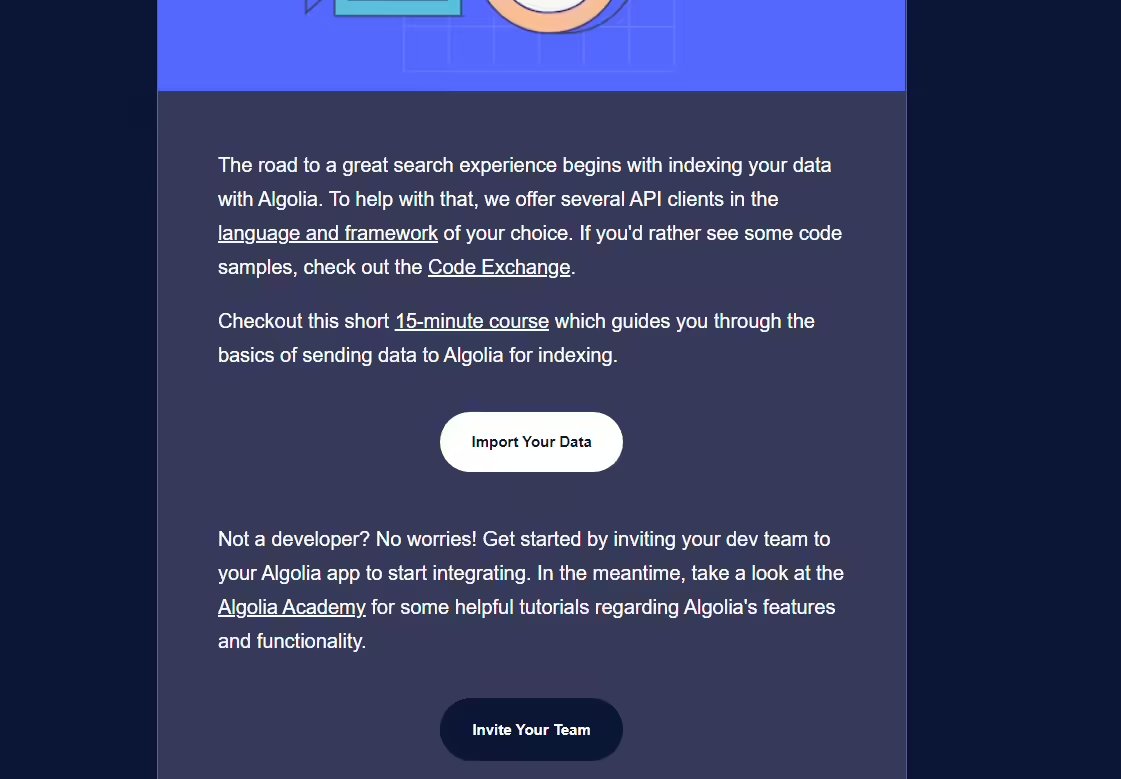
注意:等到官方回复后,这里点击import your data后,就到了具体的配置步骤,我们不用管,按我的文档往下走即可。
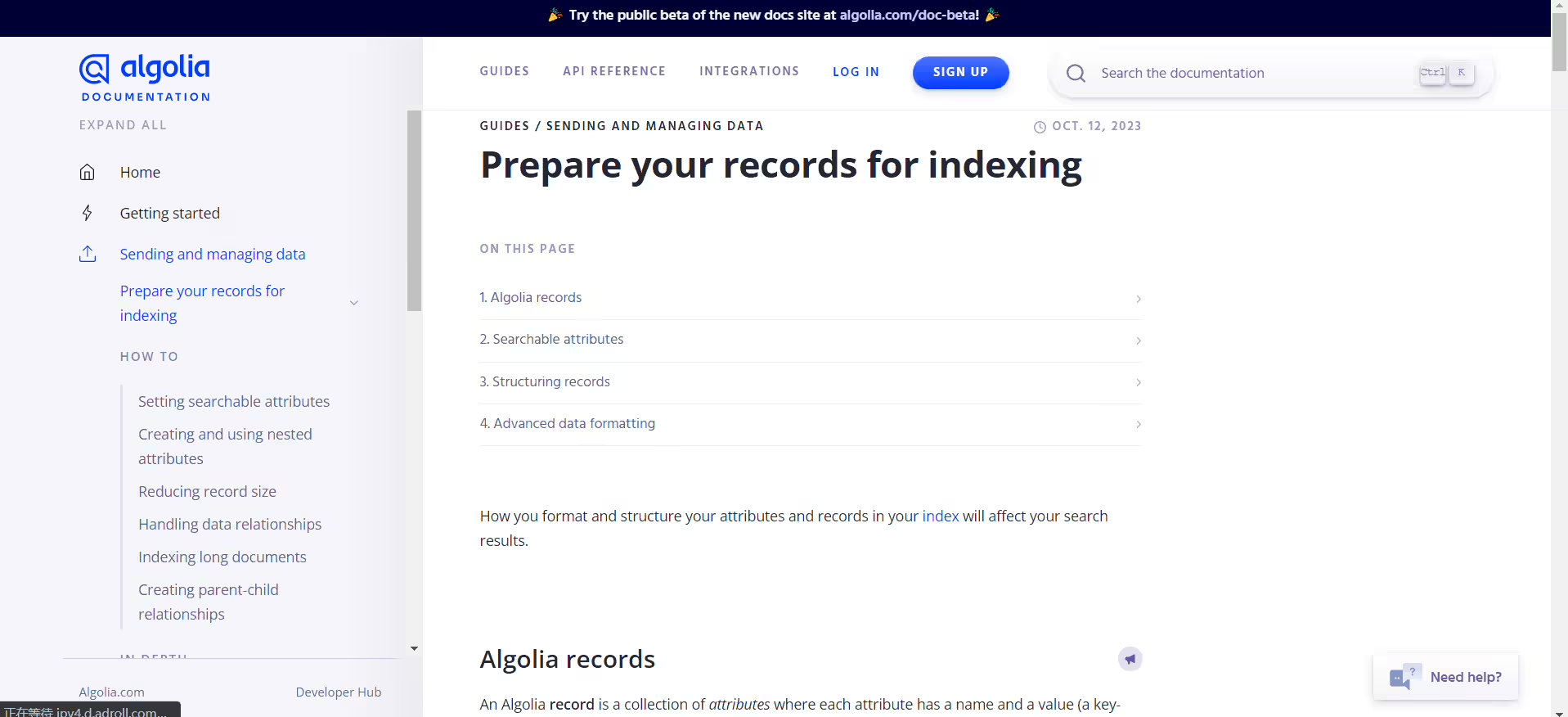
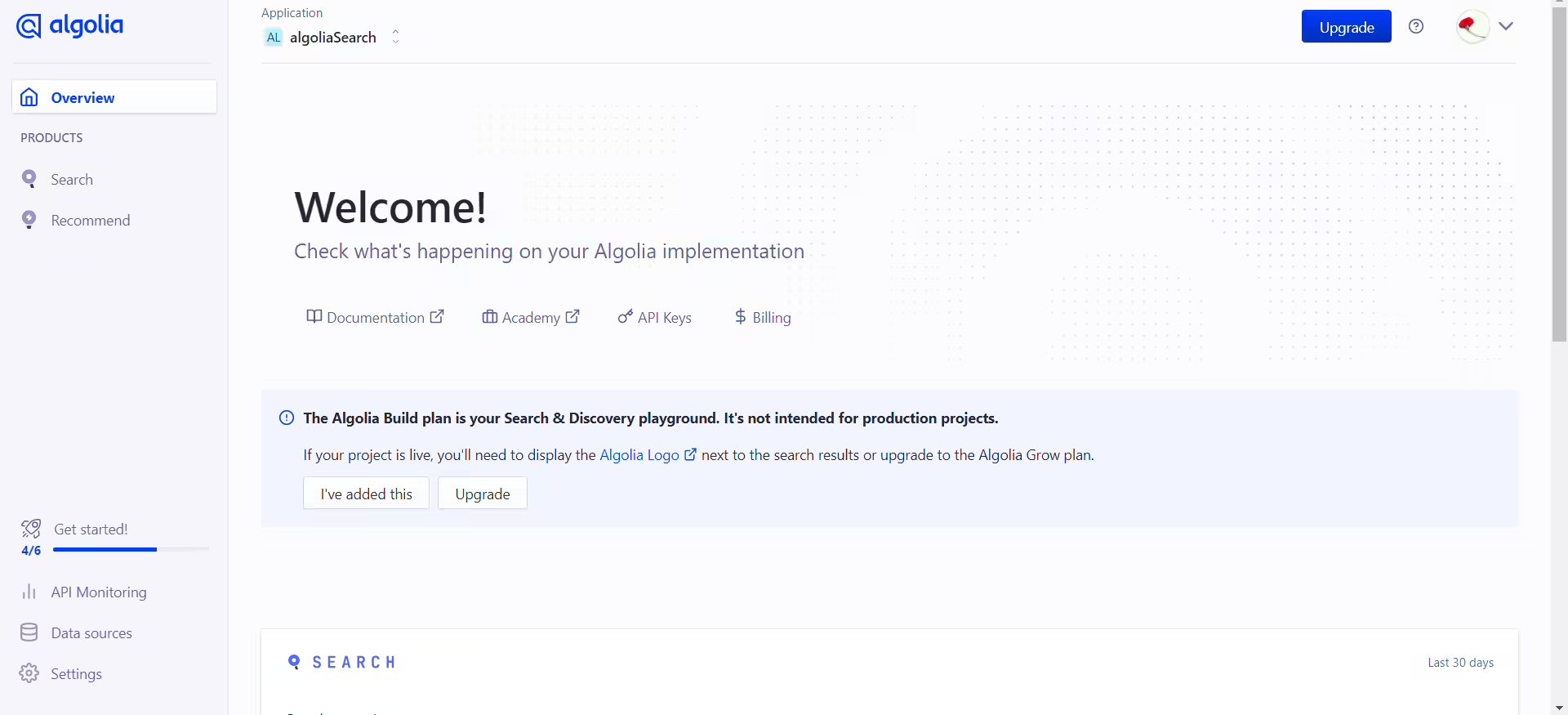
获取 Application ID & API Keys
首先需要去 algolia 官网注册自己的账号,可以直接使用 Github 注册登陆即可。
注册完后,创建数据源 DB:
https://dashboard.algolia.com/apps/EW7M8KMAOC/dashboard

设置 Application 名称, 选择免费计划

最后选择响应速度快的服务后, 创建成功✅
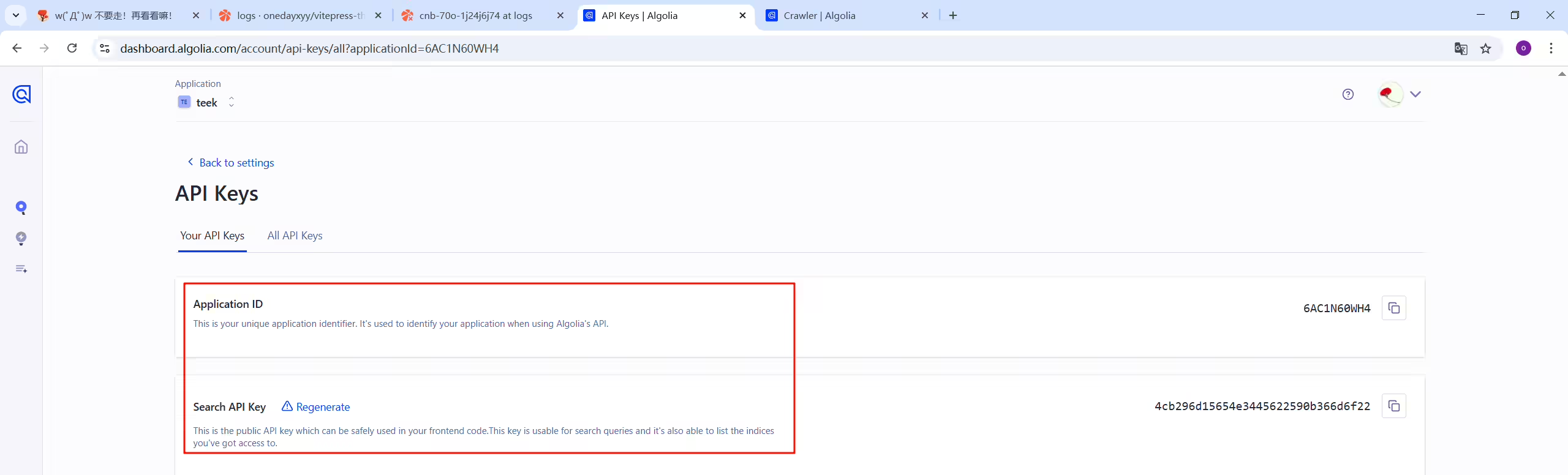
控制台打开 设置页面,点击 API keys

找到 接下来本地配置需要的数据

这里记录好需要用到的数据。

 1new Crawler({
 2  appId: "6AC1N60WH4",
 3  indexPrefix: "",
 4  rateLimit: 8,
 5  maxDepth: 10,
 6  maxUrls: 5000,
 7  schedule: "every 1 day",
 8  startUrls: ["https://onedayxyy.cn"],
 9  renderJavaScript: false,
10  sitemaps: [],
11  ignoreCanonicalTo: false,
12  discoveryPatterns: ["https://onedayxyy.cn/**"],
13  actions: [
14    {
15      indexName: "onedayxyy",
16      pathsToMatch: ["https://onedayxyy.cn/**"],
17      recordExtractor: ({ helpers }) => {
18        return helpers.docsearch({
19          recordProps: {
20            lvl1: ".content h1",
21            content: ".content p, .content li",
22            lvl0: {
23              selectors: "",
24              defaultValue: "Documentation",
25            },
26            lvl2: ".content h2",
27            lvl3: ".content h3",
28            lvl4: ".content h4",
29            lvl5: ".content h5",
30          },
31          aggregateContent: true,
32          recordVersion: "v3",
33        });
34      },
35    },
36  ],
37  safetyChecks: { beforeIndexPublishing: { maxLostRecordsPercentage: 30 } },
38  initialIndexSettings: {
39    onedayxyy: {
40      attributesForFaceting: ["type", "lang"],
41      attributesToRetrieve: [
42        "hierarchy",
43        "content",
44        "anchor",
45        "url",
46        "url_without_anchor",
47        "type",
48      ],
49      attributesToHighlight: ["hierarchy", "content"],
50      attributesToSnippet: ["content:10"],
51      camelCaseAttributes: ["hierarchy", "content"],
52      searchableAttributes: [
53        "unordered(hierarchy.lvl0)",
54        "unordered(hierarchy.lvl1)",
55        "unordered(hierarchy.lvl2)",
56        "unordered(hierarchy.lvl3)",
57        "unordered(hierarchy.lvl4)",
58        "unordered(hierarchy.lvl5)",
59        "unordered(hierarchy.lvl6)",
60        "content",
61      ],
62      distinct: true,
63      attributeForDistinct: "url",
64      customRanking: [
65        "desc(weight.pageRank)",
66        "desc(weight.level)",
67        "asc(weight.position)",
68      ],
69      ranking: [
70        "words",
71        "filters",
72        "typo",
73        "attribute",
74        "proximity",
75        "exact",
76        "custom",
77      ],
78      highlightPreTag: '<span class="algolia-docsearch-suggestion--highlight">',
79      highlightPostTag: "</span>",
80      minWordSizefor1Typo: 3,
81      minWordSizefor2Typos: 7,
82      allowTyposOnNumericTokens: false,
83      minProximity: 1,
84      ignorePlurals: true,
85      advancedSyntax: true,
86      attributeCriteriaComputedByMinProximity: true,
87      removeWordsIfNoResults: "allOptional",
88    },
89  },
90  apiKey: "a2d720a2aa7cf2c31b3722d0974639c2",
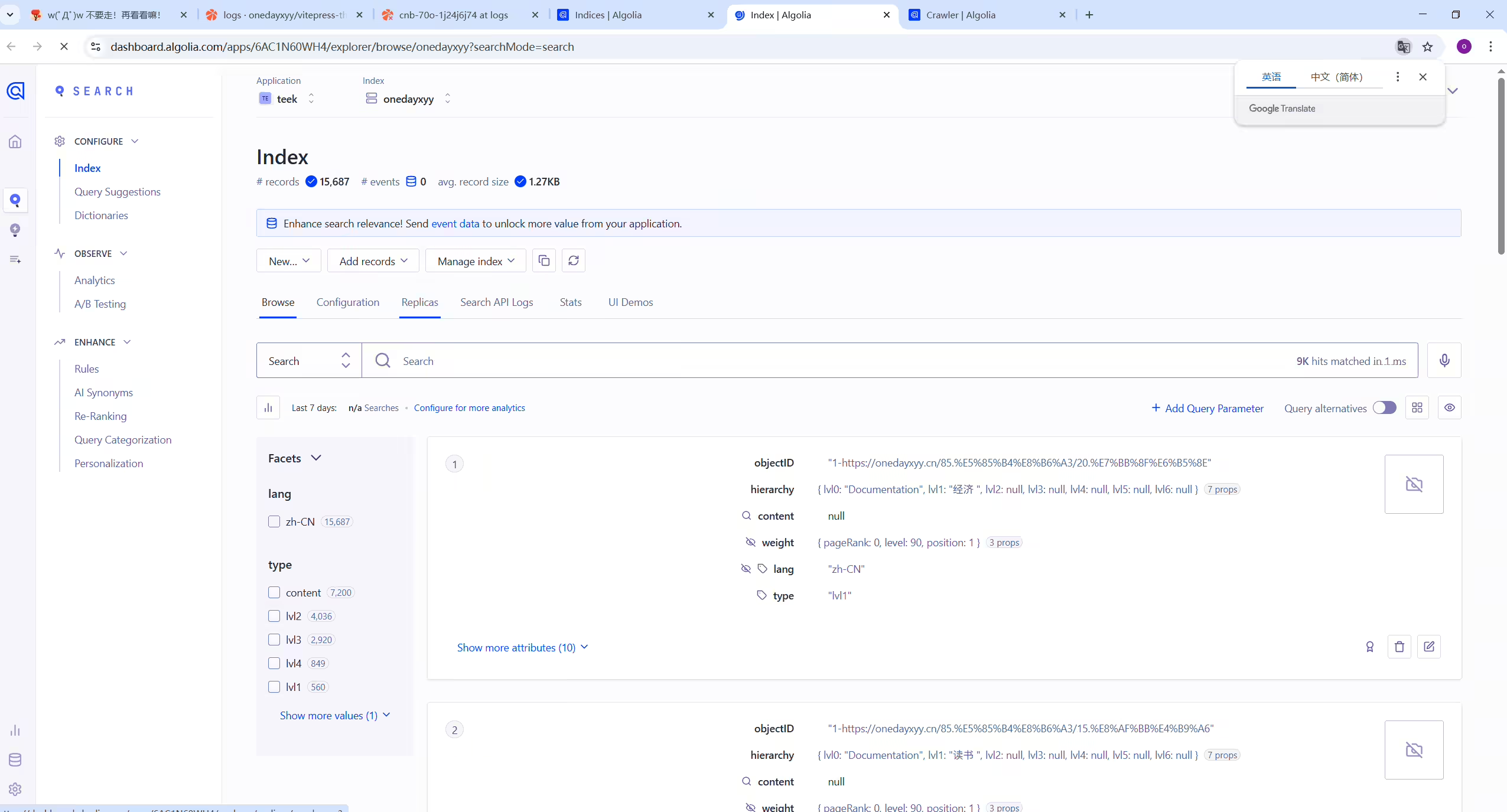
91});到自己的algolia账户下看下数据情况:
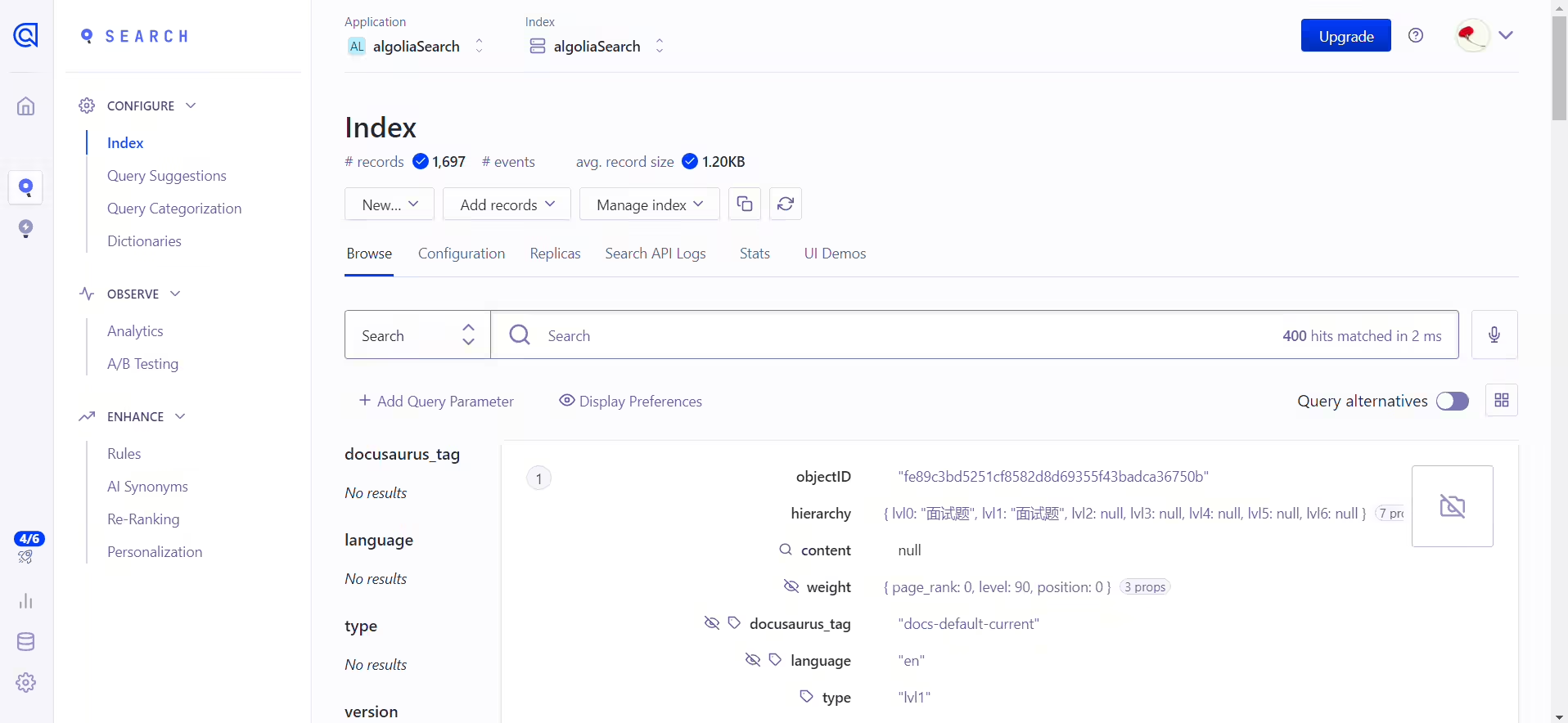
VitePress官方已经支持了 algolia 搜索,直接去 docs\.vitepress\config.ts 文件配置即可:
来到自己Teek项目仓库,配置 docs\.vitepress\config.ts文件:
 1    // algolia搜索
 2    search: {
 3      provider: 'algolia',
 4      options: {
 5        appId: '6AC1N60WH4',
 6        apiKey: '90f7d1ece3094d290fe42fcaf6cdfd3c',
 7        indexName: 'onedayxyy',
 8        locales: {
 9          root: {
10            placeholder: '搜索文档',
11            translations: {
12              button: {
13                buttonText: '搜索文档',
14                buttonAriaLabel: '搜索文档'
15              },
16              modal: {
17                searchBox: {
18                  resetButtonTitle: '清除查询条件',
19                  resetButtonAriaLabel: '清除查询条件',
20                  cancelButtonText: '取消',
21                  cancelButtonAriaLabel: '取消'
22                },
23                startScreen: {
24                  recentSearchesTitle: '搜索历史',
25                  noRecentSearchesText: '没有搜索历史',
26                  saveRecentSearchButtonTitle: '保存至搜索历史',
27                  removeRecentSearchButtonTitle: '从搜索历史中移除',
28                  favoriteSearchesTitle: '收藏',
29                  removeFavoriteSearchButtonTitle: '从收藏中移除'
30                },
31                errorScreen: {
32                  titleText: '无法获取结果',
33                  helpText: '你可能需要检查你的网络连接'
34                },
35                footer: {
36                  selectText: '选择',
37                  navigateText: '切换',
38                  closeText: '关闭',
39                  searchByText: '搜索提供者'
40                },
41                noResultsScreen: {
42                  noResultsText: '无法找到相关结果',
43                  suggestedQueryText: '你可以尝试查询',
44                  reportMissingResultsText: '你认为该查询应该有结果?',
45                  reportMissingResultsLinkText: '点击反馈'
46                },
47              },
48            },
49          },
50        },
51      }
52    },
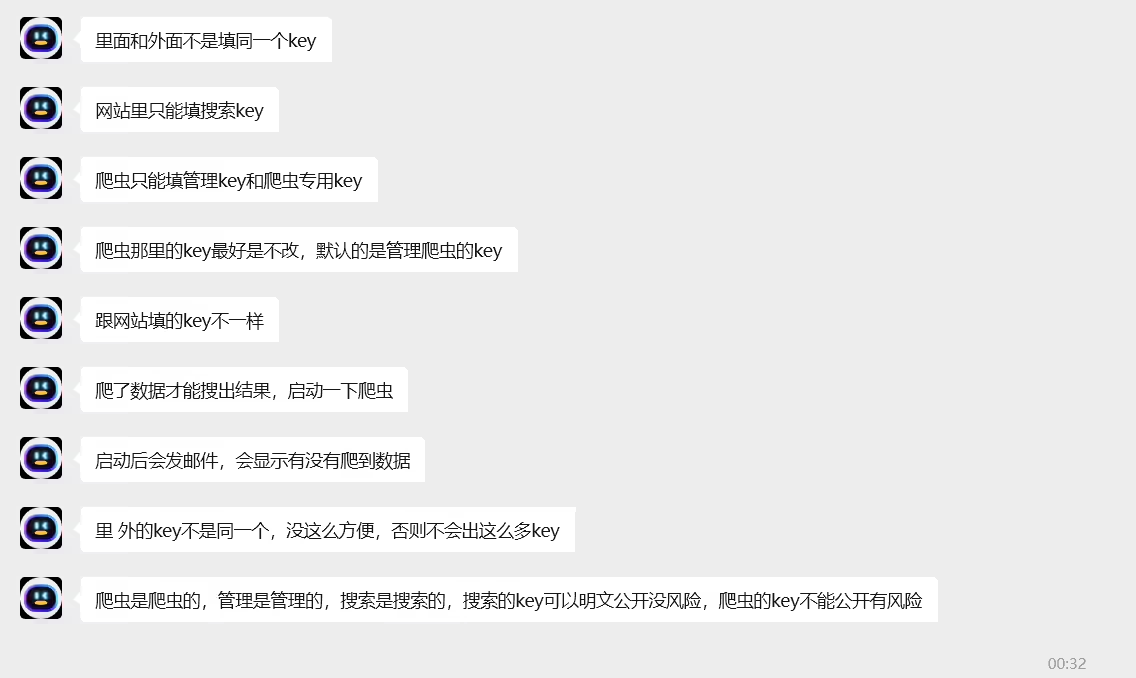
注意:这里要填搜索key,是可以公开的。

如果是用其他搭建的比如 Hexo,VuePress/ VitePres,也类似,在对应在 config 文件配置就好。
上面 apiKey、appId 可以在 API Keys 里面查看:

运行项目,就可以看到出现搜索功能,这时候还不能用,因为 algolia 还没有爬取自己网站的内容。
提交本地数据到服务器端。
Algolia数据

options里面加个locales就行。
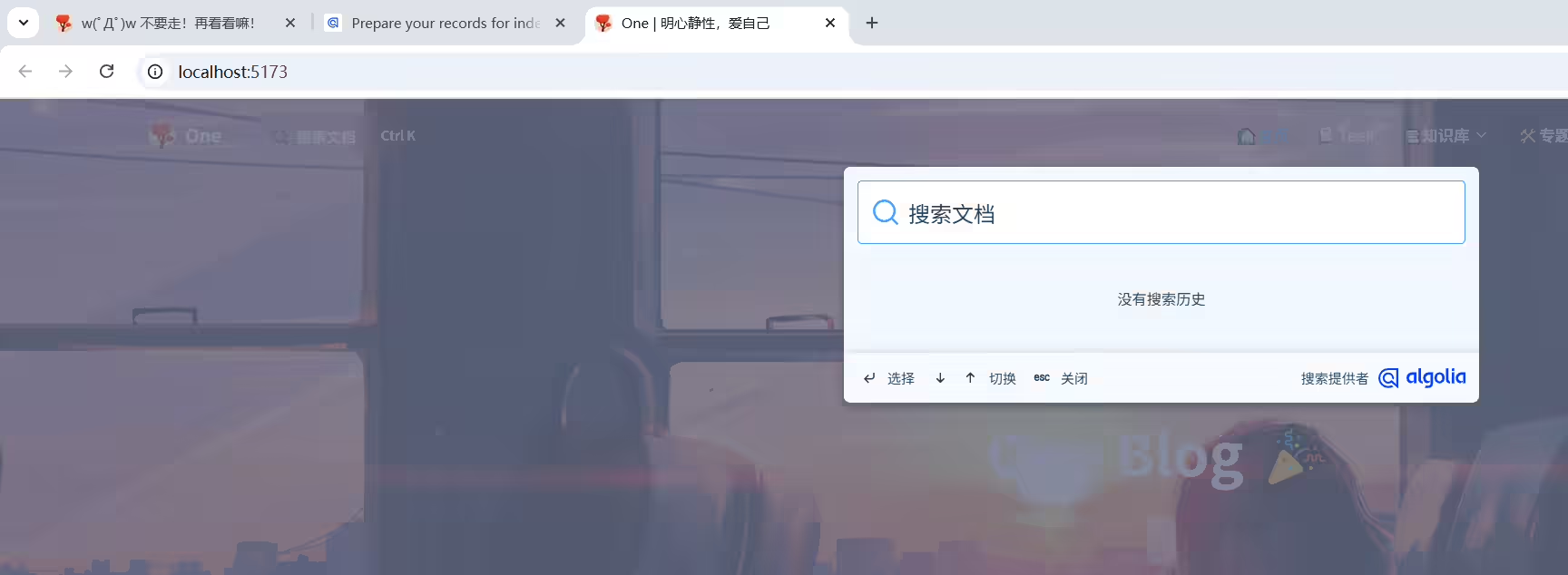
(1)编辑docs\.vitepress\config.ts文件

 1    // algolia搜索
 2    search: {
 3      provider: 'algolia',
 4      options: {
 5        appId: '6AC1N60WH4',
 6        apiKey: '90f7d1ece3094d290fe42fcaf6cdfd3c',
 7        indexName: 'onedayxyy',
 8        locales: {
 9          root: {
10            placeholder: '搜索文档',
11            translations: {
12              button: {
13                buttonText: '搜索文档',
14                buttonAriaLabel: '搜索文档'
15              },
16              modal: {
17                searchBox: {
18                  resetButtonTitle: '清除查询条件',
19                  resetButtonAriaLabel: '清除查询条件',
20                  cancelButtonText: '取消',
21                  cancelButtonAriaLabel: '取消'
22                },
23                startScreen: {
24                  recentSearchesTitle: '搜索历史',
25                  noRecentSearchesText: '没有搜索历史',
26                  saveRecentSearchButtonTitle: '保存至搜索历史',
27                  removeRecentSearchButtonTitle: '从搜索历史中移除',
28                  favoriteSearchesTitle: '收藏',
29                  removeFavoriteSearchButtonTitle: '从收藏中移除'
30                },
31                errorScreen: {
32                  titleText: '无法获取结果',
33                  helpText: '你可能需要检查你的网络连接'
34                },
35                footer: {
36                  selectText: '选择',
37                  navigateText: '切换',
38                  closeText: '关闭',
39                  searchByText: '搜索提供者'
40                },
41                noResultsScreen: {
42                  noResultsText: '无法找到相关结果',
43                  suggestedQueryText: '你可以尝试查询',
44                  reportMissingResultsText: '你认为该查询应该有结果?',
45                  reportMissingResultsLinkText: '点击反馈'
46                },
47              },
48            },
49          },
50        },
51      }
52    },
(2)运行验证

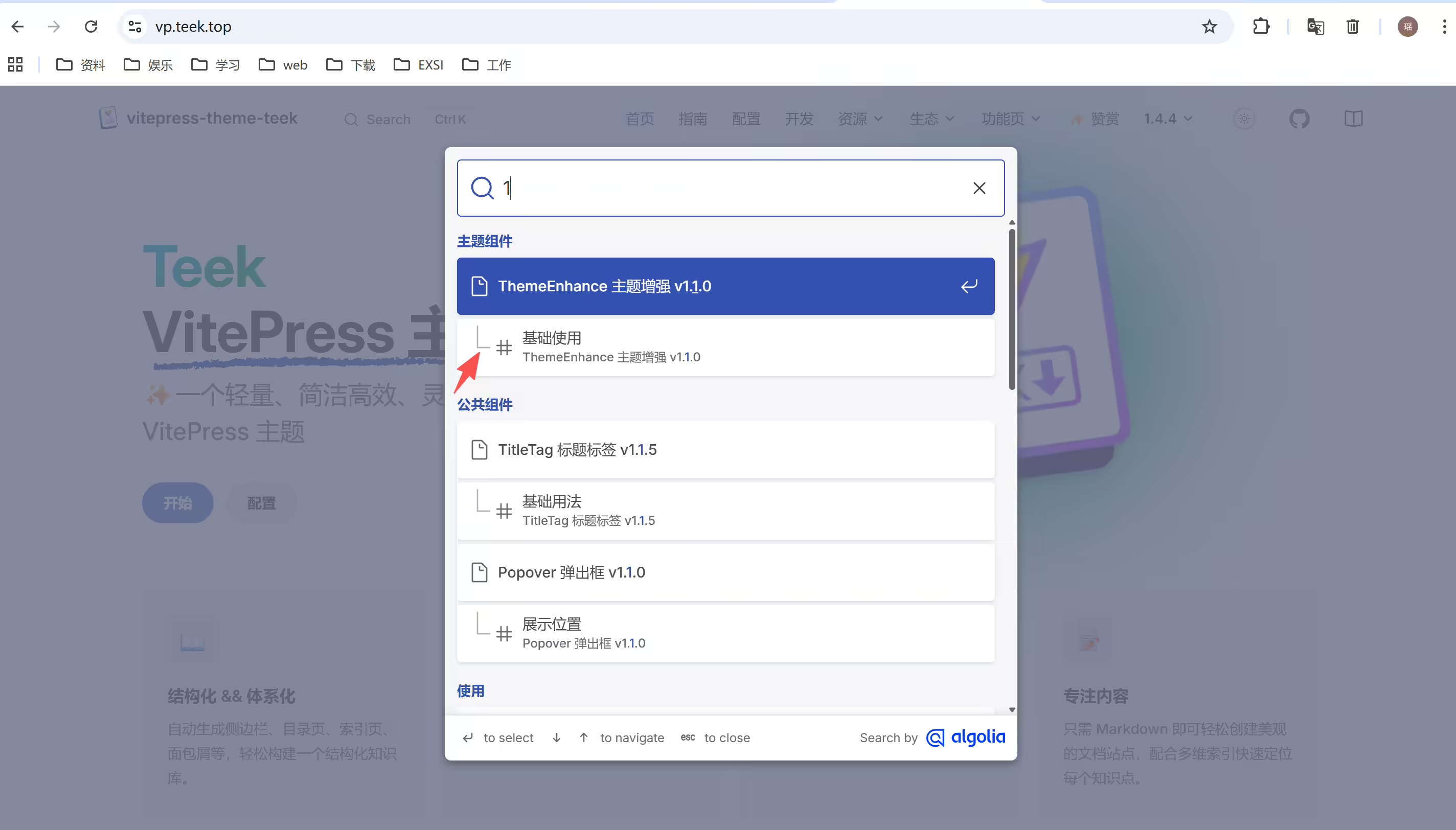
回答:
群主提供的:
  1new Crawler({
  2  appId: "2LFTZ9LKO9",
  3  apiKey: "f50ae40648433472c4852cb984b2b054",
  4  indexPrefix: "",
  5  rateLimit: 8,
  6  startUrls: ["https://vp.teek.top/"],
  7  renderJavaScript: false,
  8  sitemaps: ["https://vp.teek.top/sitemap.xml"],
  9  exclusionPatterns: [],
 10  ignoreCanonicalTo: false,
 11  discoveryPatterns: ["https://vp.teek.top/**"],
 12  schedule: "at 05:10 on Saturday",
 13  actions: [
 14    {
 15      indexName: "vitepress_theme_teek",
 16      pathsToMatch: ["https://vp.teek.top/**"],
 17      recordExtractor: ({ $, helpers }) => {
 18        return helpers.docsearch({
 19          recordProps: {
 20            lvl1: ".content h1",
 21            content: ".content p, .content li",
 22            lvl0: {
 23              selectors: "section.has-active div h2",
 24              defaultValue: "Documentation",
 25            },
 26            lvl2: ".content h2",
 27            lvl3: ".content h3",
 28            lvl4: ".content h4",
 29            lvl5: ".content h5",
 30          },
 31          indexHeadings: true,
 32        });
 33      },
 34    },
 35  ],
 36  initialIndexSettings: {
 37    vitepress_theme_teek: {
 38      attributesForFaceting: ["type", "lang"],
 39      attributesToRetrieve: ["hierarchy", "content", "anchor", "url"],
 40      attributesToHighlight: ["hierarchy", "hierarchy_camel", "content"],
 41      attributesToSnippet: ["content:10"],
 42      camelCaseAttributes: ["hierarchy", "hierarchy_radio", "content"],
 43      searchableAttributes: [
 44        "unordered(hierarchy_radio_camel.lvl0)",
 45        "unordered(hierarchy_radio.lvl0)",
 46        "unordered(hierarchy_radio_camel.lvl1)",
 47        "unordered(hierarchy_radio.lvl1)",
 48        "unordered(hierarchy_radio_camel.lvl2)",
 49        "unordered(hierarchy_radio.lvl2)",
 50        "unordered(hierarchy_radio_camel.lvl3)",
 51        "unordered(hierarchy_radio.lvl3)",
 52        "unordered(hierarchy_radio_camel.lvl4)",
 53        "unordered(hierarchy_radio.lvl4)",
 54        "unordered(hierarchy_radio_camel.lvl5)",
 55        "unordered(hierarchy_radio.lvl5)",
 56        "unordered(hierarchy_radio_camel.lvl6)",
 57        "unordered(hierarchy_radio.lvl6)",
 58        "unordered(hierarchy_camel.lvl0)",
 59        "unordered(hierarchy.lvl0)",
 60        "unordered(hierarchy_camel.lvl1)",
 61        "unordered(hierarchy.lvl1)",
 62        "unordered(hierarchy_camel.lvl2)",
 63        "unordered(hierarchy.lvl2)",
 64        "unordered(hierarchy_camel.lvl3)",
 65        "unordered(hierarchy.lvl3)",
 66        "unordered(hierarchy_camel.lvl4)",
 67        "unordered(hierarchy.lvl4)",
 68        "unordered(hierarchy_camel.lvl5)",
 69        "unordered(hierarchy.lvl5)",
 70        "unordered(hierarchy_camel.lvl6)",
 71        "unordered(hierarchy.lvl6)",
 72        "content",
 73      ],
 74      distinct: true,
 75      attributeForDistinct: "url",
 76      customRanking: [
 77        "desc(weight.pageRank)",
 78        "desc(weight.level)",
 79        "asc(weight.position)",
 80      ],
 81      ranking: [
 82        "words",
 83        "filters",
 84        "typo",
 85        "attribute",
 86        "proximity",
 87        "exact",
 88        "custom",
 89      ],
 90      highlightPreTag: '<span class="algolia-docsearch-suggestion--highlight">',
 91      highlightPostTag: "</span>",
 92      minWordSizefor1Typo: 3,
 93      minWordSizefor2Typos: 7,
 94      allowTyposOnNumericTokens: false,
 95      minProximity: 1,
 96      ignorePlurals: true,
 97      advancedSyntax: true,
 98      attributeCriteriaComputedByMinProximity: true,
 99      removeWordsIfNoResults: "allOptional",
100    },
101  },
102});
开始配置自己的Algolia:
之前的配置:
 1new Crawler({
 2  appId: "6AC1N60WH4",
 3  indexPrefix: "",
 4  rateLimit: 8,
 5  maxDepth: 10,
 6  maxUrls: 5000,
 7  schedule: "on sunday",
 8  startUrls: ["https://onedayxyy.cn"],
 9  renderJavaScript: false,
10  sitemaps: [],
11  ignoreCanonicalTo: false,
12  discoveryPatterns: ["https://onedayxyy.cn/**"],
13  actions: [
14    {
15      indexName: "onedayxyy",
16      pathsToMatch: ["https://onedayxyy.cn/**"],
17      recordExtractor: ({ helpers }) => {
18        return helpers.docsearch({
19          recordProps: {
20            lvl1: ".content h1",
21            content: ".content p, .content li",
22            lvl0: {
23              selectors: "",
24              defaultValue: "Documentation",
25            },
26            lvl2: ".content h2",
27            lvl3: ".content h3",
28            lvl4: ".content h4",
29            lvl5: ".content h5",
30          },
31          aggregateContent: true,
32          recordVersion: "v3",
33        });
34      },
35    },
36  ],
37  safetyChecks: { beforeIndexPublishing: { maxLostRecordsPercentage: 30 } },
38  initialIndexSettings: {
39    onedayxyy: {
40      attributesForFaceting: ["type", "lang"],
41      attributesToRetrieve: [
42        "hierarchy",
43        "content",
44        "anchor",
45        "url",
46        "url_without_anchor",
47        "type",
48      ],
49      attributesToHighlight: ["hierarchy", "content"],
50      attributesToSnippet: ["content:10"],
51      camelCaseAttributes: ["hierarchy", "content"],
52      searchableAttributes: [
53        "unordered(hierarchy.lvl0)",
54        "unordered(hierarchy.lvl1)",
55        "unordered(hierarchy.lvl2)",
56        "unordered(hierarchy.lvl3)",
57        "unordered(hierarchy.lvl4)",
58        "unordered(hierarchy.lvl5)",
59        "unordered(hierarchy.lvl6)",
60        "content",
61      ],
62      distinct: true,
63      attributeForDistinct: "url",
64      customRanking: [
65        "desc(weight.pageRank)",
66        "desc(weight.level)",
67        "asc(weight.position)",
68      ],
69      ranking: [
70        "words",
71        "filters",
72        "typo",
73        "attribute",
74        "proximity",
75        "exact",
76        "custom",
77      ],
78      highlightPreTag: '<span class="algolia-docsearch-suggestion--highlight">',
79      highlightPostTag: "</span>",
80      minWordSizefor1Typo: 3,
81      minWordSizefor2Typos: 7,
82      allowTyposOnNumericTokens: false,
83      minProximity: 1,
84      ignorePlurals: true,
85      advancedSyntax: true,
86      attributeCriteriaComputedByMinProximity: true,
87      removeWordsIfNoResults: "allOptional",
88    },
89  },
90  apiKey: "a2d720a2aa7cf2c31b3722d0974639c2",
91});
更新本次配置:
  1new Crawler({
  2  appId: "6AC1N60WH4",
  3  apiKey: "a2d720a2aa7cf2c31b3722d0974639c2",
  4  indexPrefix: "",
  5  rateLimit: 8,
  6  startUrls: ["https://onedayxyy.cn/"],
  7  renderJavaScript: false,
  8  sitemaps: ["https://onedayxyy.cn/sitemap.xml"],
  9  exclusionPatterns: [],
 10  ignoreCanonicalTo: false,
 11  discoveryPatterns: ["https://onedayxyy.cn/**"],
 12  schedule: "at 05:10 on Saturday",
 13  actions: [
 14    {
 15      indexName: "onedayxyy",
 16      pathsToMatch: ["https://onedayxyy.cn/**"],
 17      recordExtractor: ({ $, helpers }) => {
 18        return helpers.docsearch({
 19          recordProps: {
 20            lvl1: ".content h1",
 21            content: ".content p, .content li",
 22            lvl0: {
 23              selectors: "section.has-active div h2",
 24              defaultValue: "Documentation",
 25            },
 26            lvl2: ".content h2",
 27            lvl3: ".content h3",
 28            lvl4: ".content h4",
 29            lvl5: ".content h5",
 30          },
 31          indexHeadings: true,
 32        });
 33      },
 34    },
 35  ],
 36  initialIndexSettings: {
 37    vitepress_theme_teek: {
 38      attributesForFaceting: ["type", "lang"],
 39      attributesToRetrieve: ["hierarchy", "content", "anchor", "url"],
 40      attributesToHighlight: ["hierarchy", "hierarchy_camel", "content"],
 41      attributesToSnippet: ["content:10"],
 42      camelCaseAttributes: ["hierarchy", "hierarchy_radio", "content"],
 43      searchableAttributes: [
 44        "unordered(hierarchy_radio_camel.lvl0)",
 45        "unordered(hierarchy_radio.lvl0)",
 46        "unordered(hierarchy_radio_camel.lvl1)",
 47        "unordered(hierarchy_radio.lvl1)",
 48        "unordered(hierarchy_radio_camel.lvl2)",
 49        "unordered(hierarchy_radio.lvl2)",
 50        "unordered(hierarchy_radio_camel.lvl3)",
 51        "unordered(hierarchy_radio.lvl3)",
 52        "unordered(hierarchy_radio_camel.lvl4)",
 53        "unordered(hierarchy_radio.lvl4)",
 54        "unordered(hierarchy_radio_camel.lvl5)",
 55        "unordered(hierarchy_radio.lvl5)",
 56        "unordered(hierarchy_radio_camel.lvl6)",
 57        "unordered(hierarchy_radio.lvl6)",
 58        "unordered(hierarchy_camel.lvl0)",
 59        "unordered(hierarchy.lvl0)",
 60        "unordered(hierarchy_camel.lvl1)",
 61        "unordered(hierarchy.lvl1)",
 62        "unordered(hierarchy_camel.lvl2)",
 63        "unordered(hierarchy.lvl2)",
 64        "unordered(hierarchy_camel.lvl3)",
 65        "unordered(hierarchy.lvl3)",
 66        "unordered(hierarchy_camel.lvl4)",
 67        "unordered(hierarchy.lvl4)",
 68        "unordered(hierarchy_camel.lvl5)",
 69        "unordered(hierarchy.lvl5)",
 70        "unordered(hierarchy_camel.lvl6)",
 71        "unordered(hierarchy.lvl6)",
 72        "content",
 73      ],
 74      distinct: true,
 75      attributeForDistinct: "url",
 76      customRanking: [
 77        "desc(weight.pageRank)",
 78        "desc(weight.level)",
 79        "asc(weight.position)",
 80      ],
 81      ranking: [
 82        "words",
 83        "filters",
 84        "typo",
 85        "attribute",
 86        "proximity",
 87        "exact",
 88        "custom",
 89      ],
 90      highlightPreTag: '<span class="algolia-docsearch-suggestion--highlight">',
 91      highlightPostTag: "</span>",
 92      minWordSizefor1Typo: 3,
 93      minWordSizefor2Typos: 7,
 94      allowTyposOnNumericTokens: false,
 95      minProximity: 1,
 96      ignorePlurals: true,
 97      advancedSyntax: true,
 98      attributeCriteriaComputedByMinProximity: true,
 99      removeWordsIfNoResults: "allOptional",
100    },
101  },
102});
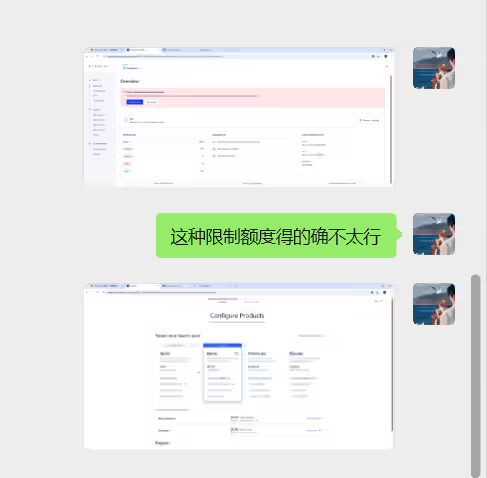
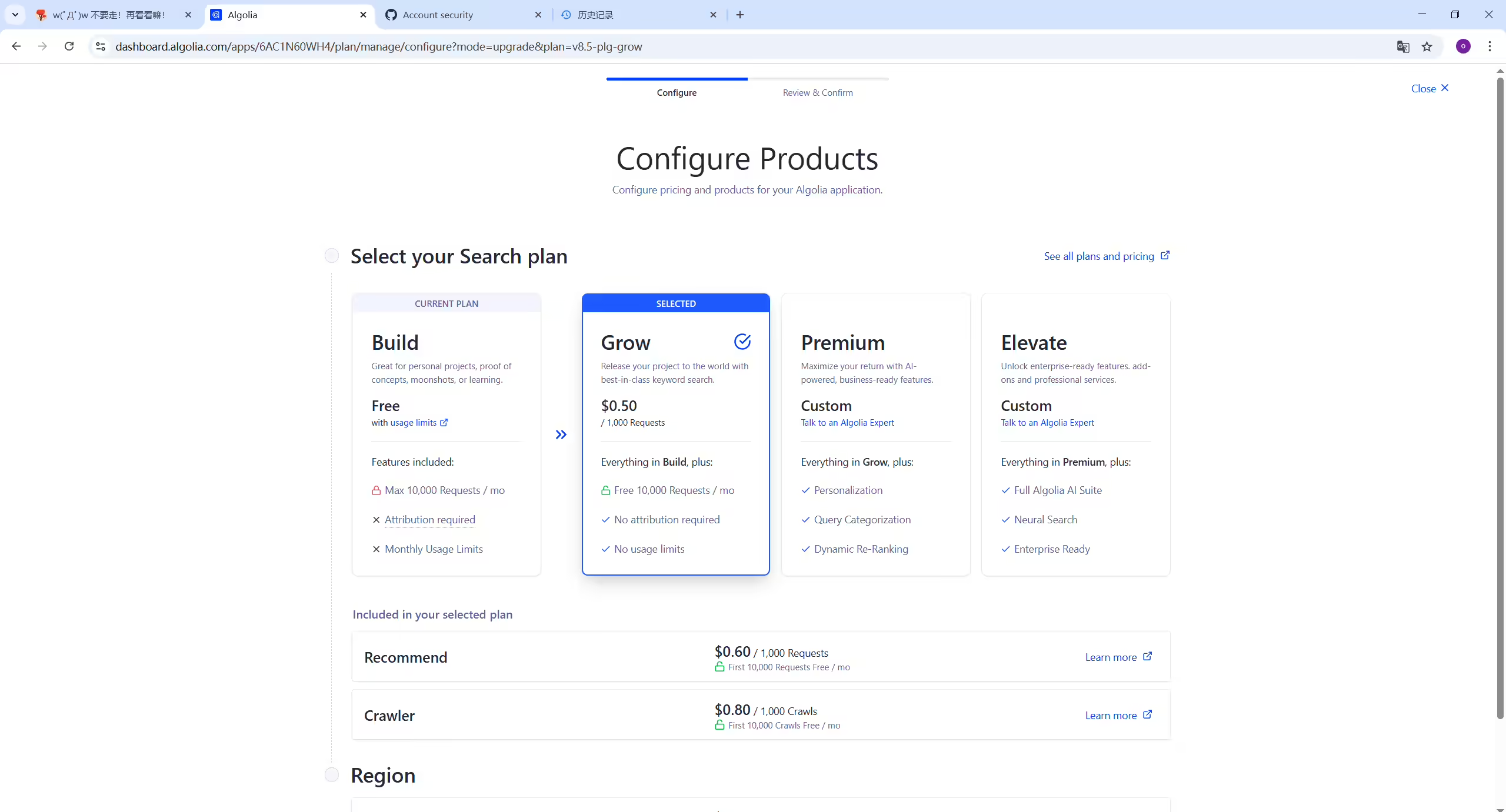
因为额度耗尽,无法验证效果,待后续观察。
可以看到,此时自己博客网站和本地测试就可以正常使用网站搜索功能的:(完美😘)

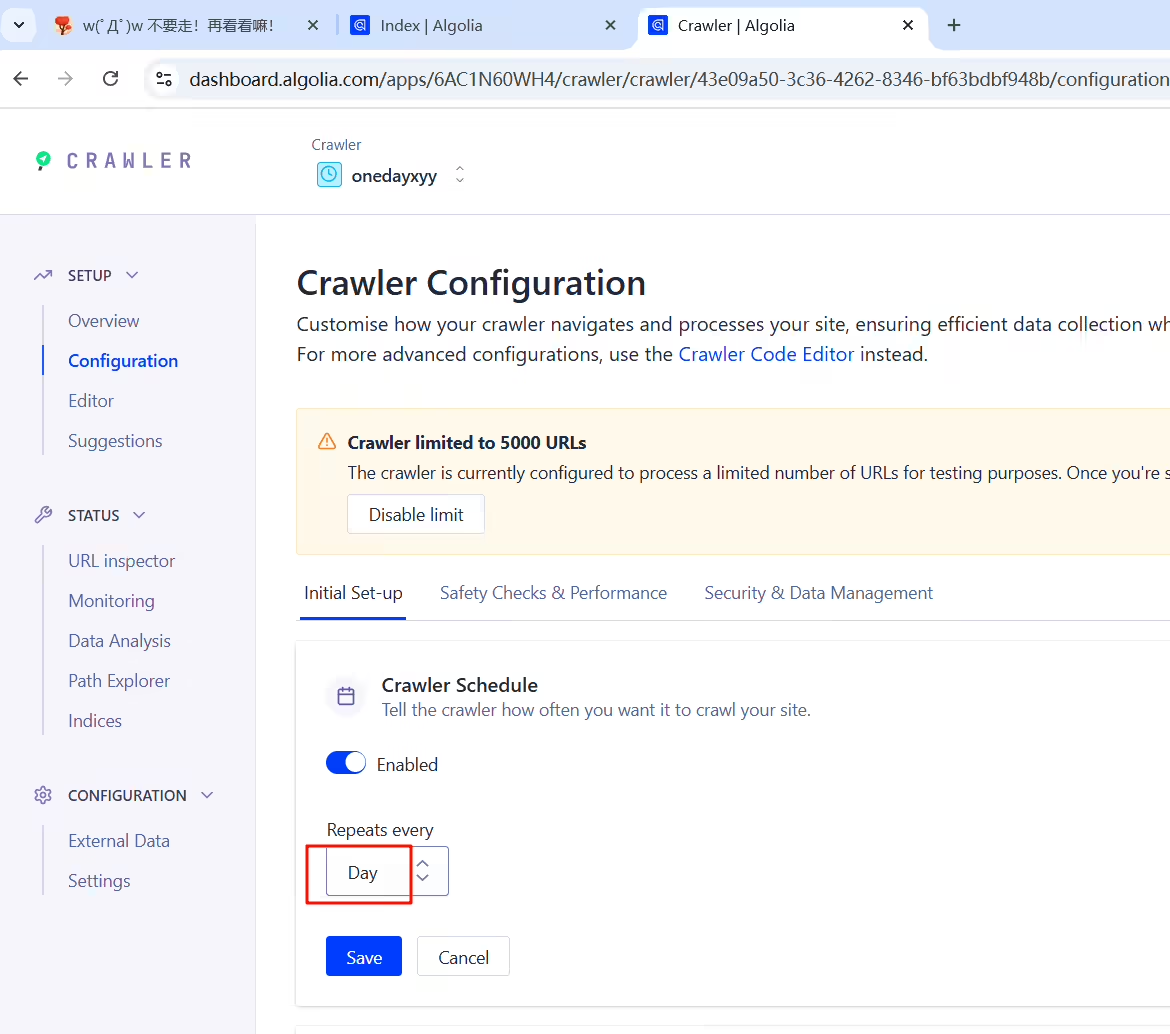
解决办法:

!

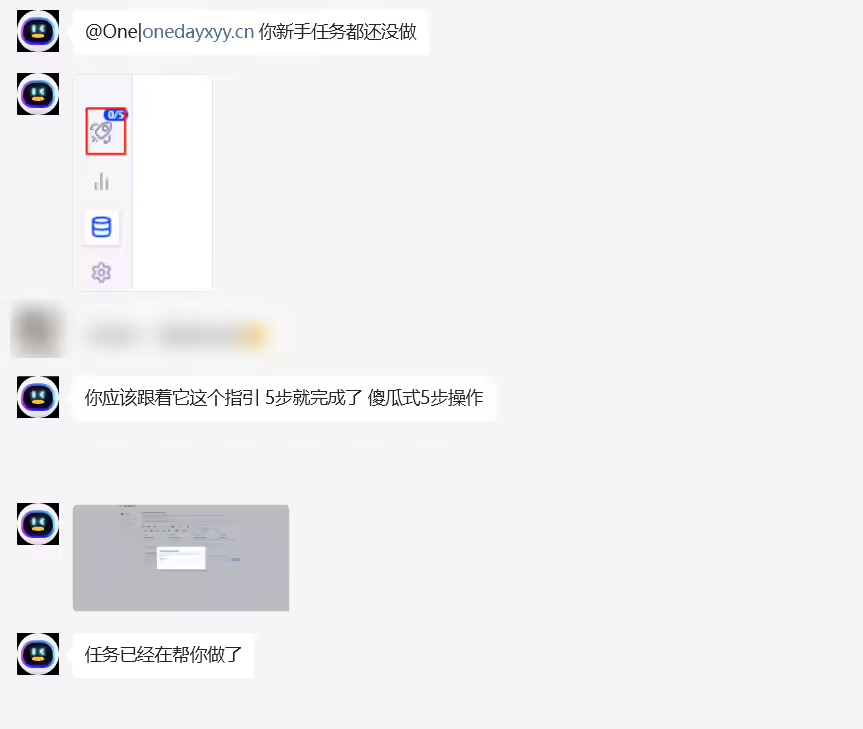
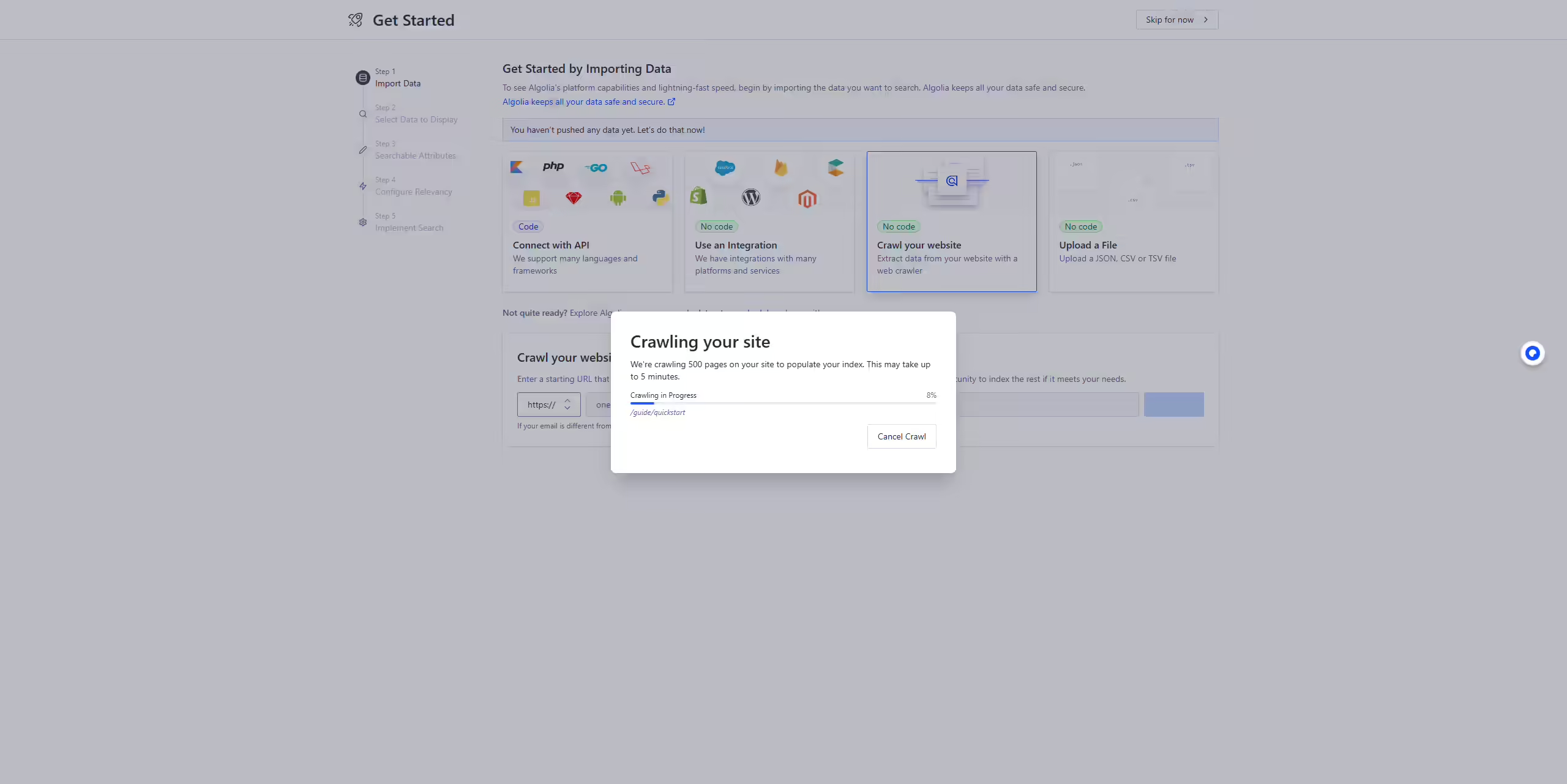
加入team后,协同配置。


我的博客主旨:
🍀 个人网站

🍀 微信二维码
x2675263825 (舍得), qq:2675263825。

🍀 微信公众号
《云原生架构师实战》

🍀 csdn
https://blog.csdn.net/weixin_39246554?spm=1010.2135.3001.5421

🍀 知乎
https://www.zhihu.com/people/foryouone

好了,关于本次就到这里了,感谢大家阅读,最后祝大家生活快乐,每天都过的有意义哦,我们下期见!

精选 · 友链 · 更多

One的公众号
爱折腾博客的小白
