
快捷菜单
常用功能一站直达
更多功能请点顶栏「快捷菜单」
[[toc]]
[toc]
警告
本着开源共享、共同学习的精神:
本文是在 《群主~Teeker》的《文章配置》 基础上增加了一些自己的实际操作记录和修改,内容依旧属于原作者所有。转载无需和我联系,但请注明文章来源。如果侵权之处,请联系博主进行删除,谢谢。
2025.4.6(已解决)
警告
次配置适用于Teek@1.0.0-alpha.9-2025.4.6版本(其它版本可自行测试)。
提示
自己开源的 《vitepress-theme-teek-one-public》网站模板。
此模板是在《Young Kbt blog》大佬开源项目《vitepress-theme-teek 》基础上修改为自己的风格而成,感谢大佬开发得主题,大佬威武。❤️❤️
https://vp.teek.top/reference/article-config#appreciation 《文章配置》
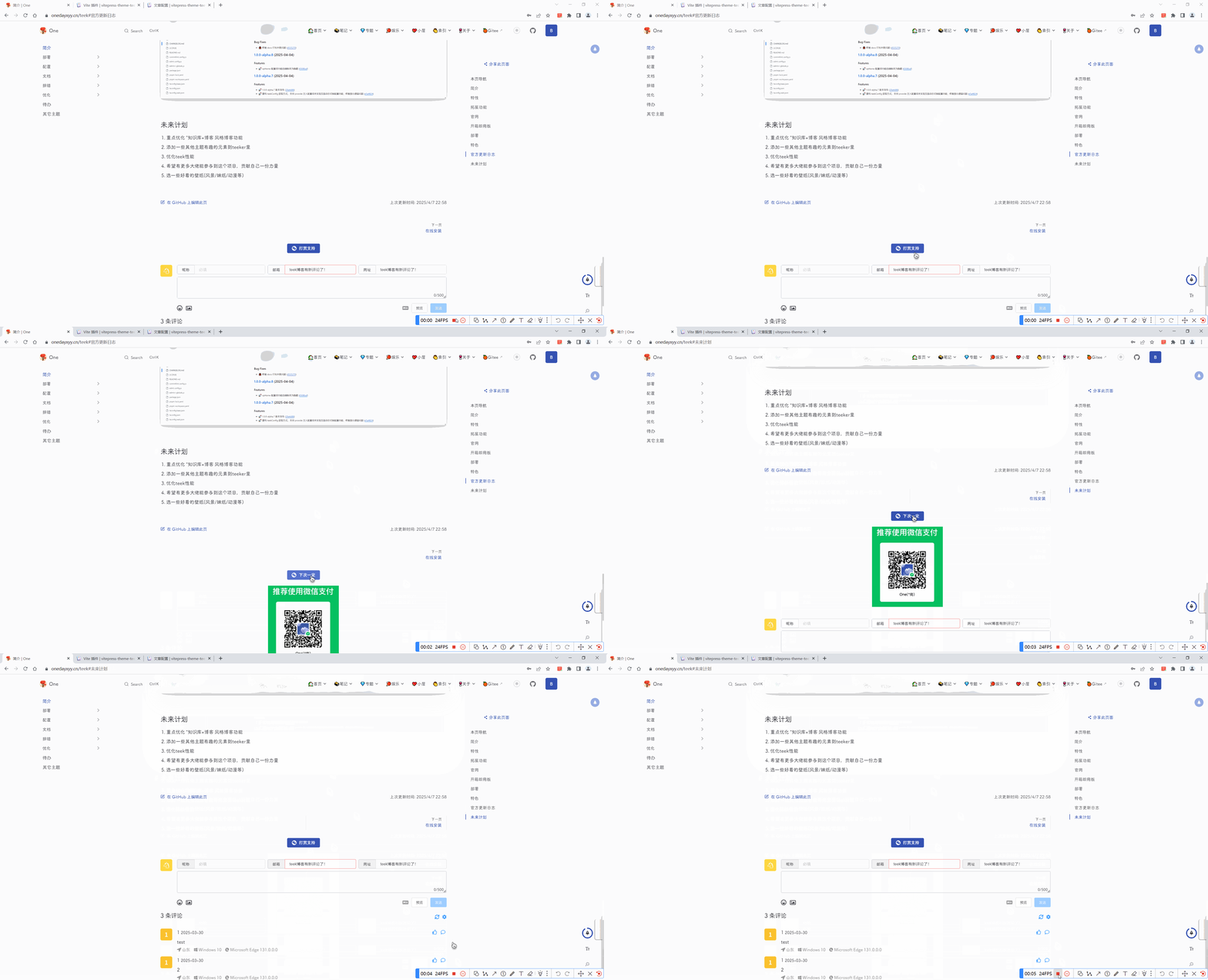
赞赏功能配置。
赞赏功能提供 2 个位置选择:
doc-after:文章页底部,评论区上方aside-bottom:文章页大纲栏下方2 个位置分别有不同的配置项。
文章页底部文章页大纲栏下方更多配置项
 1// .vitepress/config.ts
 2import { defineTeekConfig } from "vitepress-theme-teek/config";
 3
 4const teekConfig = defineTeekConfig({
 5  appreciation: {
 6    position: "doc-after",
 7    options: {
 8      icon: "weChatPay", // 赞赏图标,内置 weChatPay 和 alipay
 9      expandTitle: "打赏支持", // 展开标题,支持 HTML
10      collapseTitle: "下次一定", // 折叠标题,支持 HTML
11      content: `<img src='/teek-logo-large.avif'>`, // 赞赏内容,支持 HTML
12      expand: false, // 是否默认展开,默认 false
13    },
14  },
15}); 1// .vitepress/config.ts
2import { defineTeekConfig } from "vitepress-theme-teek/config";
3
4const teekConfig = defineTeekConfig({
5 appreciation: {
6 position: "aside-bottom",
7 options: {
8 title: `<span style="color: var(--tk-theme-color)">欢迎打赏支持</span>`, // 赞赏标题,支持 HTML
9 content: `<img src='/teek-logo-large.avif'>`, // 赞赏内容,支持 HTML
10 },
11 },
12}); 1type Appreciation<T extends keyof AppreciationPosition = ""> = {
2 /**
3 * 赞赏位置
4 */
5 position?: T;
6 /**
7 * 赞赏配置
8 */
9 options?: AppreciationPosition[T];
10};
11
12type AppreciationPosition = {
13 "": object;
14 "doc-after": {
15 /**
16 * 自定义按钮 HTML
17 */
18 buttonHtml?: string;
19 /**
20 * 赞赏图标,内置 weChatPay 和 alipay
21 */
22 icon?: string | "weChatPay" | "alipay";
23 /**
24 * 展开标题,支持 HTML
25 */
26 expandTitle?: string;
27 /**
28 * 折叠标题,支持 HTML
29 */
30 collapseTitle?: string;
31 /**
32 * 赞赏内容,支持 HTML
33 */
34 content?: string;
35 /**
36 * 是否默认展开
37 *
38 * @default false
39 */
40 expand?: boolean;
41 };
42 "aside-bottom": {
43 /**
44 * 赞赏标题,支持 HTML
45 */
46 title?: string;
47 /**
48 * 赞赏内容,支持 HTML
49 */
50 content?: string;
51 };
52};Teek 内置两个 icon:
weChatPay:微信支付图标alipay:支付宝图标如果您需要自定义图标,则通过 icon 配置项传入。
赞赏功能同样支持在单个 Markdown 的 frontmatter 配置来覆盖全局配置。
 1---
 2appreciation:
 3  position: doc-after
 4  options:
 5    icon: weChatPay
 6    expandTitle: 打赏支持
 7    collapseTitle: 下次一定
 8    content: "<img src='/teek-logo-large.avif'>"
 9    expand: false
10---
自己配置位置:
编辑docs\.vitepress\config.mts文件:(注意是在defineTeekConfig部分)
 1  // 赞赏在文章下方
 2  appreciation: {
 3    position: "doc-after",
 4    options: {
 5      icon: "weChatPay", // 赞赏图标,内置 weChatPay 和 alipay
 6      expandTitle: "打赏支持", // 展开标题,支持 HTML
 7      collapseTitle: "下次一定", // 折叠标题,支持 HTML
 8      content: `<img src='/img/alipay/1.avif'>`, // 赞赏内容,支持 HTML
 9      expand: false, // 是否默认展开,默认 false
10    },
11  },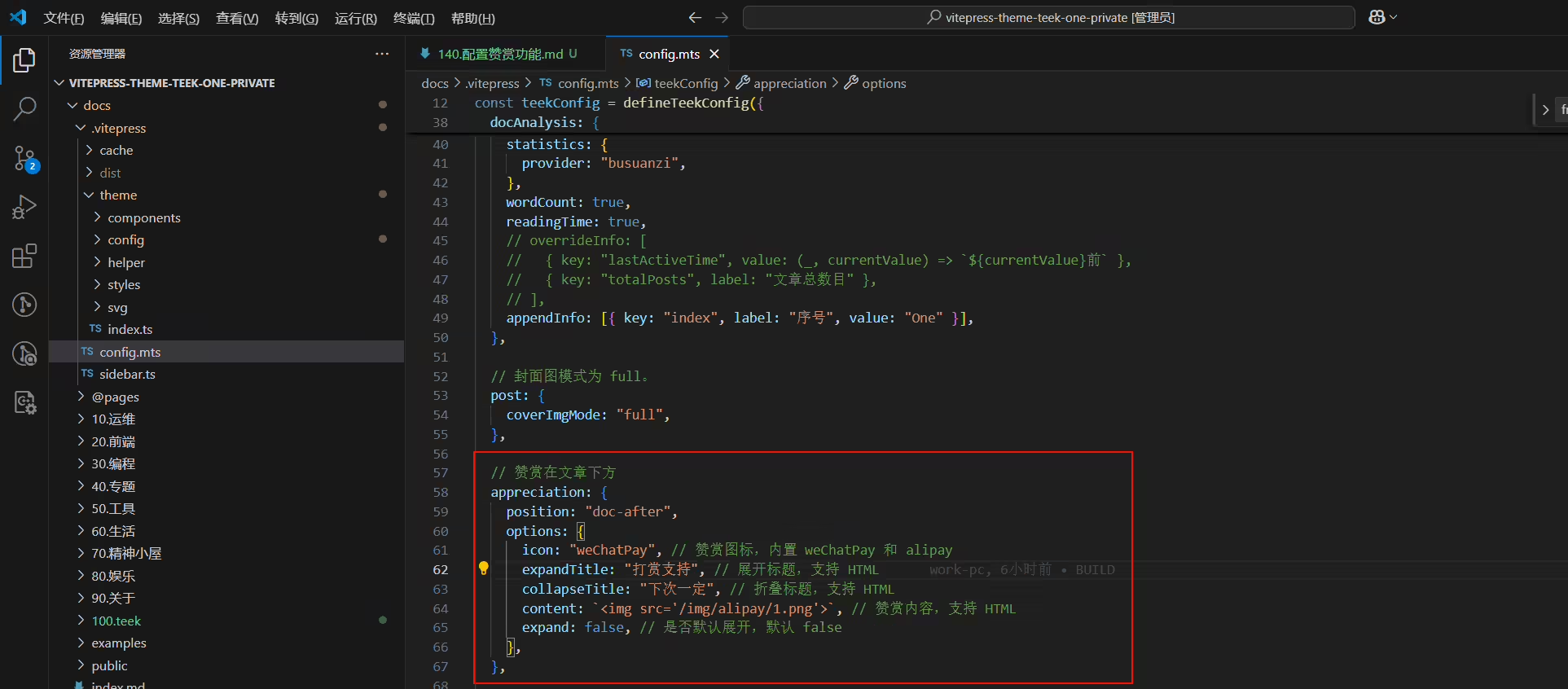
结束。
