
--
:
--
:
--
vdoing新需求😜
最后更新于:

让vdoing更加丝滑
vdoing-新需求
【优先】博客首页大图相册api
2025年1月5日 提出
- 需求:
能不能实现,我云端有个相册目录,然后博客首页轮播大图会随机从这个相册目录来获取一张图片作为背景图呢?
请问这个具体要怎么实现?
请给出具体的代码?
这样的好处就是,任何博客系统都可以直接调用我这个背景图库了,而不用再去单独修改网站后端图库了,非常省事儿。我要做的就是,闲暇之际,挑选好看的壁纸(摄影照片或其它照片)上传到这个相册就行。😉


解决方案1:
2025年1月4日提出


【优先】文档具有向下(回到文章底部)的小箭头
2025年1月5日 提出
- 需求
如果文章篇幅过长,希望能有个回到文章底部的小箭头
【优先】分类最好按个数从多到少排序

【优先】标签最好按个数从多到少,颜色逐渐变红排序

【优先】如何把这个字体给换个颜色?
2024年12月25日提出。
默认这个颜色和背景图不是很搭配。

 1.home-wrapper .banner .banner-conent .feature a h2[data-v-7d2bb426] {
 2    font-weight: 500;
 3    font-size: 1.3rem;
 4    border-bottom: none;
 5    padding-bottom: 0;
 6    color: #03A89E;
 7}
 8
 9
10.home-wrapper .banner .banner-conent .feature a p[data-v-7d2bb426] {
11    opacity: .8;
12    padding: 0 0.8rem;
13    color: #03A89E;
14}
【优先】出现在最上面的文章能不能是按最近更新时间排序的呢?
2025年1月8日提出。
当前默认是按创建时间排序的。
【优先】vdoing目录深度希望可以是无限级深度
2025年1月9日提出。
当前最大支持4级目录,但感觉不是很够用:。。。
使用下来,感觉docusaurus的目录使用更加优雅,它不管你多少级目录,会帮你直接渲染。😂

【优先】如何给标签页名称后面备注一些信息
2025年1月9日提出。

【优先】希望在个人头像下加一个小小公告栏
2025年1月16日提出。

vuepress有博客公告栏这个插件没
VuePress 本身并没有直接提供“博客公告栏”这样的插件,但你可以通过以下几种方式实现类似的功能:
说明:(2025年3月4日更新)
以下几种方法测试了,还是有问题;(有的没插件;有的自己不会修改哈哈哈;)
先搁置把;
一、使用 VuePress 内置功能
VuePress 支持在页面中插入自定义内容,你可以通过以下方式实现公告栏:
在 Markdown 文件中直接添加公告栏: 在
README.md或其他页面文件中,直接使用 Markdown 语法添加公告栏内容:1> **公告**:这是博客的公告栏内容,欢迎关注!在主题中全局添加公告栏: 如果你使用的是自定义主题,可以在
Layout.vue或Page.vue中添加公告栏组件。例如:1<template> 2 <div class="announcement"> 3 <p>这是博客的公告栏内容,欢迎关注!</p> 4 </div> 5 <Content /> 6</template> 7<style scoped> 8.announcement { 9 background-color: #f0f0f0; 10 padding: 10px; 11 border-radius: 4px; 12 margin-bottom: 20px; 13} 14</style>
二、使用 VuePress 插件
虽然 VuePress 没有专门的“公告栏”插件,但你可以借助以下插件实现类似功能:
vuepress-plugin-container: 这是一个用于在 Markdown 中添加自定义容器的插件,可以用来实现公告栏样式。安装插件:
1npm install vuepress-plugin-container在
config.js中配置:1module.exports = { 2 plugins: [ 3 [ 4 'container', 5 { 6 type: 'announcement', 7 before: info => `<div class="announcement">${info}</div>`, 8 after: '</div>', 9 }, 10 ], 11 ], 12}在 Markdown 中使用:
1::: announcement
2这是博客的公告栏内容,欢迎关注!
3:::
vuepress-plugin-notification: 这是一个用于显示通知的插件,可以用来实现公告栏功能。安装插件:
1npm install vuepress-plugin-notification在
config.js中配置:1module.exports = { 2 plugins: [ 3 [ 4 'notification', 5 { 6 message: '这是博客的公告栏内容,欢迎关注!', 7 duration: 0, // 0 表示永久显示 8 position: 'top', // 显示在页面顶部 9 }, 10 ], 11 ], 12}
三、自定义插件
如果你需要更复杂的功能,可以自己编写一个 VuePress 插件:
在
.vuepress/plugins目录下创建一个新文件,例如announcement.js:1module.exports = (options, context) => ({ 2 name: 'vuepress-plugin-announcement', 3 enhanceAppFiles: () => ({ 4 name: 'announcement', 5 content: ` 6 export default ({ Vue }) => { 7 Vue.mixin({ 8 mounted() { 9 const announcement = document.createElement('div'); 10 announcement.className = 'announcement'; 11 announcement.innerHTML = '这是博客的公告栏内容,欢迎关注!'; 12 document.body.prepend(announcement); 13 } 14 }); 15 } 16 `, 17 }), 18});在
config.js中启用插件:1module.exports = { 2 plugins: [ 3 require('./.vuepress/plugins/announcement'), 4 ], 5};
四、总结
| 方法 | 特点 | 适用场景 |
|---|---|---|
| 直接添加 Markdown | 简单易用,无需额外配置。 | 简单的公告栏需求。 |
| 使用主题全局添加 | 灵活,可以自定义样式和位置。 | 需要全局显示的公告栏。 |
使用 container 插件 | 支持 Markdown 语法,样式可定制。 | 需要复杂样式的公告栏。 |
使用 notification 插件 | 支持通知功能,可控制显示位置和时长。 | 需要动态显示的公告栏。 |
| 自定义插件 | 完全自定义,功能强大。 | 需要高度定制化的公告栏。 |
| 根据你的需求选择合适的方式。如果你有其他问题,欢迎随时提问! |
【优先】如何更加精细地监控这个静态网站数据
2025年1月9日提出。
例如如下效果:

希望可以显示tag数量,分类数量,评论数量。
【优先】docs目录下是否能只存在单独的md文件呢?
2025年1月8日提出
- 当前环境
官方docs目录下还存在一些其他目录,例如_posts,.vuepress等,能否实现docs目录下是否能只存在单独的md文件呢?
这样子的话,这个docs目录就可以被其他云同步盘来做同步了,仓库配置可以利用git来同步。

【优先】如何控制首页显示的文章数量
2025年1月9日提出。


【优先】如何实现点击logo图标就可以回到首页?
2025年2月17日1提出。
当前效果是在其它网页点击logo图标就可以回到首页,但是在首页的下部分位置点击后,是没法弹到最前面的。。。

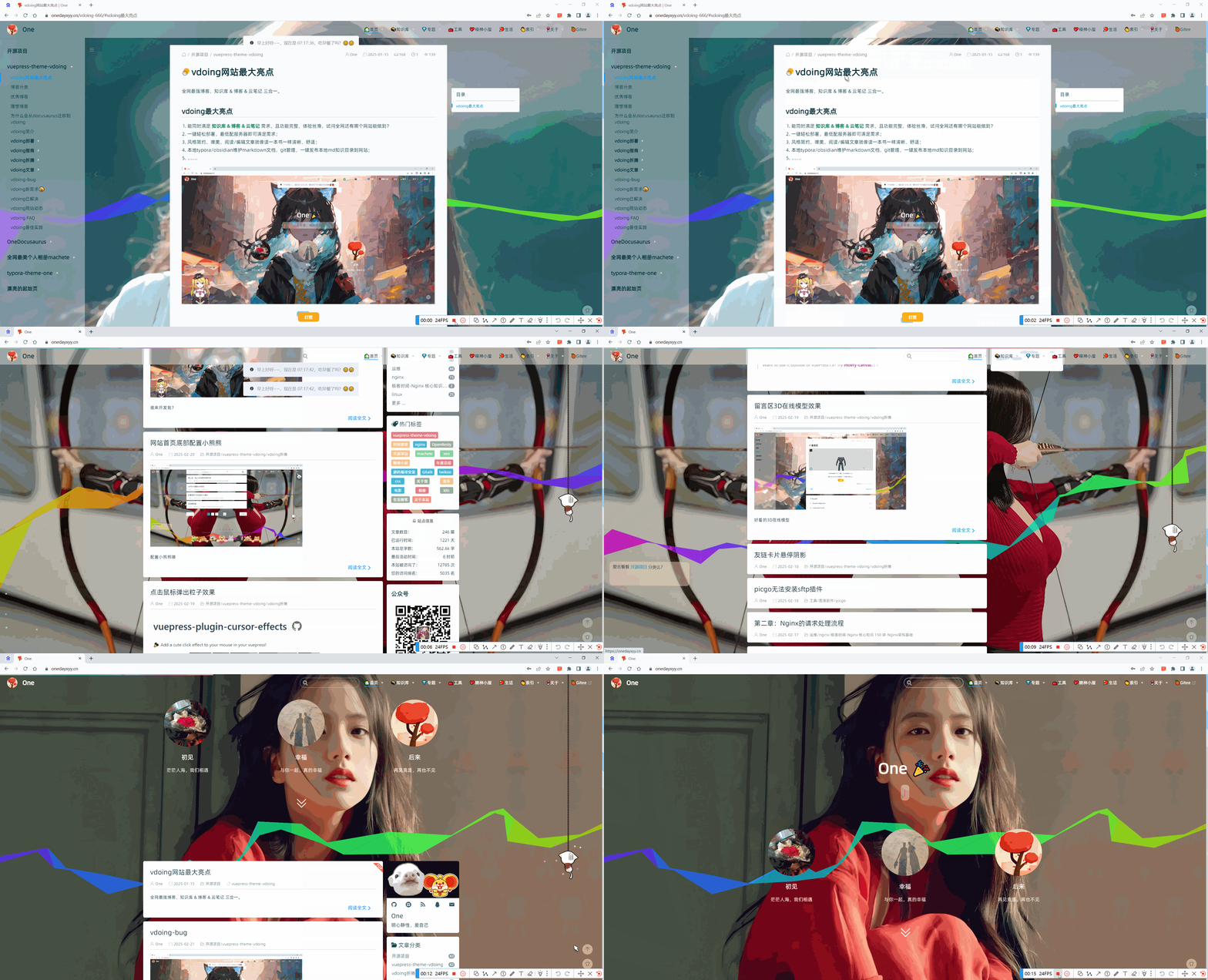
【新特性】这个地球元素如何配置
2025年2月20日发现
原作者效果:

【新特性】【测试失败】网站底部运行时间及访问量显示
2025年2月21日测试

🍊大佬网站新特性
网站底部运行时间,访问量。
上面技术图标。

配置方法
🍊原作者配置

https://github.com/WuKongSecurity/SpiderAPI/blob/9b1346e08b22a281f5d468e4cfa54861a0cf2247/vdoing/components/Footer.vue#L24 https://github.com/WuKongSecurity/SpiderAPI/blob/9b1346e08b22a281f5d468e4cfa54861a0cf2247/docs/.vuepress/public/js/spiderapi.js#L37


🍊作者这个仓库是开源的了
仓库地址:https://github.com/WuKongSecurity/SpiderAPI

哇哦,本地编译后有效果的呢:(nice,接下来就看如何配置里面的优秀元素了😜)

🍊51la
https://v6.51.la/land/3FcHt9RWSQ8XvN5u


1<script charset="UTF-8" id="LA_COLLECT" src="//sdk.51.la/js-sdk-pro.min.js"></script>
2<script>LA.init({id:"3LKG5yjnnPj7TInZ",ck:"3LKG5yjnnPj7TInZ"})</script>
到这一步自己就搞不懂如何配置了。。。。😂
🍊问题:如何把这个js内容给配置到当前的ts主题里呢???😁

🍊gpt
  1docs\.vuepress\public\js\spiderapi.js文件内容如下:
  2// 控制台打印信息
  3const consoleStr = function () {
  4  /*
  5           _____       _     __          ___          _
  6          / ___/____  (_)___/ /__  _____/   |  ____  (_)        爬虫爬得欢
  7          \__ \/ __ \/ / __  / _ \/ ___/ /| | / __ \/ /        监狱要坐穿
  8         ___/ / /_/ / / /_/ /  __/ /  / ___ |/ /_/ / /        数据玩得溜
  9        /____/ .___/_/\__,_/\___/_/  /_/  |_/ .___/_/        牢饭吃个够
 10            /_/                            /_/
 11  */
 12};
 13function makeConsoleStr(string) {
 14    let l = String(string)
 15    l = l.substring(l.indexOf("/*") + 3, l.lastIndexOf("*/"))
 16    return "%c " + l
 17}
 18console.log(makeConsoleStr(consoleStr), "color: #0084ff");
 19console.log("\n %c © BOB'S BLOG %c itbob.cn %c © SpiderApi %c spiderapi.cn %c © SpiderBox %c spiderbox.cn \n", "color: #fadfa3; background: #030307; padding:5px 0;", "background: #fadfa3; padding:5px 0;", "color: #ffffff; background: #0084ff; padding:5px 0;", "background: #fadfa3; padding:5px 0;", "color: #ffffff; background: #f1404b; padding:5px 0;", "background: #fadfa3; padding:5px 0;");
 20
 21
 22// 百度收录自动推送
 23(function(){
 24    let bp = document.createElement('script');
 25    let curProtocol = window.location.protocol.split(':')[0];
 26    if (curProtocol === 'https') {
 27        bp.src = 'https://zz.bdstatic.com/linksubmit/push.js';
 28    }
 29    else {
 30        bp.src = 'http://push.zhanzhang.baidu.com/push.js';
 31    }
 32    let s = document.getElementsByTagName("script")[0];
 33    s.parentNode.insertBefore(bp, s);
 34})();
 35
 36
 37//网站运行时长
 38function ShowRunTime(id) {
 39    let BootDate = new Date("2023/8/13 00:03:16");//设置网站运行时间,格式:年/月/日 时:分:秒
 40    let NowDate = new Date();
 41    let RunDateM = parseInt(NowDate - BootDate);
 42    let RunDays = Math.floor(RunDateM / (24 * 3600 * 1000));
 43    let RunHours = Math.floor(RunDateM % (24 * 3600 * 1000) / (3600 * 1000));
 44    let RunMinutes = Math.floor(RunDateM % (24 * 3600 * 1000) % (3600 * 1000) / (60 * 1000));
 45    let RunSeconds = Math.round(RunDateM % (24 * 3600 * 1000) % (3600 * 1000) % (60 * 1000) / 1000);
 46    document.getElementById(id).innerHTML = "小破站已运行了 "
 47        + "<font style='color:#FFA500;font-weight:bold'>" + RunDays + "</font>" + " 天 "
 48        + "<font style='color:#1DBF97;font-weight:bold'>" + RunHours + "</font>" + " 小时 "
 49        + "<font style='color:#8A2BE2;font-weight:bold'>" + RunMinutes + "</font>" + " 分 "
 50        + "<font style='color:#007EC6;font-weight:bold'>" + RunSeconds + "</font>" + " 秒 ";
 51}
 52setInterval("ShowRunTime('sitetime')", 1000);
 53
 54// 51.la 网站统计
 55(function () {
 56    LA.init({id:"3FpCxw5JhIELmjz2",ck:"3FpCxw5JhIELmjz2"})
 57})();
 58
 59
 60
 61vdoing\components\Footer.vue文件内容如下:
 62<template>
 63  <div class="footer">
 64    <div class="icons" v-if="social && social.icons">
 65      <a
 66        :href="item.link"
 67        :title="item.title"
 68        :class="['iconfont', item.iconClass]"
 69        v-for="(item, index) in social.icons"
 70        :key="index"
 71        target="_blank"
 72      ></a>
 73    </div>
 74    <!--Vdoing主题遵循MIT协议,完全开源且免费。如果您对主题的修改并不大,希望您保留主题的链接。-->
 75    <span>
 76      <a href="https://beian.miit.gov.cn/" target="_blank"><img src="https://static.spiderapi.cn/public/images/logo/icp_48x48.avif" alt="ICP 备案" style="width:20px; height:auto; margin-bottom:-2px"> 鄂ICP备19003281号-9</a>丨
 77      <a href="https://beian.mps.gov.cn/" target="_blank"><img src="https://static.spiderapi.cn/public/images/logo/mps_48x48.avif" alt="MPS 公网安备" style="width:auto; height:20px; margin-bottom:-4px"> 鄂公网安备42280202422959</a>丨
 78      <a href="https://github.com/xugaoyi/vuepress-theme-vdoing" target="_blank"><img src="https://static.spiderapi.cn/public/images/logo/vue_48x48.avif" alt="Theme by Vdoing" style="width:18px; height:auto; margin-bottom:-4px"> Theme Vdoing</a>丨
 79      <a href="https://edgeone.ai/" target="_blank"><img src="https://static.spiderapi.cn/public/images/logo/tencent_edgeone_48x48.avif" alt="Tencent EdgeOne" style="width:18px; height:auto; margin-bottom:-3px"> Tencent EdgeOne</a>丨
 80      <a href="https://v6.51.la/land/3FcHt9RWSQ8XvN5u" target="_blank"><img src="https://sdk.51.la/icon/1-1.avif" alt="51la 网站统计" style="width:auto; height:12px; margin-bottom:-1px"></a>
 81    </span>
 82    <br/>
 83    <br/>
 84    Copyright © 2023 - {{ new Date().getFullYear() }}<a href="https://wukongsec.com/" target="_blank"> WuKong Security.</a>丨
 85    <span ref="sitetime" id="sitetime">正在载入网站运行时间...</span>丨
 86    <!-- <template v-if="footer">
 87      | Copyright © {{ footer.createYear }}-{{ new Date().getFullYear() }}
 88      <span v-html="footer.copyrightInfo"></span>
 89    </template> -->
 90  </div>
 91</template>
 92
 93<script>
 94export default {
 95  mounted() {
 96    const la51SpanElement = this.$refs.sitetime;
 97    if (la51SpanElement) {
 98      const la51scriptElement = document.createElement('script');
 99      la51scriptElement.id = 'LA-DATA-WIDGET';
100      la51scriptElement.src = 'https://v6-widget.51.la/v6/3FpCxw5JhIELmjz2/quote.js?theme=#666666,#333333,#666666,#007BFF,#FFFFFF,#1690FF,13&f=12&display=0,0,0,1,0,1,0,1';
101      // la51SpanElement.appendChild(la51scriptElement);
102      la51SpanElement.insertAdjacentElement('afterend', la51scriptElement);
103    }
104  },
105  computed: {
106    social() {
107      return this.$themeConfig.social
108    },
109    footer() {
110      return this.$themeConfig.footer
111    }
112  }
113}
114</script>
115
116<style lang='stylus'>
117// $mobileSidebarWidth = $sidebarWidth * 0.82
118.footer
119  padding 5rem 1.5rem 2.5rem
120  text-align center
121  color #666
122  box-sizing border-box
123  font-size 0.85rem
124  transition all 0.2s ease
125  > span
126    line-height 1.5rem
127  .icons
128    margin-bottom 12px
129    .iconfont
130      padding 0 10px
131      font-size 1.3rem
132  a
133    color inherit
134    &:hover
135      color $accentColor
136@media (min-width ($MQMobile + 1px))
137  .sidebar-open .footer
138    width auto
139    padding-left: ($sidebarWidth + 1.5rem)
140@media (min-width 1520px)
141  .have-rightmenu .footer
142    padding-right: ($rightMenuWidth + 1.5rem)
143.no-sidebar .footer
144  width auto
145  padding-left 1.5rem
146</style>
147
148
149以上是vuepress vdoing的js版本配置,我现在的vuepress vdoing主题是ts版本的,请问该如何把上面的网站底部51la(网站运行时间及访问量)功能给迁移到自己ts版本的主题网站里呢?
150
151
152
153
154但是我当前vdoing版本footer配置在 docs\.vuepress\common\footer.ts里,内容如下:
155import { penName, footerTitle } from '../common/info'
156interface Footer {
157  createYear: number, // 博客创建年份
158  copyrightInfo: string // 博客版权信息,支持 a 标签
159}
160export default <Footer> {
161  // 页脚信息
162  createYear: 2024,
163  copyrightInfo:
164    '<a href="https://onedayxyy.cn/" target="_blank"> One <br></a>' +
165    // '<a href="http://beian.miit.gov.cn/" target="_blank"> 陇ICP备2023002645号</a>' +
166    // '<a href="https://beian.miit.gov.cn/" target="_blank"><img src="https://static.spiderapi.cn/public/images/logo/icp_48x48.avif" alt="ICP 备案" style="width:20px; height:auto; margin-bottom:-2px"> 陇ICP备2023002645号</a>' +
167    '<a href="https://beian.miit.gov.cn/" target="_blank"><img src="/img/index/icp_48x48.avif" alt="ICP 备案" style="width:20px; height:auto; margin-bottom:-2px"> 陇ICP备2023002645号</a>' +
168    // ' | <a href="https://beian.mps.gov.cn/" target="_blank"> 甘公网安备62102702000211号</a>' +
169    ' | <a href="https://beian.mps.gov.cn/" target="_blank"><img src="/img/index/mps_48x48.avif" alt="MPS 公网安备" style="width:auto; height:20px; margin-bottom:-4px"> 甘公网安备62102702000211号</a>' +
170    // ' | <a href="https://beian.mps.gov.cn/" target="_blank"><img src="https://static.spiderapi.cn/public/images/logo/mps_48x48.avif" alt="MPS 公网安备" style="width:auto; height:20px; margin-bottom:-4px"> 甘公网安备62102702000211号</a>' +
171    ' | <a href="https://github.com/xugaoyi/vuepress-theme-vdoing" target="_blank"><img src="/img/index/vue_48x48.avif" alt="Theme by Vdoing" style="width:18px; height:auto; margin-bottom:-4px"> Theme Vdoing</a>' +
172    // ' | <a href="https://github.com/xugaoyi/vuepress-theme-vdoing" target="_blank"><img src="https://static.spiderapi.cn/public/images/logo/vue_48x48.avif" alt="Theme by Vdoing" style="width:18px; height:auto; margin-bottom:-4px"> Theme Vdoing</a>' +
173    // ' | <a href="https://edgeone.ai/" target="_blank"><img src="https://static.spiderapi.cn/public/images/logo/tencent_edgeone_48x48.avif" alt="Tencent EdgeOne" style="width:18px; height:auto; margin-bottom:-3px"> Tencent EdgeOne</a>' +
174    ' | <a href="https://edgeone.ai/" target="_blank"><img src="/img/index/tencent_edgeone_48x48.avif" alt="Tencent EdgeOne" style="width:18px; height:auto; margin-bottom:-3px"> Tencent EdgeOne</a>' +
175    ' | <a href="https://v6.51.la/land/3FcHt9RWSQ8XvN5u" target="_blank"><img src="/img/index/51la.avif" alt="51la 网站统计" style="width:auto; height:12px; margin-bottom:-1px"><br></a>' +
176    // ' | <a href="https://v6.51.la/land/3FcHt9RWSQ8XvN5u" target="_blank"><img src="https://sdk.51.la/icon/1-1.avif" alt="51la 网站统计" style="width:auto; height:12px; margin-bottom:-1px"></a>' +
177
178    //十年之约
179    '<a href="https://www.foreverblog.cn/" target="_blank" > <img src="/img/index/logo_en_default.avif" alt="" style="width:auto;height:16px;"><br> </a>' +
180    // '<br>' +
181
182    //诗词
183    '初闻不知曲中意,再听已是曲中人' +
184
185    // 添加底部动物 banner
186    '<div id="footer-animal">' +
187    '    <div class="animal-wall"></div>' +
188    '    <img class="animal entered loaded" src="/img/index/hao.avif" alt="动物" data-ll-status="loaded">' +
189    '</div>' +
190    // 添加底部动物 banner 样式
191    '<style>' +
192    '    #footer-animal {' +
193    '    position: relative;' +
194    '    width: 100%' +
195    '}' +
196    // '    #footer-animal .animal-wall {' +
197    // '    position: absolute;' +
198    // '    bottom: 0;' +
199    // '    width: 100%;' +
200    // '    height: 36px;' +
201    // '    max-width: none;' +
202    // '    background: #bcb0a4 url(/img/index/haoback.avif) repeat center;' +
203    // '    background-size: auto 100%;' +
204    // '    box-shadow: 0 4px 7px rgba(0,0,0,.15)' +
205    // '}' +
206    // '    @media screen and (max-width: 1023px) {' +
207    // '    #footer-animal .animal-wall {' +
208    // '    height:4vw;' +
209    // '}' +
210    // '}' +
211    '    #footer-animal img.animal {' +
212    '    position: relative;' +
213    '    max-width: min(974px,100vw);' +
214    '    margin: 0 auto;' +
215    '    display: block' +
216    '}' +
217    '    #footer-banner {' +
218    '    margin-top: 0 !important' +
219    '}' +
220    '</style>'
221
222
223
224}
225
226
227请问我该如何修改当前footer.ts内容进行上面的51la功能适配呢?
测试失败:。。。。

🍊 作者代码仓库
希望自己的留言墙风格如下
2025年2月17日
风格2:手工风格
https://blog.grtsinry43.com/thinking

如何实现鼠标划到菜单栏时出现阴影效果
2025年1月9日提出。
例如:《最美博客》这种风格
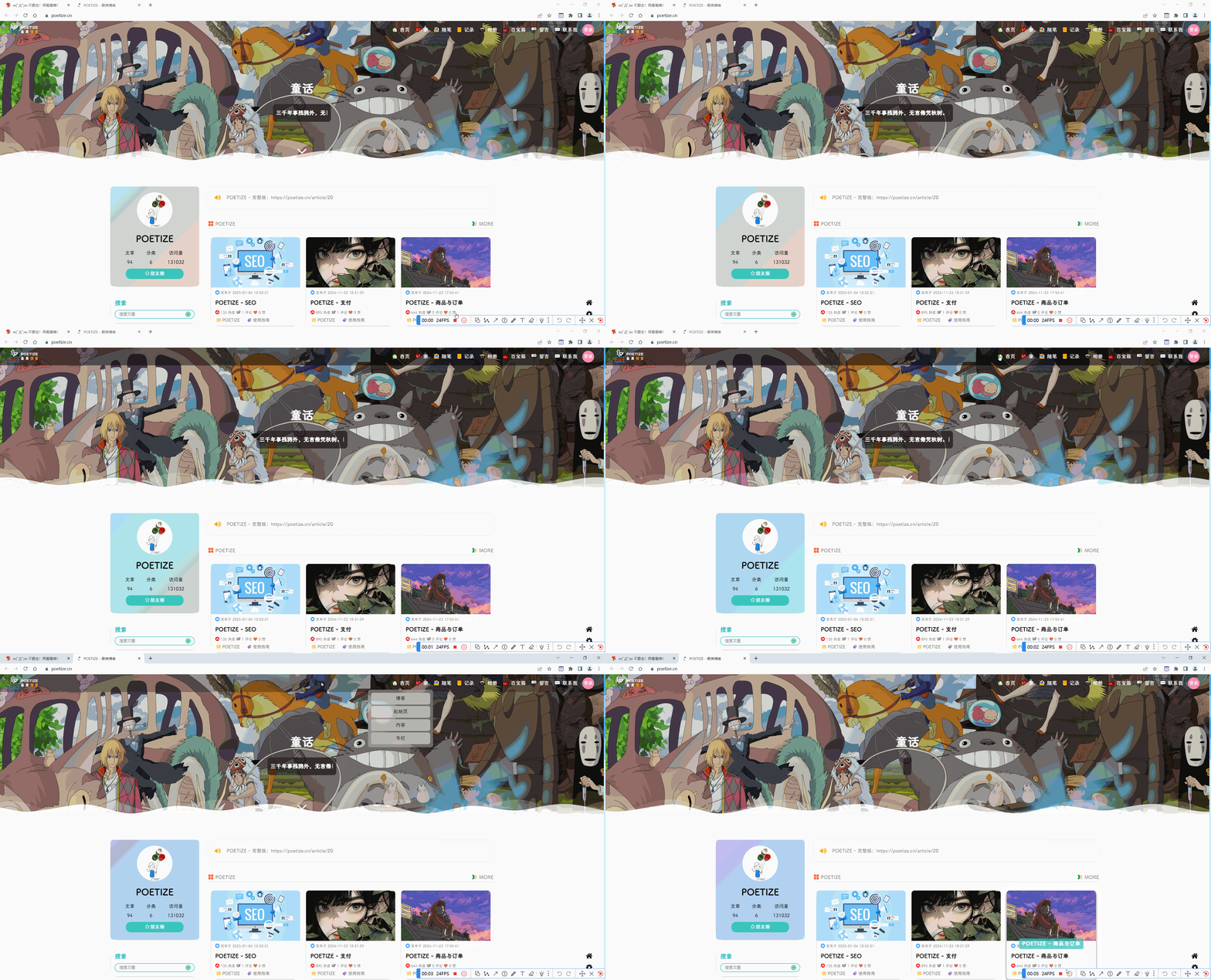
如何实现登录首页出现每日推荐功能
2025年1月9日提出。
例如:《最美博客》这种风格

这个底部信息统计如何实现的?

如何测试一个网站的性能?如何将我这个网站性能优化到极致?
如何定制docus(react)
能够基于当前docusaurus模板来制定一个新的模板,满足自己的所有需求。🤣

📡
推荐使用微信支付

推荐使用支付宝

- 后续可以借鉴的博客 2026-01-16
- 心脏搭桥 2026-01-16
- 选车的底层原理和方法 第三次重修版 2026-01-16
本页导航
- vdoing-新需求
- 【优先】博客首页大图相册api
- 【优先】文档具有向下(回到文章底部)的小箭头
- 【优先】分类最好按个数从多到少排序
- 【优先】标签最好按个数从多到少,颜色逐渐变红排序
- 【优先】如何把这个字体给换个颜色?
- 【优先】出现在最上面的文章能不能是按最近更新时间排序的呢?
- 【优先】vdoing目录深度希望可以是无限级深度
- 【优先】如何给标签页名称后面备注一些信息
- 【优先】希望在个人头像下加一个小小公告栏
- 【优先】如何更加精细地监控这个静态网站数据
- 【优先】docs目录下是否能只存在单独的md文件呢?
- 【优先】如何控制首页显示的文章数量
- 【优先】如何实现点击logo图标就可以回到首页?
- 【新特性】这个地球元素如何配置
- 【新特性】【测试失败】网站底部运行时间及访问量显示
- 希望自己的留言墙风格如下
- 如何实现鼠标划到菜单栏时出现阴影效果
- 如何实现登录首页出现每日推荐功能
- 这个底部信息统计如何实现的?
- 如何测试一个网站的性能?如何将我这个网站性能优化到极致?
- 如何定制docus(react)