快捷菜单
常用功能一站直达
更多功能请点顶栏「快捷菜单」

1台centos7.7 1908虚机;(nat模式)
| 主机名 | ip | 系统版本 |
|---|---|---|
| docker-binary | 172.29.9.11 | CentOS 7.7.1908 |
百度云位置:docker-18.06.3-ce.tgz

(1)关闭且禁用firewalld、NetworkManager、selinux服务
1systemctl stop firewalld &systemctl disable  firewalld
2
3systemctl stop NetworkManager
4systemctl disable  NetworkManager
5
6setenforce 0
7sed -i s/SELINUX=enforcing/SELINUX=disabled/ /etc/selinux/config
(2)配置网络yum源
 1cd /etc/yum.repos.d/
 2mkdir backup-`date +%F`
 3mv * !$
 4
 5wget -O /etc/yum.repos.d/Centos-Base.repo http://mirrors.aliyun.com/repo/Centos-7.repo
 6yum clean all
 7yum makecache
 8
 9yum install -y net-tools
10yum install -y vim
11yum install -y wget
12yum install -y lrzsz
(3)配置主机名
1[root@hg ~]# hostnamectl --static set-hostname docker-binary
2[root@hg ~]# exec bash
3[root@docker-binary ~]#1[root@docker-binary ~]# wget https://mirrors.aliyun.com/docker-ce/linux/static/stable/x86_64/docker-18.06.3-ce.tgz
1[root@docker-binary ~]# ls
2docker-18.06.3-ce.tgz
3[root@docker-binary ~]# tar xf docker-18.06.3-ce.tgz
4[root@docker-binary ~]# cd docker
5[root@docker-binary docker]# ls
6docker  docker-containerd  docker-containerd-ctr  docker-containerd-shim  dockerd  docker-init  docker-proxy  docker-runc
7[root@docker-binary docker]# cp * /usr/bin/ 1cat > /usr/lib/systemd/system/docker.service <<EOF
2[Unit]
3Description=Docker Application Container Engine
4Documentation=https://docs.docker.com
5After=network-online.target firewalld.service
6Wants=network-online.target
7
8[Service]
9Type=notify
10# the default is not to use systemd for cgroups because the delegate issues still
11# exists and systemd currently does not support the cgroup feature set required
12# for containers run by docker
13ExecStart=/usr/bin/dockerd -H tcp://0.0.0.0:2375 -H unix://var/run/docker.sock
14ExecReload=/bin/kill -s HUP $MAINPID
15# Having non-zero Limit*s causes performance problems due to accounting overhead
16# in the kernel. We recommend using cgroups to do container-local accounting.
17LimitNOFILE=infinity
18LimitNPROC=infinity
19LimitCORE=infinity
20# Uncomment TasksMax if your systemd version supports it.
21# Only systemd 226 and above support this version.
22#TasksMax=infinity
23TimeoutStartSec=0
24# set delegate yes so that systemd does not reset the cgroups of docker containers
25Delegate=yes
26# kill only the docker process, not all processes in the cgroup
27KillMode=process
28# restart the docker process if it exits prematurely
29Restart=on-failure
30StartLimitBurst=3
31StartLimitInterval=60s
32
33[Install]
34WantedBy=multi-user.target
35EOF
1[root@docker-binary ~]# systemctl daemon-reload
2[root@docker-binary ~]# systemctl start docker
3[root@docker-binary ~]# systemctl enable  docker
4Created symlink from /etc/systemd/system/multi-user.target.wants/docker.service to /usr/lib/systemd/system/docker.service.
5[root@docker-binary ~]#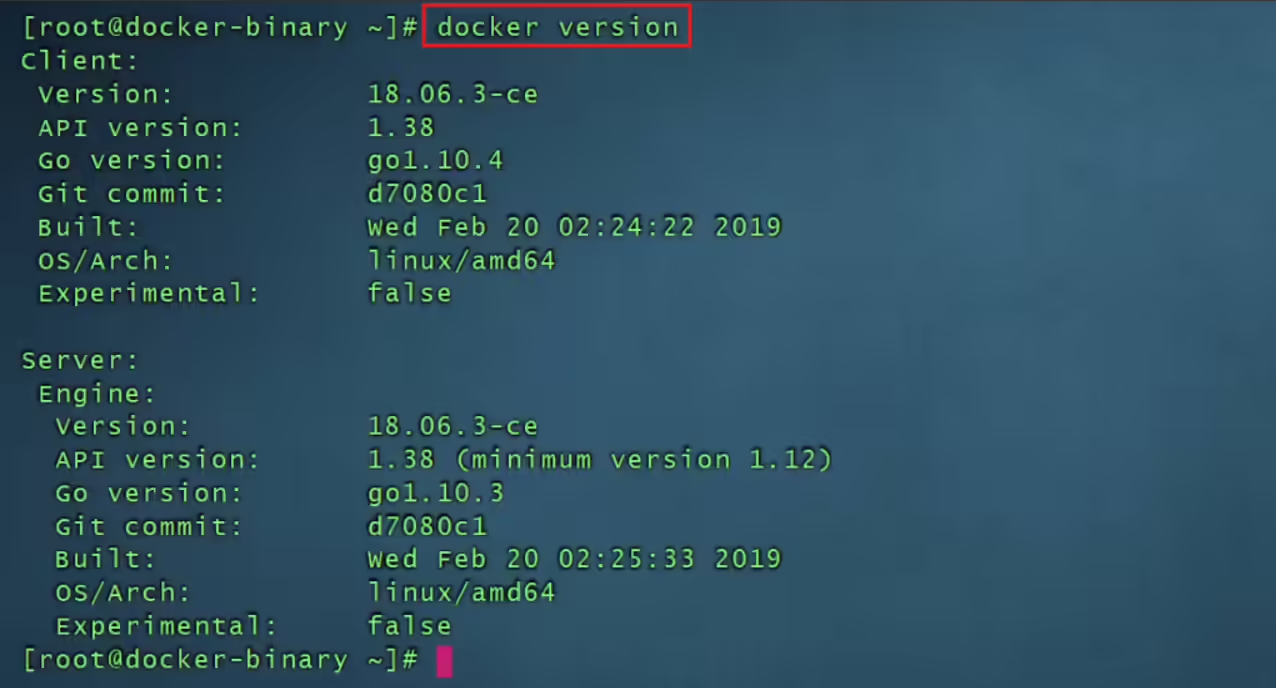
 1sudo mkdir -p /etc/docker
 2#这里的配置待更新
 3sudo tee /etc/docker/daemon.json <<EOF
 4{
 5  "registry-mirrors": [
 6    "https://docker.1ms.run",
 7    "https://docker.1panel.live",
 8    "https://docker.m.ixdev.cn",
 9    "https://hub.rat.dev",
10    "https://dockerproxy.net",
11    "https://docker.hlmirror.com",
12    "https://hub1.nat.tf",
13    "https://hub2.nat.tf",
14    "https://hub3.nat.tf",
15    "https://hub4.nat.tf",
16    "https://docker.m.daocloud.io",
17    "https://docker.kejilion.pro",
18    "https://hub.1panel.dev",
19    "https://dockerproxy.cool",
20    "https://proxy.vvvv.ee"
21  ]
22}
23EOF 1[root@docker-binary ~]# docker pull nginx
2Using default tag: latest
3latest: Pulling from library/nginx
469692152171a: Pull complete
530afc0b18f67: Pull complete
6596b1d696923: Pull complete
7febe5bd23e98: Pull complete
88283eee92e2f: Pull complete
9351ad75a6cfa: Pull complete
10Digest: sha256:6d75c99af15565a301e48297fa2d121e15d80ad526f8369c526324f0f7ccb750
11Status: Downloaded newer image for nginx:latest
12[root@docker-binary ~]# docker images
13REPOSITORY TAG IMAGE ID CREATED SIZE
14nginx latest d1a364dc548d 2 days ago 133MB
15[root@docker-binary ~]# docker run -d -p 80:80 nginx
16f6788d53c01978b1520956bce07ed2a9ab5cc042189d13174eead774bedb7178
17[root@docker-binary ~]# docker ps
18CONTAINER ID IMAGE COMMAND CREATED STATUS PORTS NAMES
19f6788d53c019 nginx "/docker-entrypoint.…" 7 seconds ago Up 6 seconds 0.0.0.0:80->80/tcp romantic_jepsen
20[root@docker-binary ~]# docker exec -it f6788d53c019 bash
21root@f6788d53c019:/# echo "<h1>Linux39</h1>" > /usr/share/nginx/html/index.html
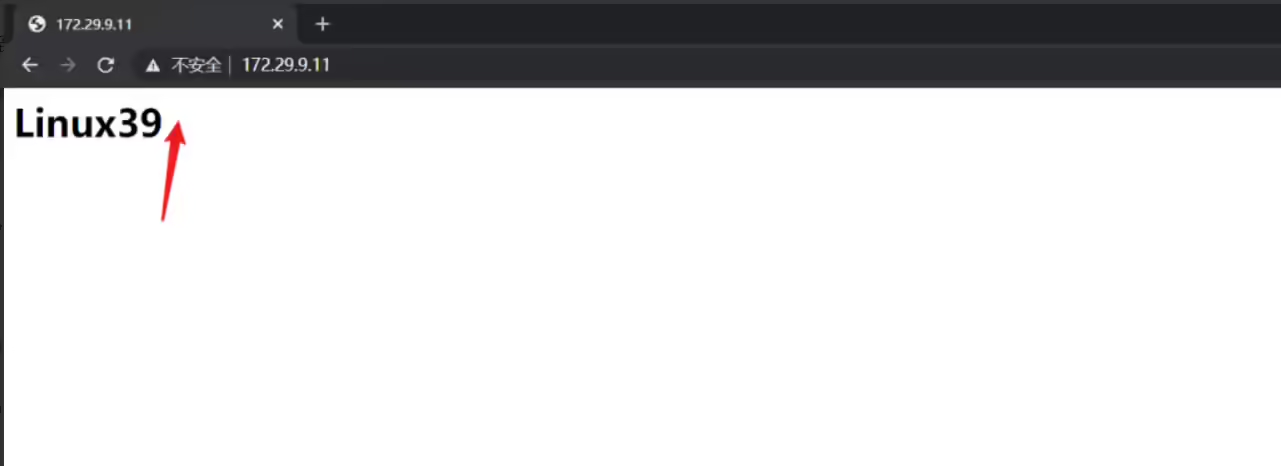
22root@f6788d53c019:/#自己笔记本浏览器输入:http://172.29.9.11/验证效果。
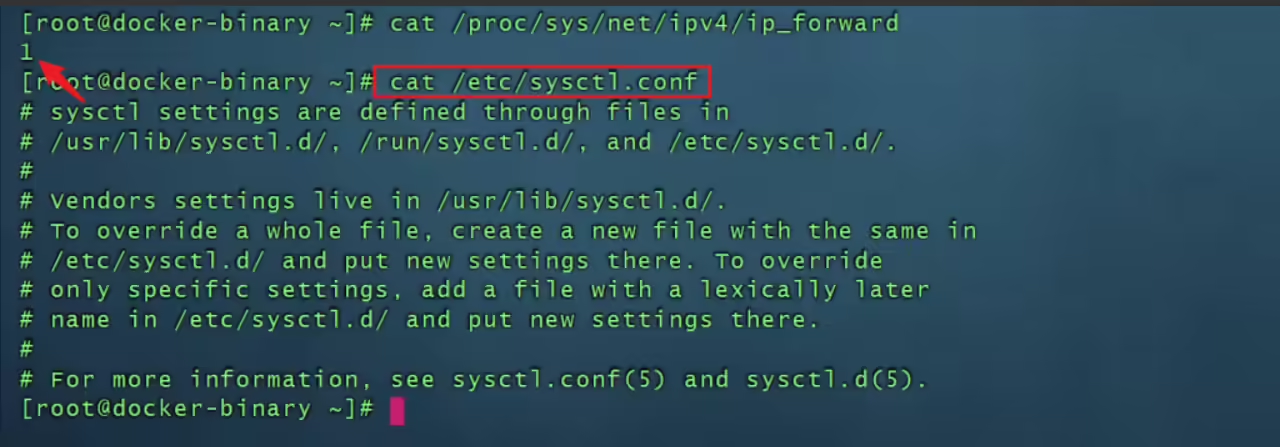
默认情况,ipv4的路由转发功能是关闭的,即cat /proc/sys/net/ipv4/ip_forward默认为1;
但是一旦docker服务被安装后,这个路由转发功能会被开启的,但是cat /etc/sysctl.conf 文件里没有配置相关内容,感觉像是临时生效的(其实是永久生效的)。
这边进行测试下:

重启宿主机,查看效果:
1init 6虚机重启后现象:
虚机重启后,原来的容器停止了;
但这个cat /proc/sys/net/ipv4/ip_forward的内容依然为1;
此时docker服务时启动的;
关闭docker服务后,这个内容依然为1;


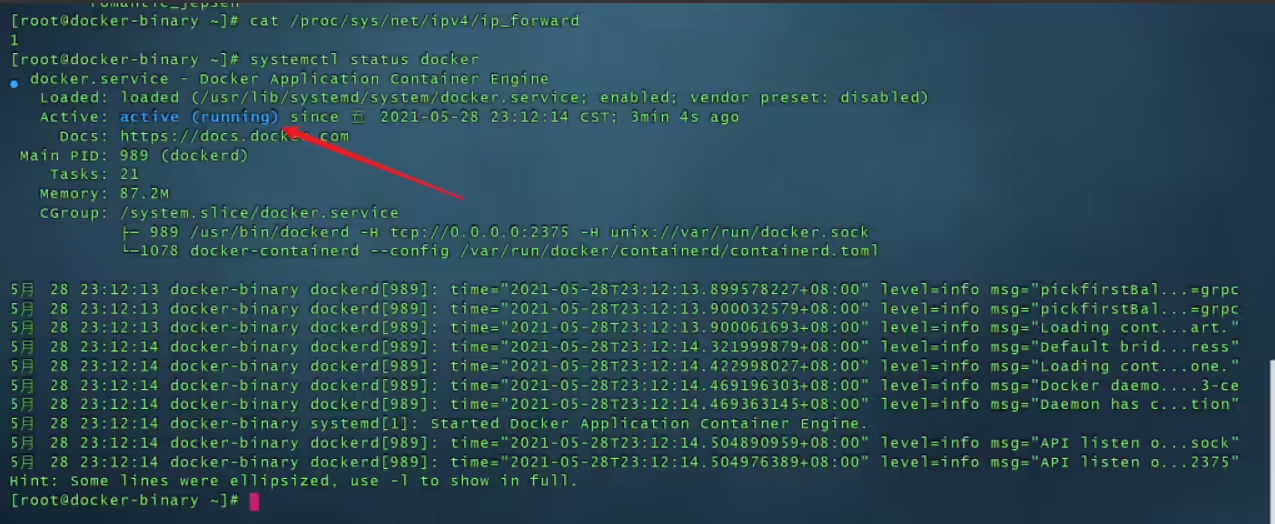

很奇怪,应该是自己对这方面的知识哪里有盲区,这个问题暂且搁置。
个人建议,最好手动配置永久生效:
1#永久生效方法:
2[root@docker-binary ~]# echo "net.ipv4.ip_forward = 1" >> /etc/sysctl.conf
3[root@docker-binary ~]# sysctl -p #生效net.ipv4.ip_forward = 1
4[root@docker-binary ~]# cat /proc/sys/net/ipv4/ip_forward #查看,1代表开启网络路由转发功能1
https://download.docker.com/linux/static/stable/x86_64/ #docker官网
https://mirrors.aliyun.com/docker-ce/linux/static/stable/x86_64/ #阿里云镜像地址(推荐)

我的博客主旨:
🍀 微信二维码 x2675263825 (舍得), qq:2675263825。

🍀 微信公众号 《云原生架构师实战》

🍀 个人博客站点
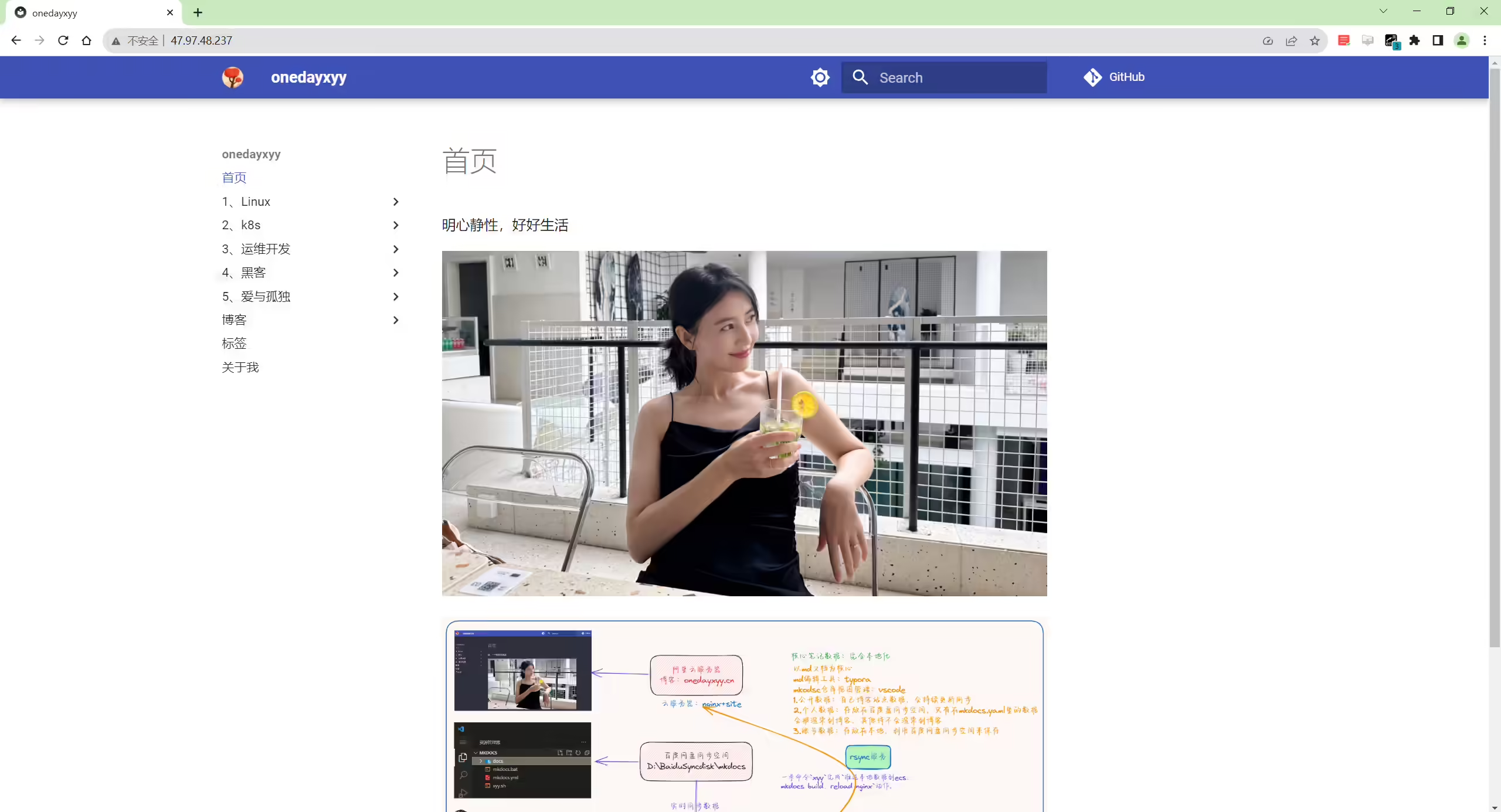
http://47.97.48.237/ (即将上线域名:onedayxyy.cn)
🍀 语雀
https://www.yuque.com/xyy-onlyone

🍀 csdn https://blog.csdn.net/weixin_39246554?spm=1010.2135.3001.5421

🍀 知乎 https://www.zhihu.com/people/foryouone

好了,关于本次就到这里了,感谢大家阅读,最后祝大家生活快乐,每天都过的有意义哦,我们下期见!