
快捷菜单
常用功能一站直达
更多功能请点顶栏「快捷菜单」
[toc]
1实验环境:
21、win10,vmwrokstation虚机;
32、k8s集群:3台centos7.6 1810虚机,1个master节点,2个node节点
4   k8s version:v1.22.2
5 containerd: v1.5.5链接:https://pan.baidu.com/s/1aWwuXFX7PMzY_NUTz8u0lw?pwd=4h7f
提取码:4h7f
2023.3.3-实战:kubectl 插件管理器 Krew 安装与使用-2023.3.3(测试成功)

Krew 是一个由 Kubernetes SIG CLI 社区维护的 kubectl 命令行工具的插件管理器。类似 红帽的YUM, 开发角度理解,类似 Nodejs 的 npm。
Krew 可以用于管理 kubelet 插件,发现 kubectl 插件,并在机器上安装它们。保持安装的插件是最新的。Krew 适用于所有主要平台,例如 macOS、Linux 和 Windows。
需要说明的是,Krew 插件索引 所维护的 kubectl 插件并 未经过安全性审查,你要了解安装和运行第三方插件的安全风险。
国内因为墙的问题,无法正常使用,所以需要科学上网。所以如果是内网,或者是没办法科学上网,装了姐也没啥用。
https://github.com/kubernetes-sigs/krew
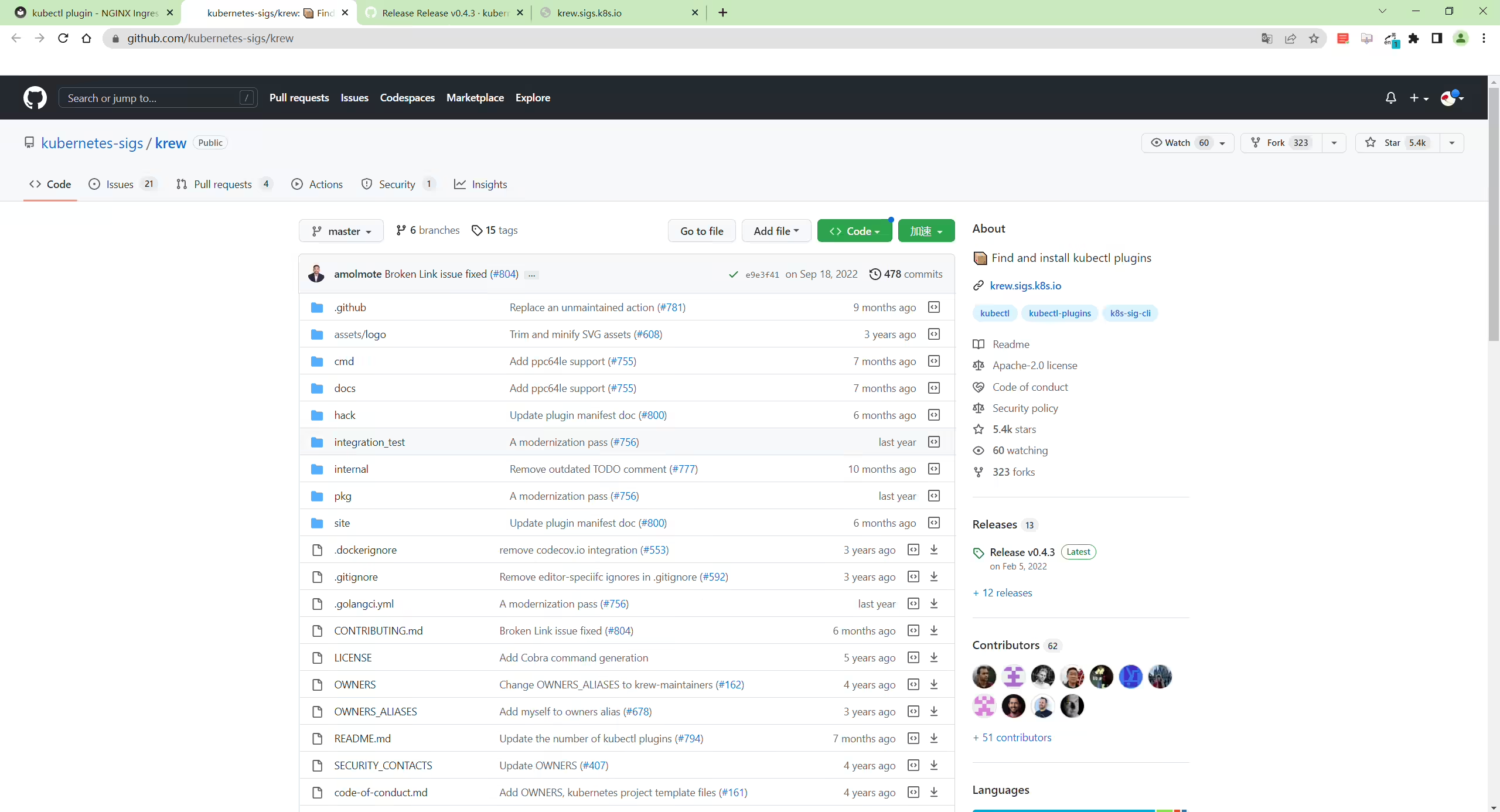
What does Krew do?
Krew is a tool that makes it easy to use kubectl plugins. Krew helps you discover plugins, install and manage them on your machine. It is similar to tools like apt, dnf or brew. Today, over 200 kubectl plugins are available on Krew.
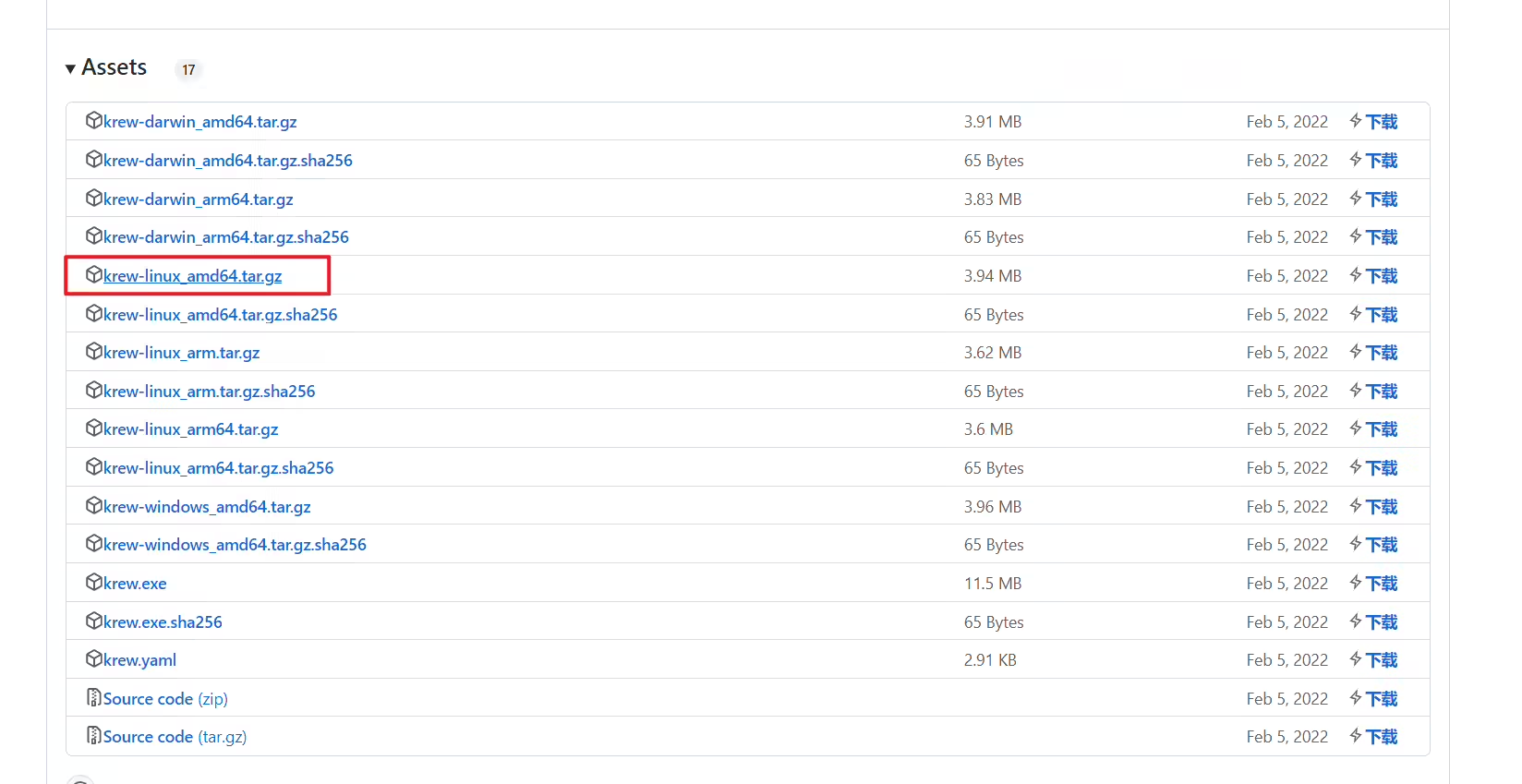
krew软件(常规二进制安装)https://github.com/kubernetes-sigs/krew/releases/tag/v0.4.3
https://github.com/kubernetes-sigs/krew/releases/download/v0.4.3/krew-linux_amd64.tar.gz
 1[root@master1 ~]#ll -h krew-linux_amd64.tar.gz
 2-rw-r--r-- 1 root root 4.0M Mar  2 22:31 krew-linux_amd64.tar.gz
 3
 4[root@master1 ~]#tar tf krew-linux_amd64.tar.gz
 5./LICENSE
 6./krew-linux_amd64
 7#步骤1:解压
 8[root@master1 ~]#tar xf krew-linux_amd64.tar.gz
 9[root@master1 ~]#ll krew-linux_amd64
10-rwxr-xr-x 1 1001 121 11836580 Jan  1  2000 krew-linux_amd64
11
12#步骤2:移动
13[root@master1 ~]#mv krew-linux_amd64 /usr/bin/krew
14[root@master1 ~]#ll /usr/bin/krew
15-rwxr-xr-x 1 1001 121 11836580 Jan  1  2000 /usr/bin/krew
16
17#步骤3:添加环境变量
18[root@master1 ~]#vim .bashrc
19export PATH="${KREW_ROOT:-$HOME/.krew}/bin:$PATH" #追加这一行
20[root@master1 ~]#source .bashrc 1#验证
2[root@master1 ~]#krew --help
3krew is the kubectl plugin manager.
4You can invoke krew through kubectl: "kubectl krew [command]..."
5
6Usage:
7 kubectl krew [command]
8
9Available Commands:
10 completion generate the autocompletion script for the specified shell
11 help Help about any command
12 index Manage custom plugin indexes
13 info Show information about an available plugin
14 install Install kubectl plugins
15 list List installed kubectl plugins
16 search Discover kubectl plugins
17 uninstall Uninstall plugins
18 update Update the local copy of the plugin index
19 upgrade Upgrade installed plugins to newer versions
20 version Show krew version and diagnostics
21
22Flags:
23 -h, --help help for krew
24 -v, --v Level number for the log level verbosity
25
26Use "kubectl krew [command] --help" for more information about a command.
27
28[root@master1 ~]#krew version
29OPTION VALUE
30GitTag v0.4.3
31GitCommit dbfefa5
32IndexURI https://github.com/kubernetes-sigs/krew-index.git
33BasePath /root/.krew
34IndexPath /root/.krew/index/default
35InstallPath /root/.krew/store
36BinPath /root/.krew/bin
37DetectedPlatform linux/amd64
38[root@master1 ~]#krew软件(官方脚本)https://krew.sigs.k8s.io/docs/user-guide/setup/install/
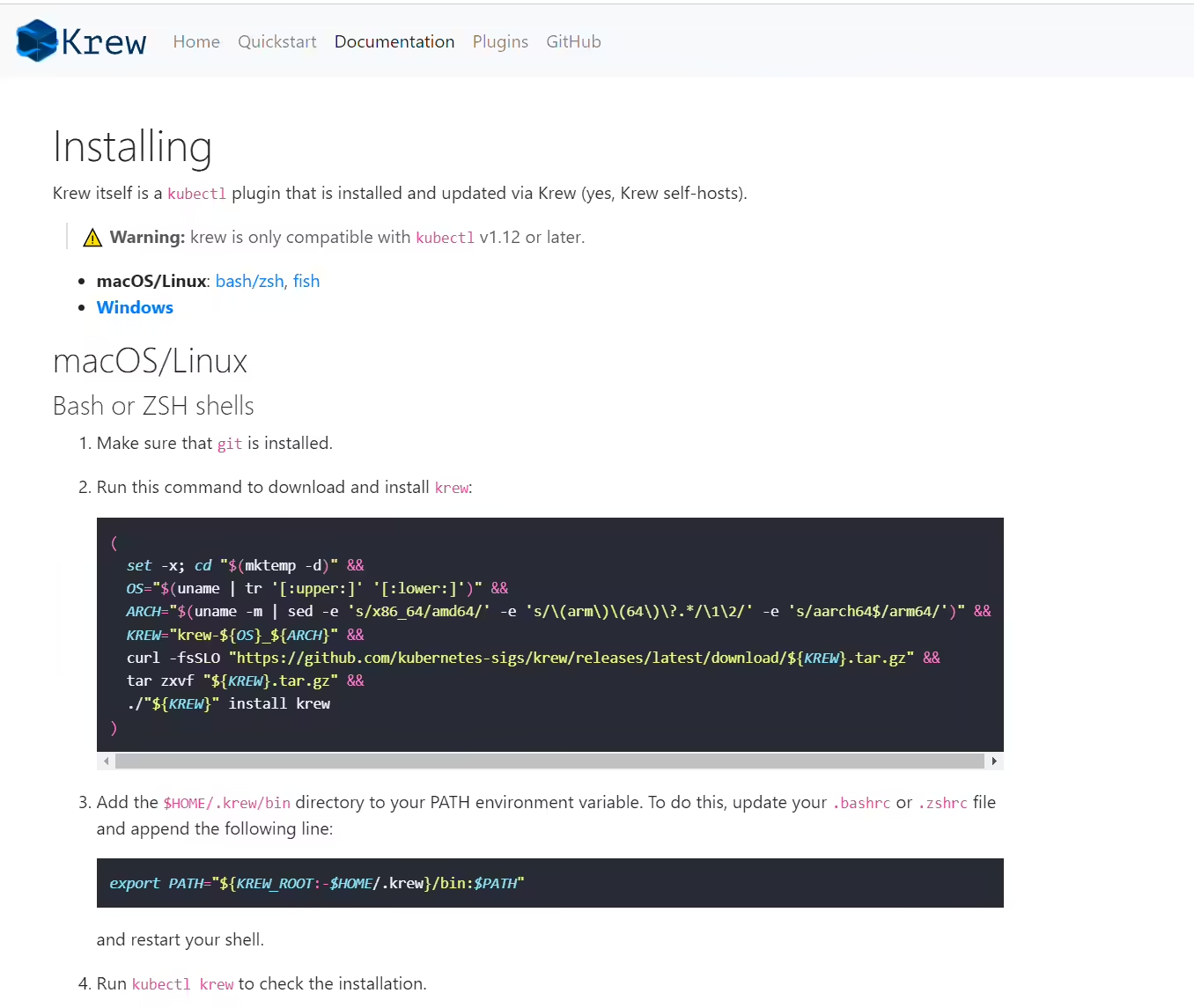
1(
2 set -x; cd "$(mktemp -d)" &&
3 OS="$(uname | tr '[:upper:]' '[:lower:]')" &&
4 ARCH="$(uname -m | sed -e 's/x86_64/amd64/' -e 's/\(arm\)\(64\)\?.*/\1\2/' -e 's/aarch64$/arm64/')" &&
5 KREW="krew-${OS}_${ARCH}" &&
6 curl -fsSLO "https://github.com/kubernetes-sigs/krew/releases/latest/download/${KREW}.tar.gz" &&
7 tar zxvf "${KREW}.tar.gz" &&
8 ./"${KREW}" install krew
9)(1)步骤1:安装git
注意:这里是需要安装git的。
1yum install -y git(2)执行脚本命令
1(
2 set -x; cd "$(mktemp -d)" &&
3 OS="$(uname | tr '[:upper:]' '[:lower:]')" &&
4 ARCH="$(uname -m | sed -e 's/x86_64/amd64/' -e 's/\(arm\)\(64\)\?.*/\1\2/' -e 's/aarch64$/arm64/')" &&
5 KREW="krew-${OS}_${ARCH}" &&
6 curl -fsSLO "https://github.com/kubernetes-sigs/krew/releases/latest/download/${KREW}.tar.gz" &&
7 tar zxvf "${KREW}.tar.gz" &&
8 ./"${KREW}" install krew
9)(3)添加环境变量
1[root@master1 ~]#vim .bashrc
2export PATH="${KREW_ROOT:-$HOME/.krew}/bin:$PATH" #追加这一行
3[root@master1 ~]#source .bashrc(4)验证
 1#验证
 2[root@master1 ~]#krew --help
 3krew is the kubectl plugin manager.
 4You can invoke krew through kubectl: "kubectl krew [command]..."
 5
 6Usage:
 7  kubectl krew [command]
 8
 9Available Commands:
10  completion  generate the autocompletion script for the specified shell
11  help        Help about any command
12  index       Manage custom plugin indexes
13  info        Show information about an available plugin
14  install     Install kubectl plugins
15  list        List installed kubectl plugins
16  search      Discover kubectl plugins
17  uninstall   Uninstall plugins
18  update      Update the local copy of the plugin index
19  upgrade     Upgrade installed plugins to newer versions
20  version     Show krew version and diagnostics
21
22Flags:
23  -h, --help      help for krew
24  -v, --v Level   number for the log level verbosity
25
26Use "kubectl krew [command] --help" for more information about a command.
27
28[root@master1 ~]#krew version
29OPTION            VALUE
30GitTag            v0.4.3
31GitCommit         dbfefa5
32IndexURI          https://github.com/kubernetes-sigs/krew-index.git
33BasePath          /root/.krew
34IndexPath         /root/.krew/index/default
35InstallPath       /root/.krew/store
36BinPath           /root/.krew/bin
37DetectedPlatform  linux/amd64
38[root@master1 ~]#Quickstart
Krew helps you discover and install kubectl plugins on your machine.
You can install and use a wide variety of kubectl plugins to enhance your Kubernetes experience.
Let’s get started:
Install and set up Krew on your machine.
Download the plugin list:
1$ kubectl krew update这里有时会无法拉取的:(一会儿可以,一会儿不行,还是因为墙的问题……,可能会拉取github超时)

Discover plugins available on Krew:
1$ kubectl krew search
2NAME                            DESCRIPTION                                         INSTALLED
3access-matrix                   Show an RBAC access matrix for server resources     no
4advise-psp                      Suggests PodSecurityPolicies for cluster.           no
5auth-proxy                      Authentication proxy to a pod or service            no
6[...]
Choose a plugin from the list and install it:
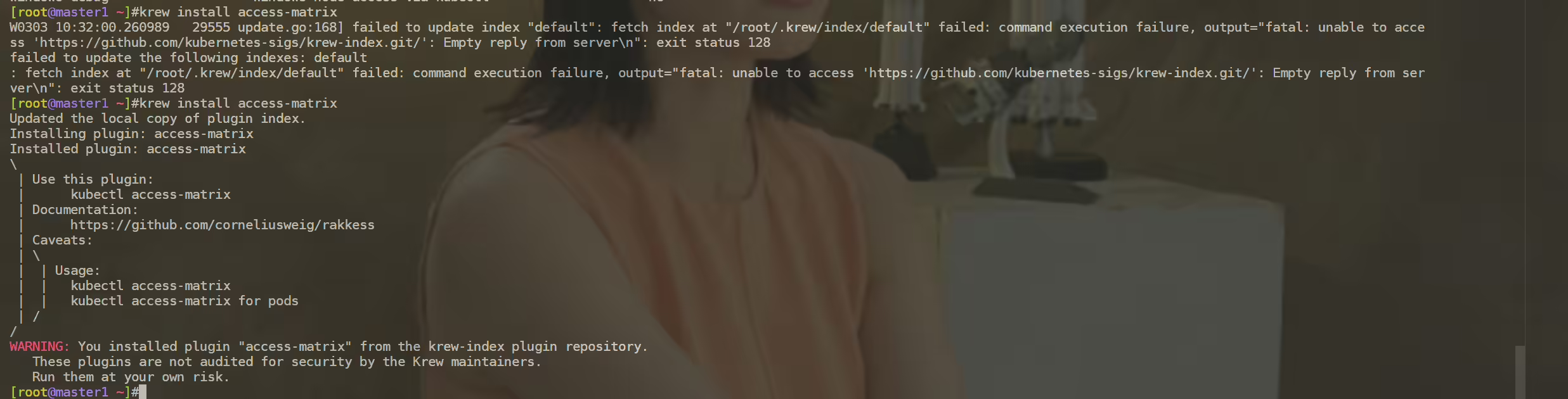
1$ kubectl krew install access-matrix这里也会有时拉取不下来的:
Use the installed plugin:
1$ kubectl access-matrixKeep your plugins up-to-date:
1$ kubectl krew upgradeUninstall a plugin you no longer use:
1$ kubectl krew uninstall access-matrixThis is practically all you need to know to start using Krew.
注意:自己的pc是有连接vpn科学上网的,但是里面的虚机好像并不能正常使用这个vpn,因此这些无法被正常拉取下来的;
ingress-nginx 1 [root@master1 ~]#krew install ingress-nginx
2Updated the local copy of plugin index.
3Installing plugin: ingress-nginx
4Installed plugin: ingress-nginx
5\
6 | Use this plugin:
7 | kubectl ingress-nginx
8 | Documentation:
9 | https://kubernetes.github.io/ingress-nginx/kubectl-plugin/
10/
11WARNING: You installed plugin "ingress-nginx" from the krew-index plugin repository.
12 These plugins are not audited for security by the Krew maintainers.
13 Run them at your own risk.
14[root@master1 ~]#注意:
 1[root@master1 ~]#kubectl exec -it ingress-nginx-controller-c66bc7c5c-pj2h8 -n ingress-nginx -- cat /etc/nginx/nginx.conf
 2……
 3
 4        upstream upstream_balancer {
 5                ### Attention!!!
 6                #
 7                # We no longer create "upstream" section for every backend.
 8                # Backends are handled dynamically using Lua. If you would like to debug
 9                # and see what backends ingress-nginx has in its memory you can
10                # install our kubectl plugin https://kubernetes.github.io/ingress-nginx/kubectl-plugin.
11                # Once you have the plugin you can use "kubectl ingress-nginx backends" command to
12                # inspect current backends.
13                #
14                ###
15
16                server 0.0.0.1; # placeholder
17
18                balancer_by_lua_block {
19                        balancer.balance()
20                }
21
22                keepalive 320;
23                keepalive_time 1h;
24                keepalive_timeout  60s;
25                keepalive_requests 10000;
26
27 }ingress-nginx插件官网:https://kubernetes.github.io/ingress-nginx/kubectl-plugin/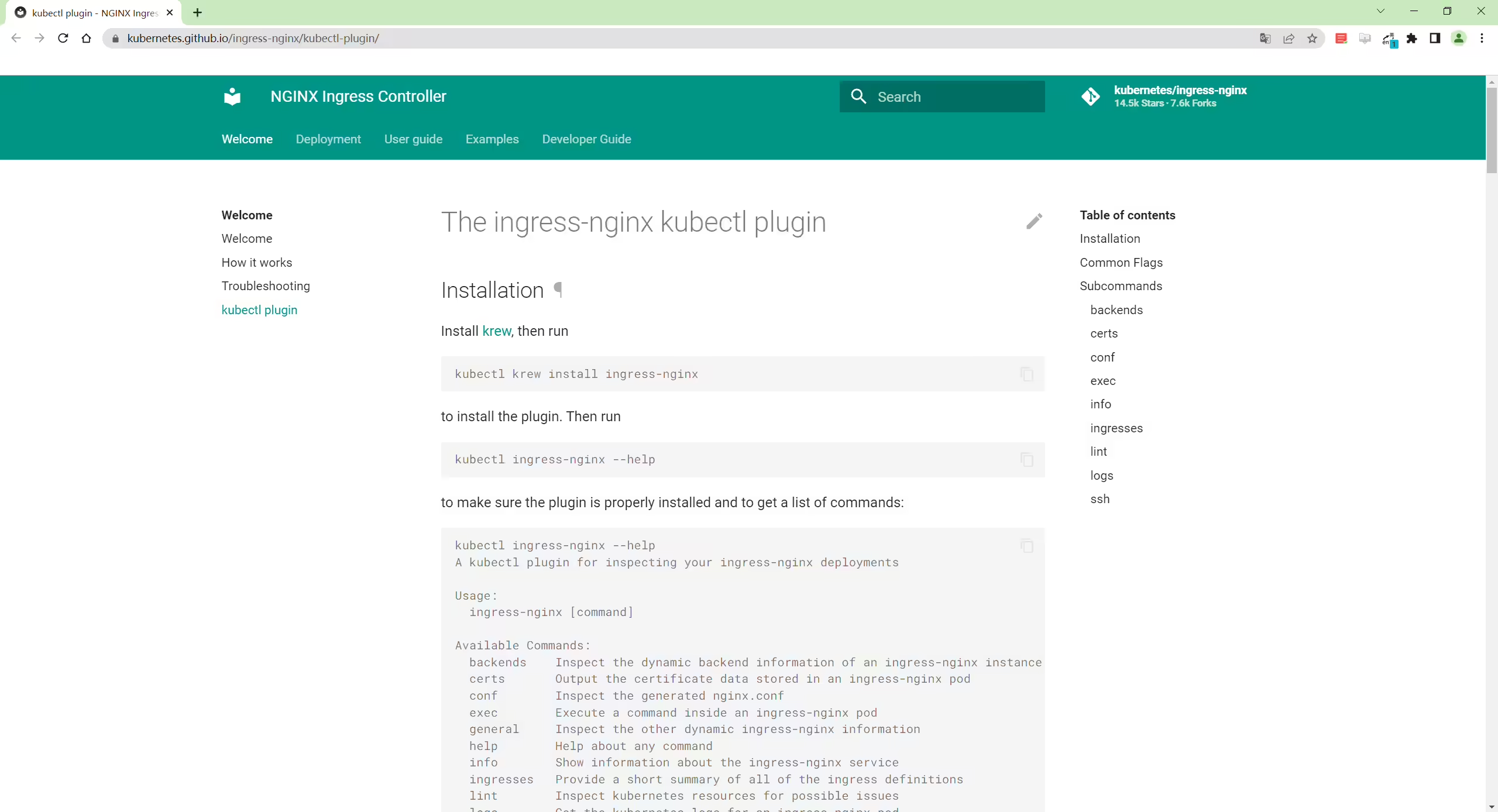
 1[root@master1 ~]#kubectl ingress-nginx backends -n ingress-nginx
 2[
 3  {
 4    "name": "default-my-nginx-80",
 5    "service": {
 6      "metadata": {
 7        "creationTimestamp": null
 8      },
 9      "spec": {
10        "ports": [
11          {
12            "name": "http",
13            "protocol": "TCP",
14            "port": 80,
15            "targetPort": 80
16          }
17        ],
18        "selector": {
19          "app": "my-nginx"
20        },
21        "clusterIP": "10.99.186.115",
22        "clusterIPs": [
23          "10.99.186.115"
24        ],
25        "type": "ClusterIP",
26        "sessionAffinity": "None",
27        "ipFamilies": [
28          "IPv4"
29        ],
30        "ipFamilyPolicy": "SingleStack",
31        "internalTrafficPolicy": "Cluster"
32      },
33      "status": {
34        "loadBalancer": {}
35      }
36    },
37    "port": 80,
38    "sslPassthrough": false,
39    "endpoints": [
40      {
41        "address": "10.244.2.7",
42        "port": "80"
43      }
44    ],
45    "sessionAffinityConfig": {
46      "name": "",
47      "mode": "",
48      "cookieSessionAffinity": {
49        "name": ""
50      }
51    },
52    "upstreamHashByConfig": {
53      "upstream-hash-by-subset-size": 3
54    },
55    "noServer": false,
56    "trafficShapingPolicy": {
57      "weight": 0,
58      "weightTotal": 0,
59      "header": "",
60      "headerValue": "",
61      "headerPattern": "",
62      "cookie": ""
63    }
64  },
65  {
66    "name": "upstream-default-backend",
67    "port": 0,
68    "sslPassthrough": false,
69    "endpoints": [
70      {
71        "address": "127.0.0.1",
72        "port": "8181"
73      }
74    ],
75    "sessionAffinityConfig": {
76      "name": "",
77      "mode": "",
78      "cookieSessionAffinity": {
79        "name": ""
80      }
81    },
82    "upstreamHashByConfig": {},
83    "noServer": false,
84    "trafficShapingPolicy": {
85      "weight": 0,
86      "weightTotal": 0,
87      "header": "",
88      "headerValue": "",
89      "headerPattern": "",
90      "cookie": ""
91    }
92  }
93]CSDN博主「山河已无恙」文章:https://blog.csdn.net/sanhewuyang/article/details/128752814
https://krew.sigs.k8s.io/docs/user-guide/quickstart/
https://github.com/kubernetes-sigs/krew
我的博客主旨:
🍀 微信二维码 x2675263825 (舍得), qq:2675263825。

🍀 微信公众号 《云原生架构师实战》

🍀 csdn https://blog.csdn.net/weixin_39246554?spm=1010.2135.3001.5421
🍀 知乎 https://www.zhihu.com/people/foryouone
好了,关于本次就到这里了,感谢大家阅读,最后祝大家生活快乐,每天都过的有意义哦,我们下期见!

1
