
快捷菜单
常用功能一站直达
更多功能请点顶栏「快捷菜单」

[toc]
此文档依赖于基础环境配置文档, 运行K8s集群并配置NFS存储。
参考文档:
《00-devops8基础环境配置(重要)》 http://localhost:3000/docs/devops8-basic-test-environment

代码库地址:https://gitee.com/onlyonexl/myiac-gitee

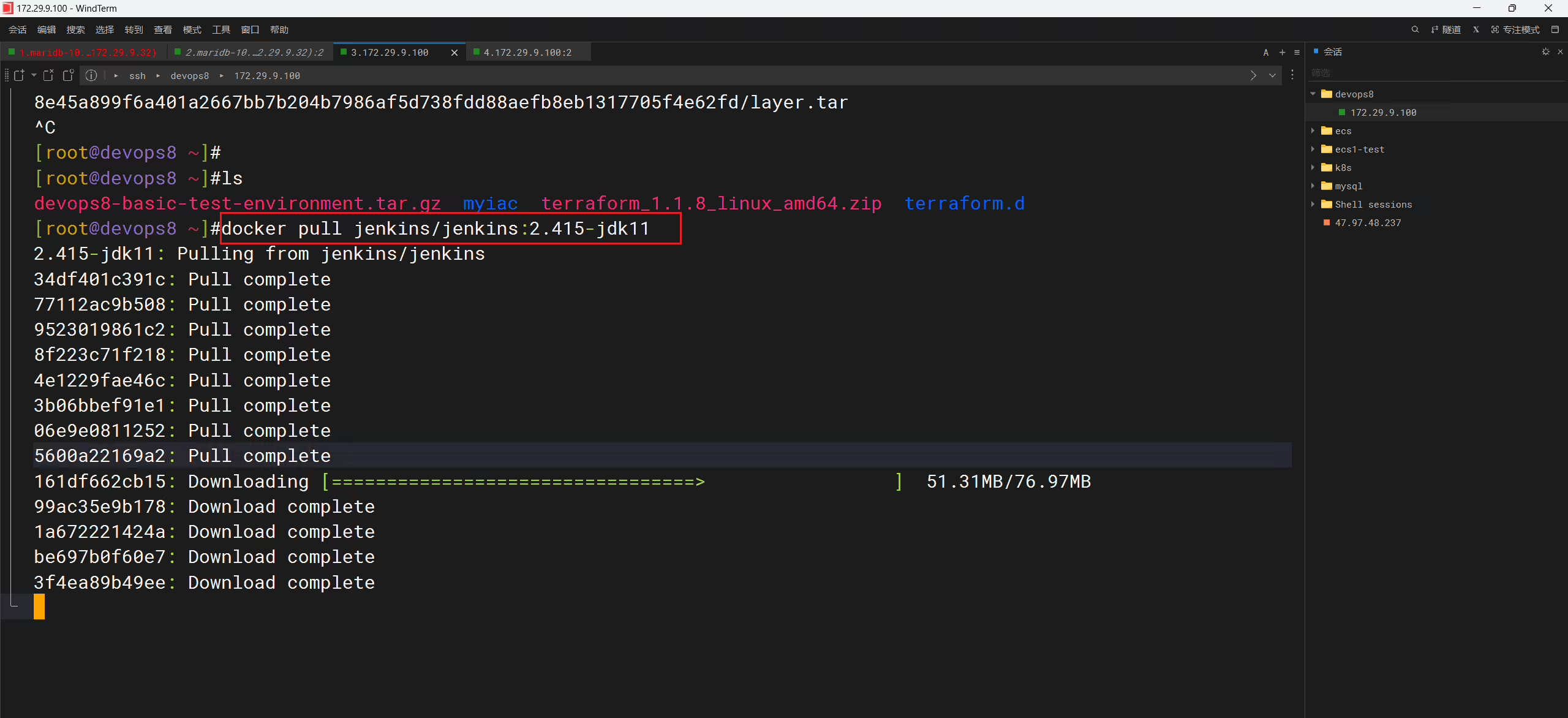
1docker pull jenkins/jenkins:2.415-jdk11
2docker pull jenkins/inbound-agent:latest
3
4## LoadDockerImage
5kind load  docker-image jenkins/jenkins:2.415-jdk11 --name devopscluster
6kind load  docker-image jenkins/inbound-agent:latest --name devopscluster
以上2个镜像拉取速度很慢哦:(耐心等待一会儿哦)
 1[root@devops8 jenkins]#pwd
 2/root/myiac-gitee/devops/jenkins
 3[root@devops8 jenkins]#ls
 4agent-manifests  jenkins-agent-argoapp.yaml  jenkins-argoapp.yaml  manifests  run.sh
 5[root@devops8 jenkins]# sh -x run.sh
 6+ kind load docker-image jenkins/jenkins:2.415-jdk11 --name devopscluster
 7Image: "jenkins/jenkins:2.415-jdk11" with ID "sha256:27aa51b3ca68eb5974570b2f685c948b4bfa60b41c5af4807a05411f11333457" found to be already present on all nodes.
 8+ kind load docker-image jenkins/inbound-agent:latest --name devopscluster
 9Image: "jenkins/inbound-agent:latest" with ID "sha256:bf21eca245df406d71cbc13bbfdbf51c69b491041e51aff052e9f3cce9fab10f" found to be already present on all nodes.
10+ mkdir -p /data/storage/kubernetes/jenkins
11+ chmod -R 777 /data/storage/kubernetes/jenkins
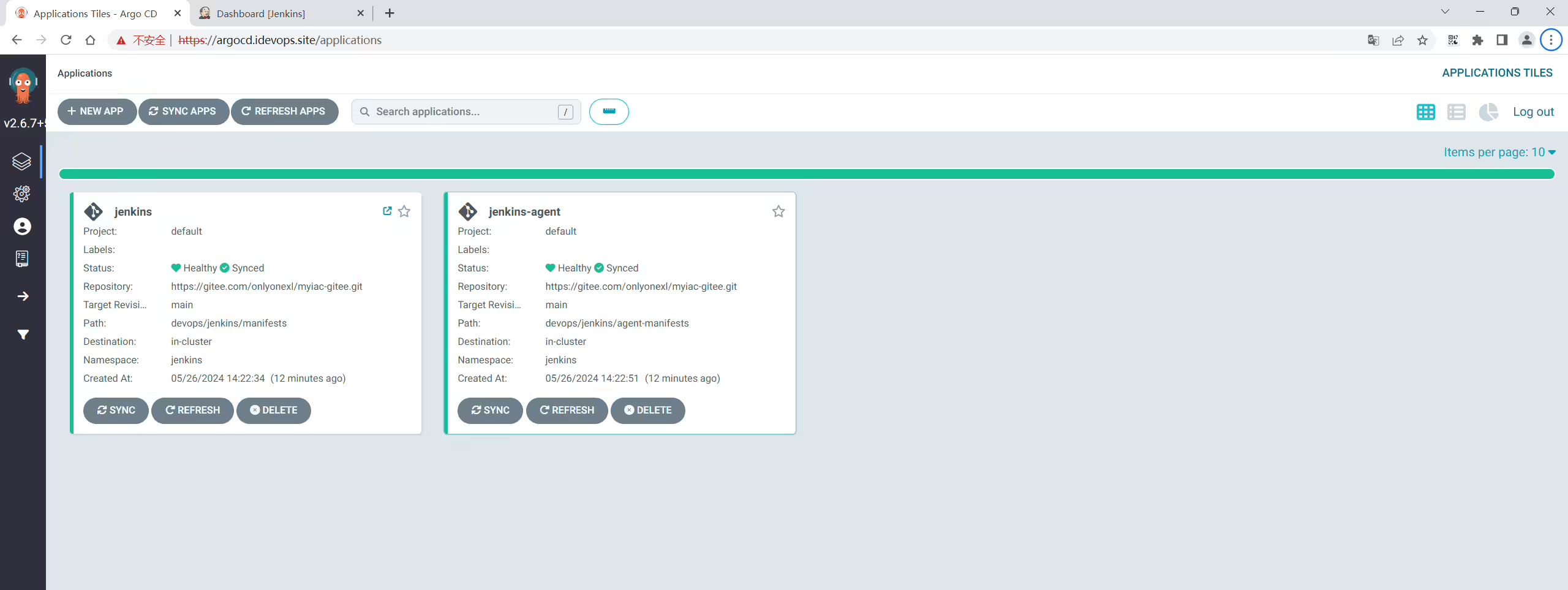
12+ kubectl -n argocd apply -f jenkins-argoapp.yaml
13application.argoproj.io/jenkins created
14+ mkdir -p /data/storage/kubernetes/jenkins-build-cache
15+ chmod -R 777 /data/storage/kubernetes/jenkins-build-cache
16+ mkdir -p /data/storage/kubernetes/jenkins-workspace
17+ chmod -R 777 /data/storage/kubernetes/jenkins-workspace
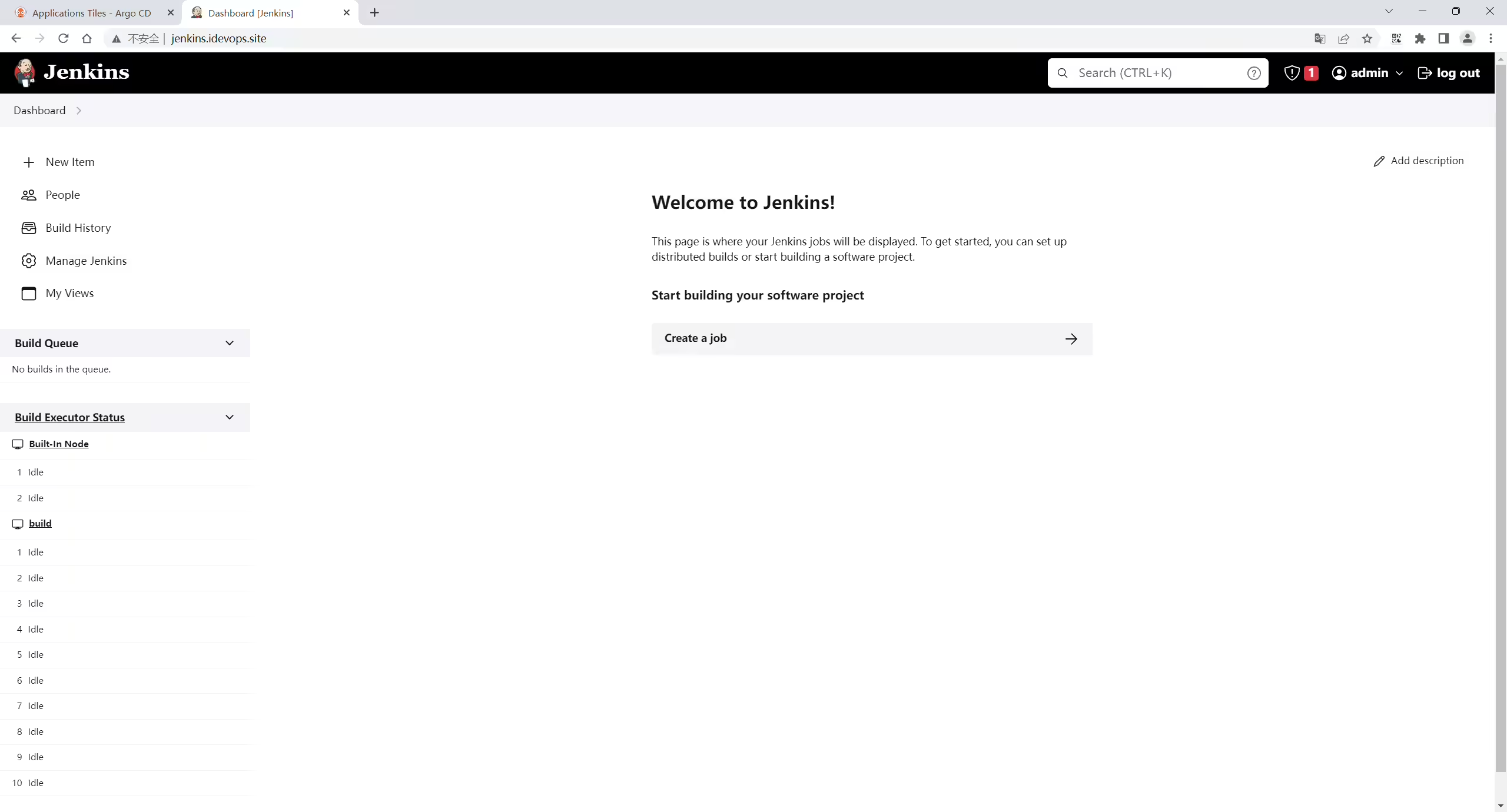
18[root@devops8 jenkins]#1192.168.1.200 jenkins.idevops.site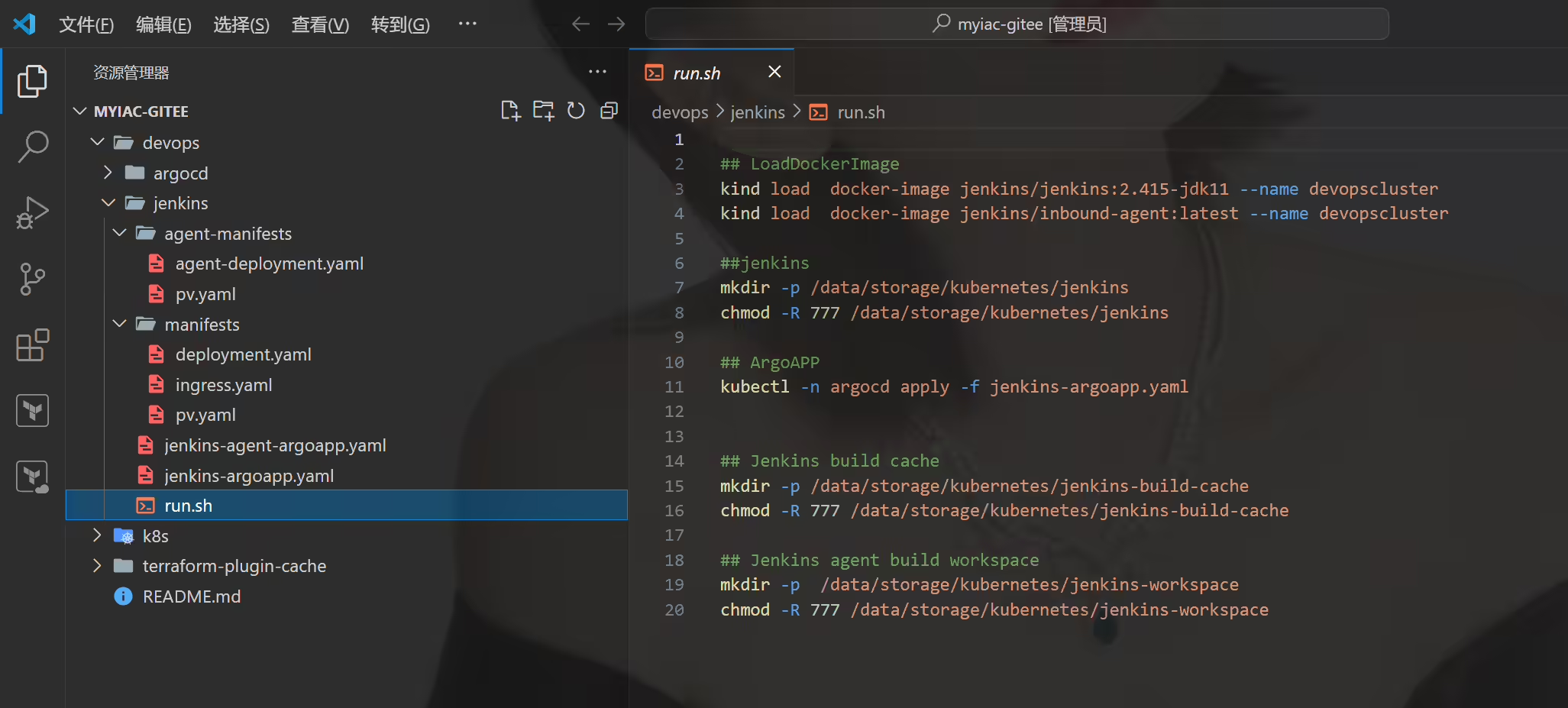


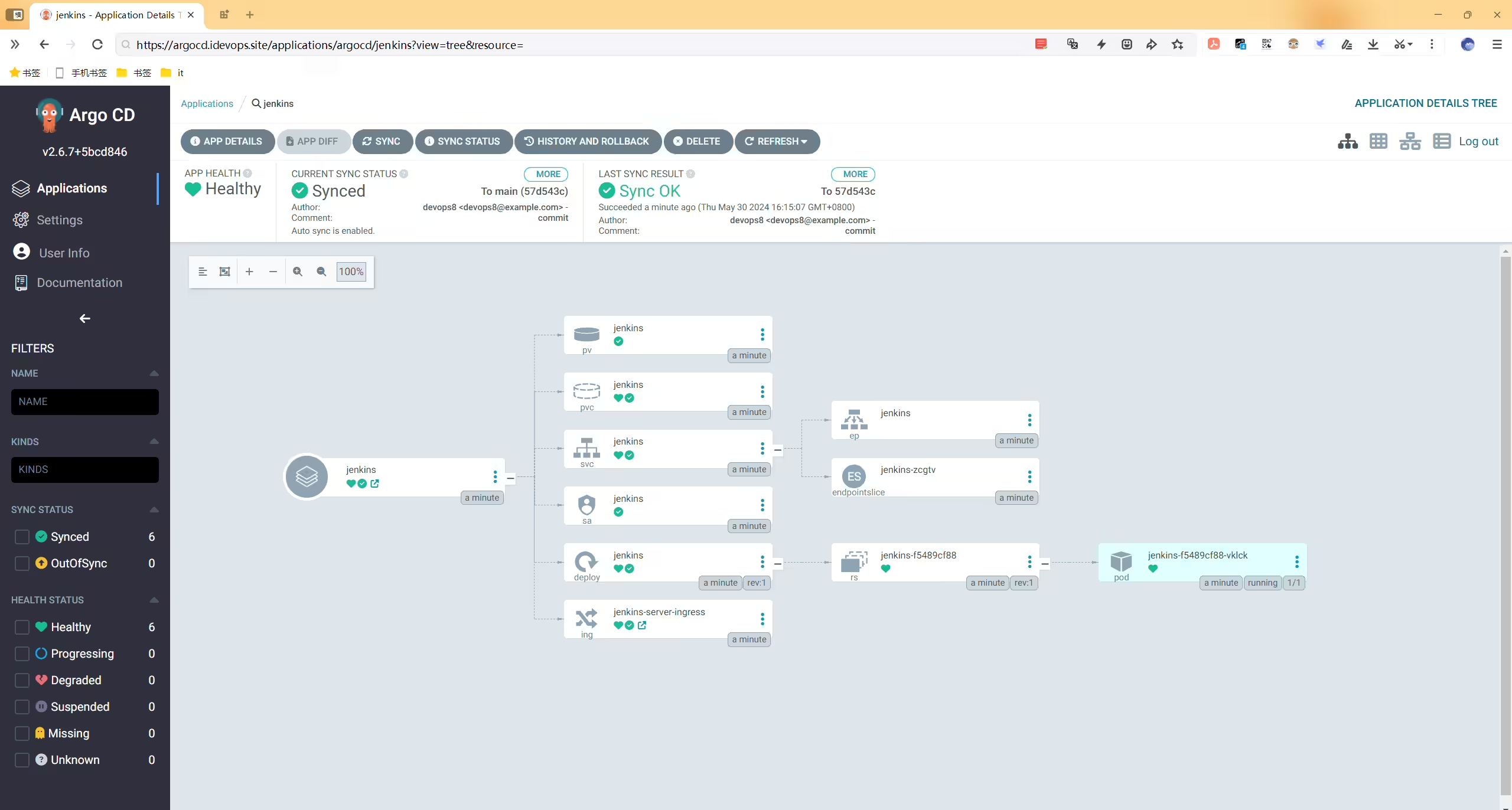
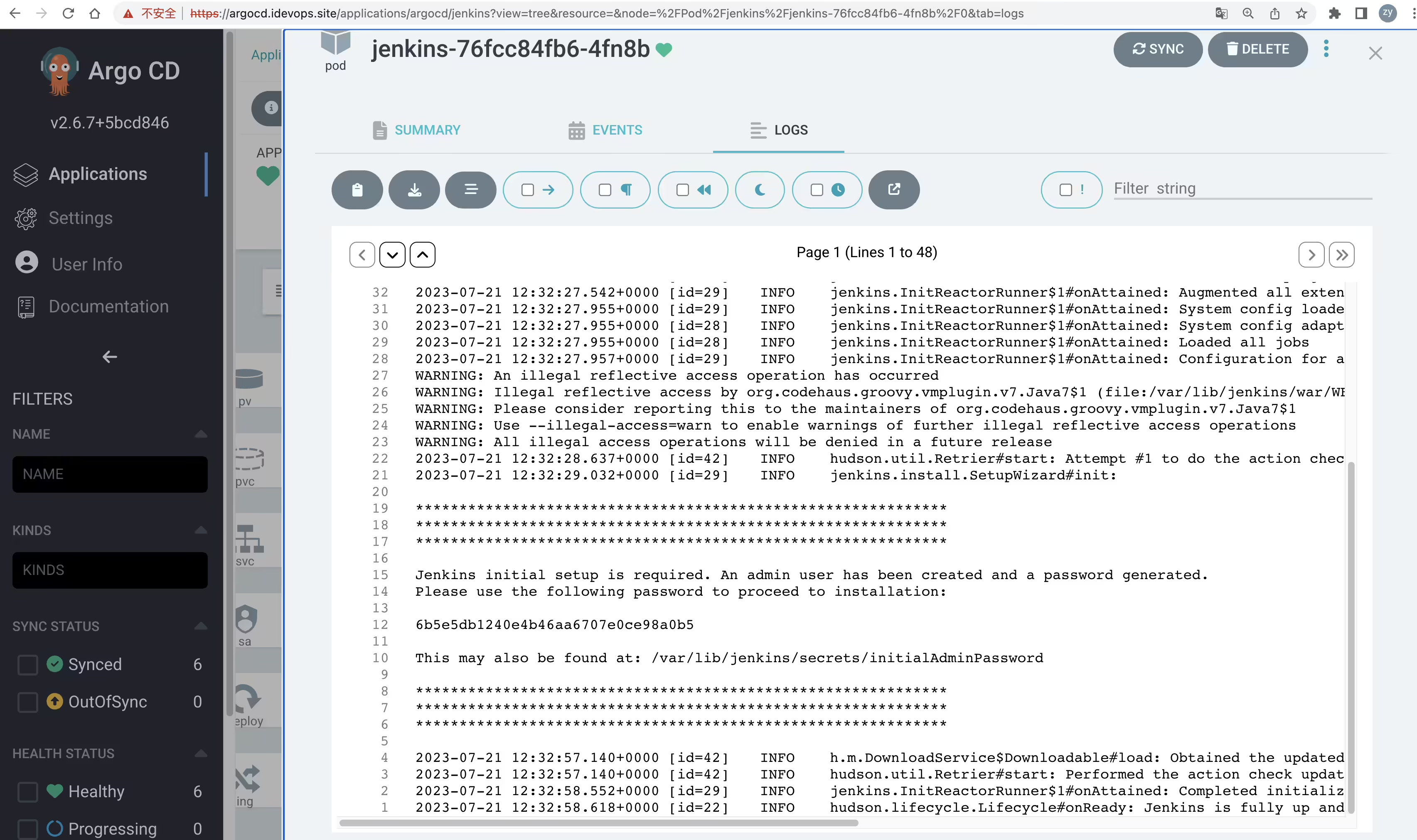
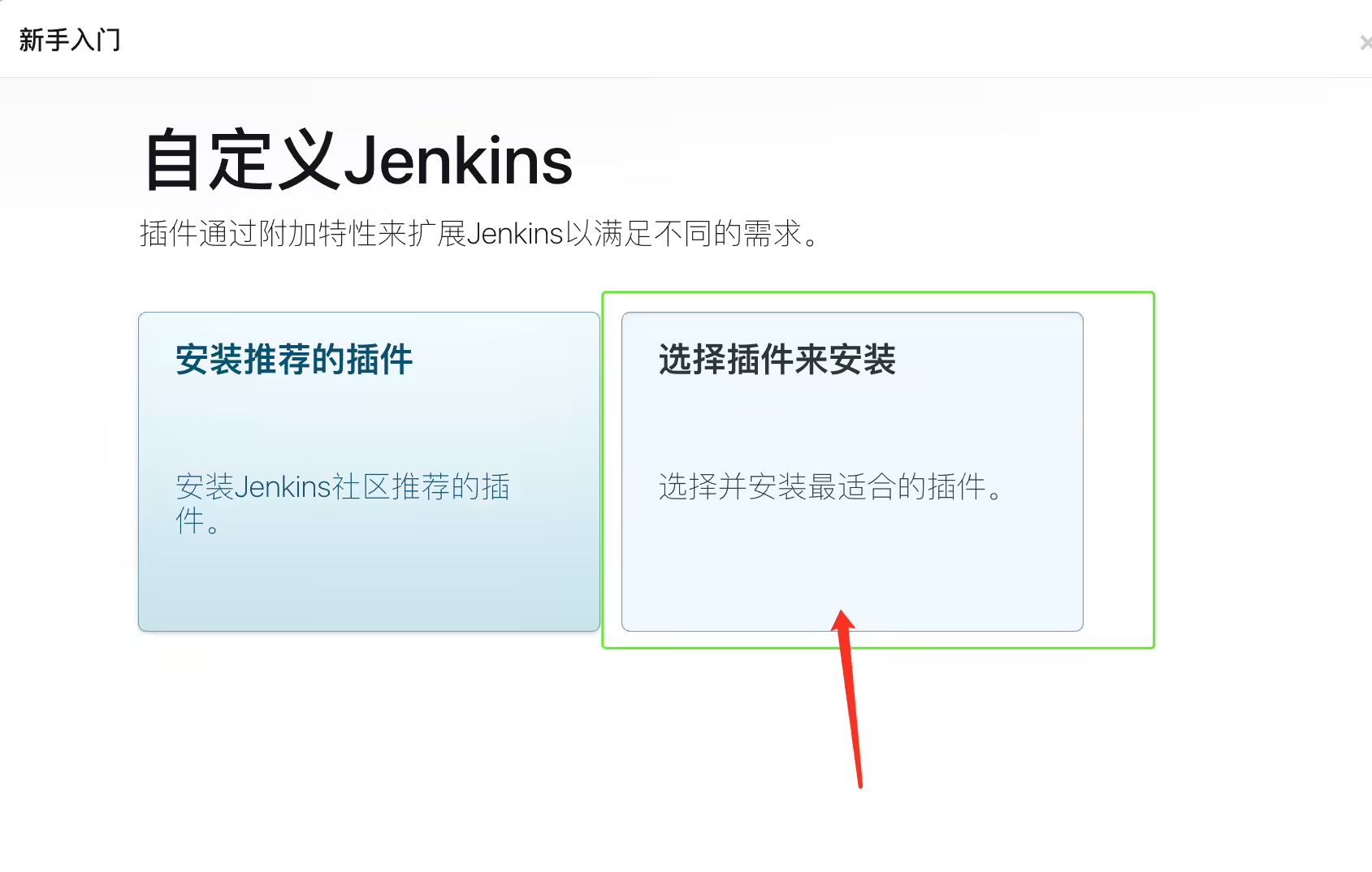
【注意: 插件安装界面,选择自定义,然后什么插件都不选择哈 避免网络问题】

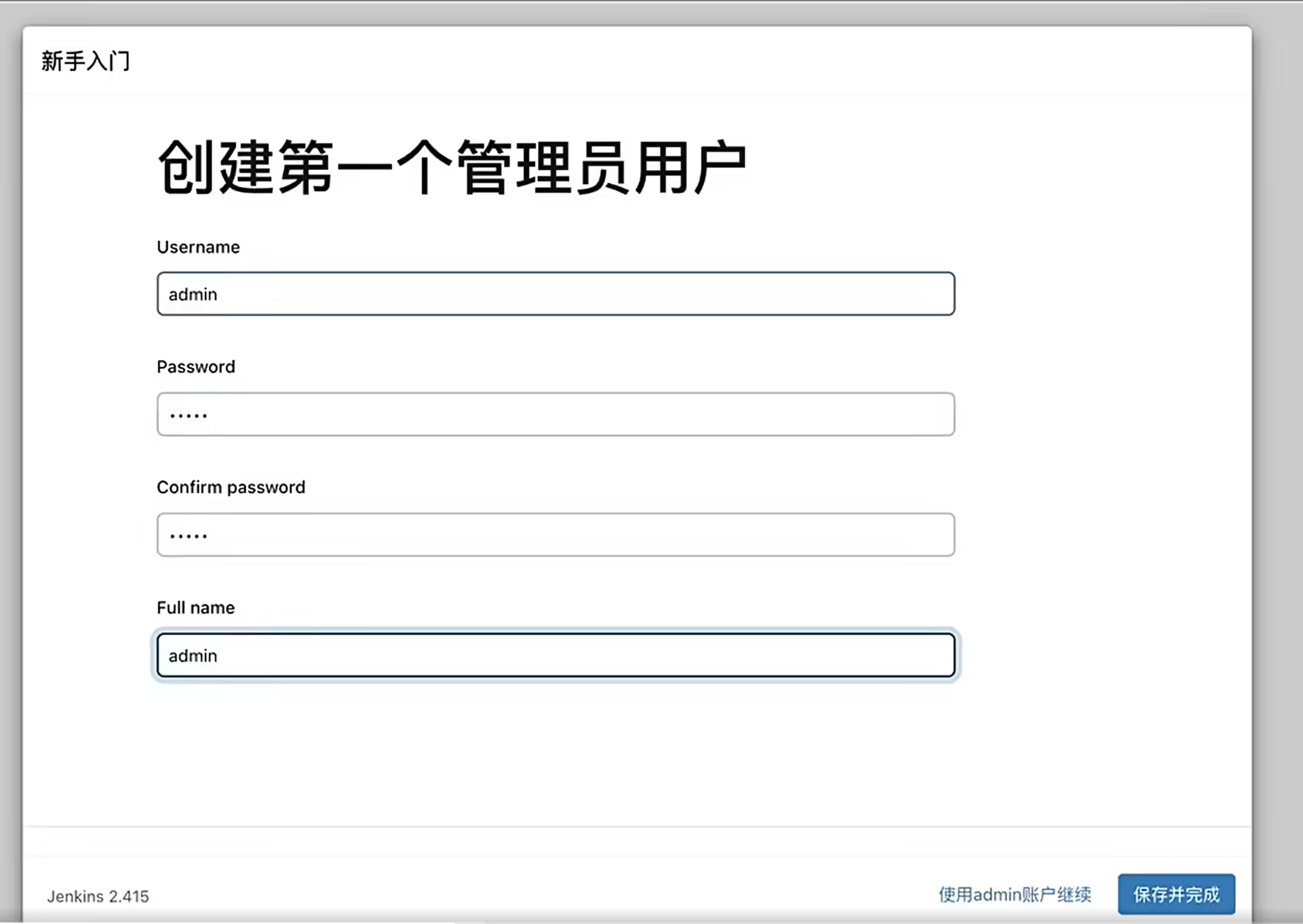
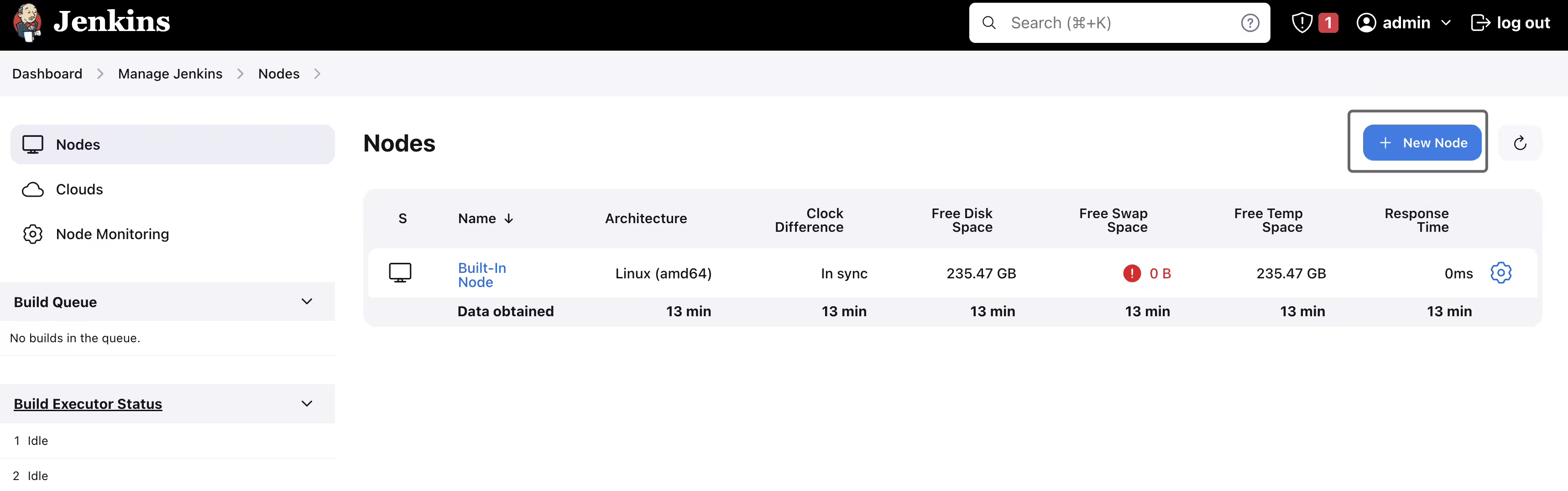

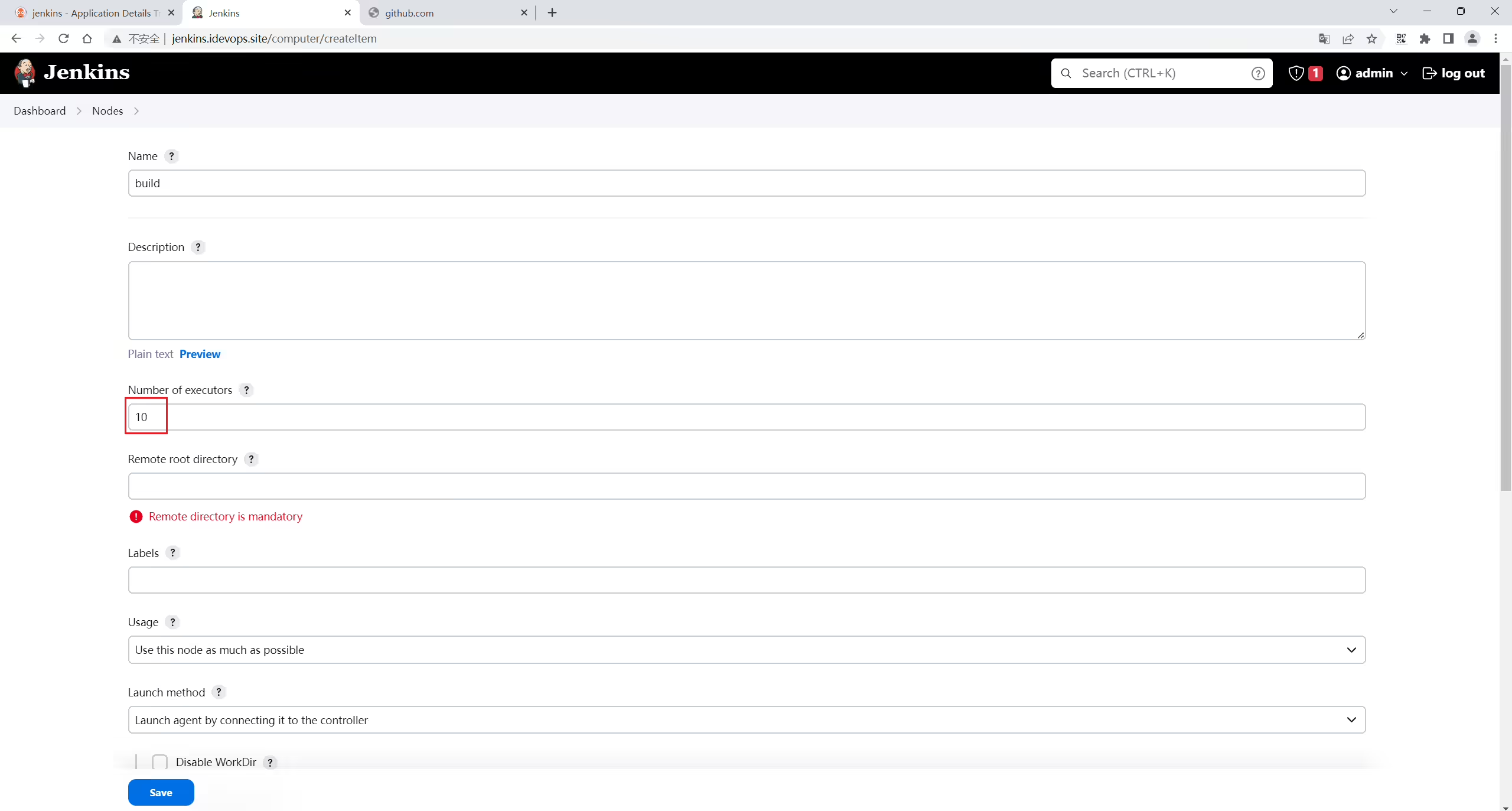
这里只需填写执行器数量就行,其他后面有需要可以再填:
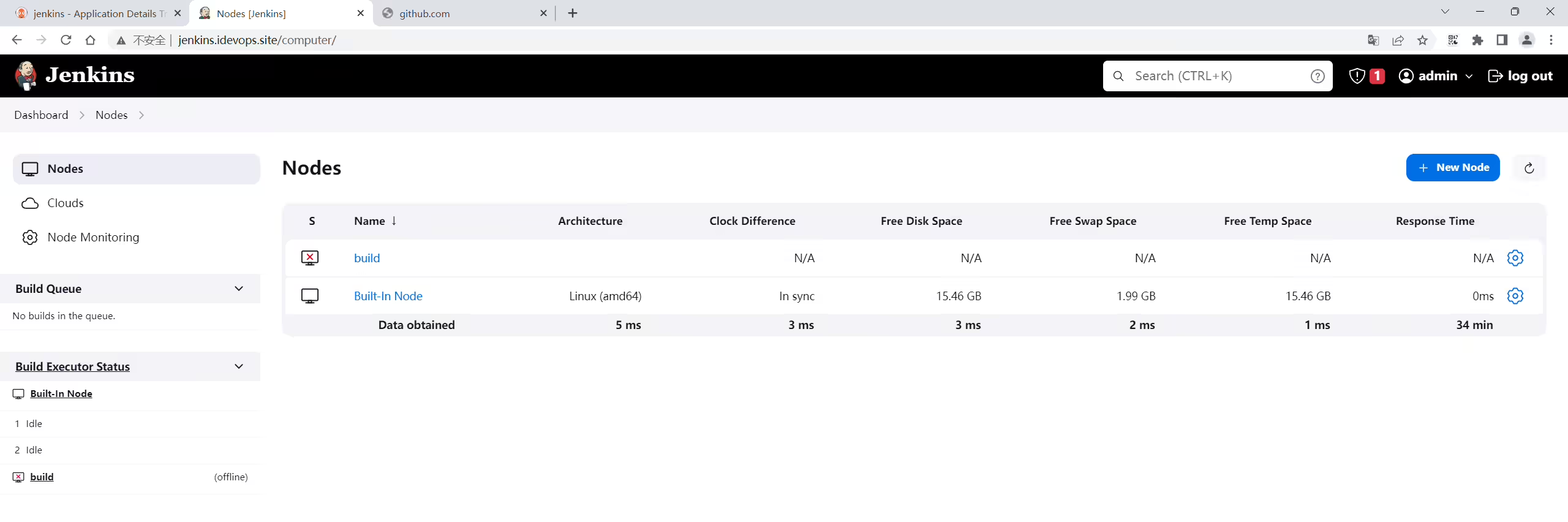
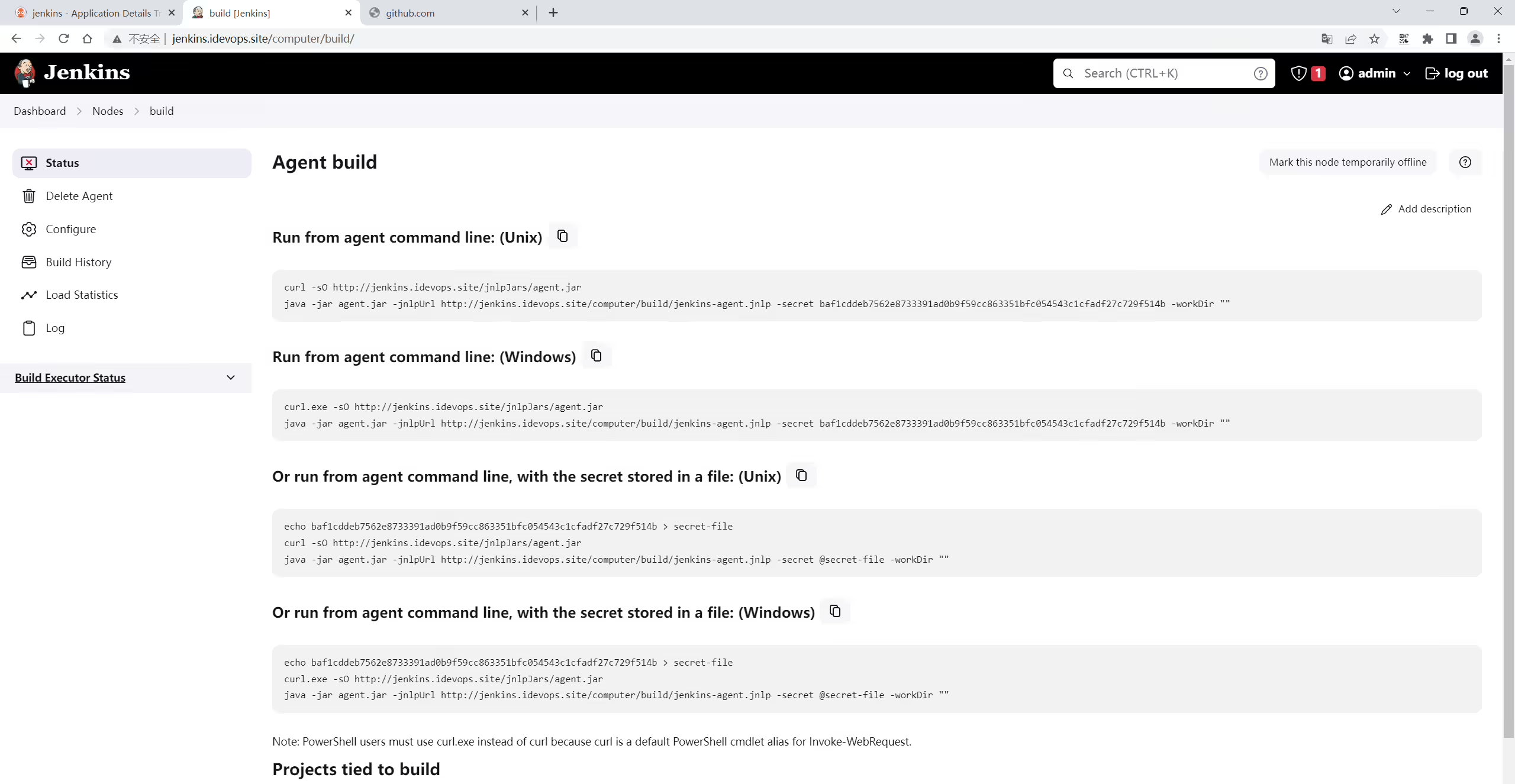
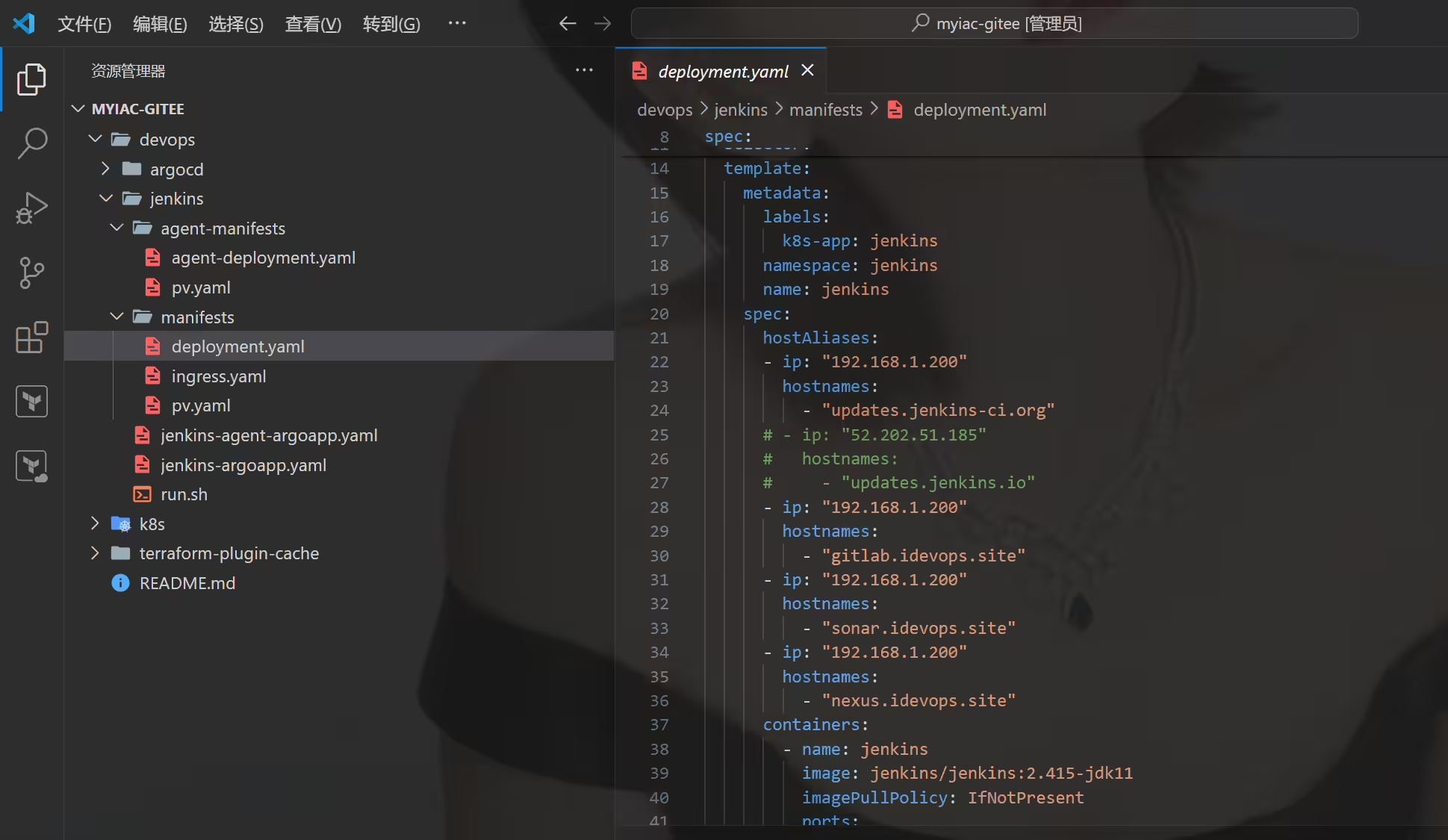
1baf1cddeb7562e8733391ad0b9f59cc863351bfc054543c1cfadf27c729f514b1cd /root/myiac-gitee/devops/jenkins/agent-manifests
2#vim agent-deployment.yaml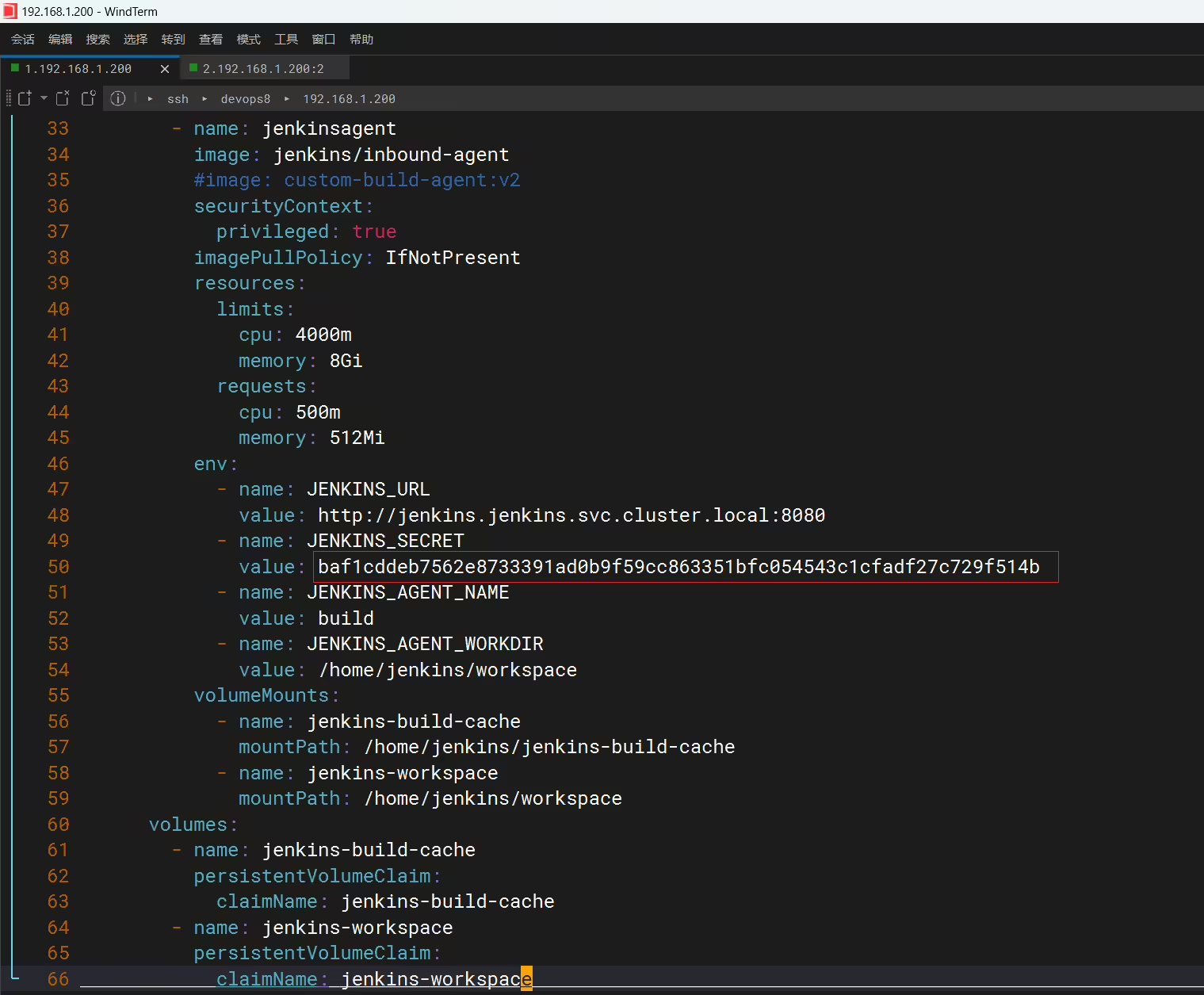

更新完代码,记得推送,再拉取代码。
 1[root@devops8 myiac-gitee]#pwd
 2/root/myiac-gitee
 3[root@devops8 myiac-gitee]#git add -A
 4[root@devops8 myiac-gitee]#git commit -m"commit"
 5[main 3c393c7] commit
 6 5 files changed, 137 insertions(+), 2 deletions(-)
 7 create mode 100644 k8s/.terraform.lock.hcl
 8 create mode 120000 k8s/.terraform/providers/registry.terraform.io/hashicorp/null/3.1.1/linux_amd64
 9 create mode 120000 k8s/.terraform/providers/registry.terraform.io/tehcyx/kind/0.0.12/linux_amd64
10 create mode 100644 k8s/terraform.tfstate
11[root@devops8 myiac-gitee]#git push
12warning: push.default is unset; its implicit value is changing in
13Git 2.0 from 'matching' to 'simple'. To squelch this message
14and maintain the current behavior after the default changes, use:
15
16  git config --global push.default matching
17
18To squelch this message and adopt the new behavior now, use:
19
20  git config --global push.default simple
21
22See 'git help config' and search for 'push.default' for further information.
23(the 'simple' mode was introduced in Git 1.7.11. Use the similar mode
24'current' instead of 'simple' if you sometimes use older versions of Git)
25
26Counting objects: 26, done.
27Delta compression using up to 4 threads.
28Compressing objects: 100% (12/12), done.
29Writing objects: 100% (20/20), 9.46 KiB | 0 bytes/s, done.
30Total 20 (delta 2), reused 0 (delta 0)
31remote: Powered by GITEE.COM [GNK-6.4]
32To git@gitee.com:onlyonexl/myiac-gitee.git
33   57d543c..3c393c7  main -> main
34[root@devops8 myiac-gitee]#
35
36[root@devops8 myiac-gitee]#git pull
37Already up-to-date.
38[root@devops8 myiac-gitee]#git status
39# On branch main
40nothing to commit, working directory clean 1#注意:这部分在之前的代码里已经创建过了哦,这里不需要再创建了。
2## Jenkins build cache
3#mkdir -p /data/storage/kubernetes/jenkins-build-cache
4#chmod -R 777 /data/storage/kubernetes/jenkins-build-cache
5
6## Jenkins agent build workspace
7#mkdir -p /data/storage/kubernetes/jenkins-workspace
8#chmod -R 777 /data/storage/kubernetes/jenkins-workspace
9
10
11[root@devops8 jenkins]#pwd
12/root/myiac-gitee/devops/jenkins
13[root@devops8 jenkins]#ls
14agent-manifests jenkins-agent-argoapp.yaml jenkins-argoapp.yaml manifests run.sh
15[root@devops8 jenkins]#kubectl -n argocd apply -f jenkins-agent-argoapp.yaml
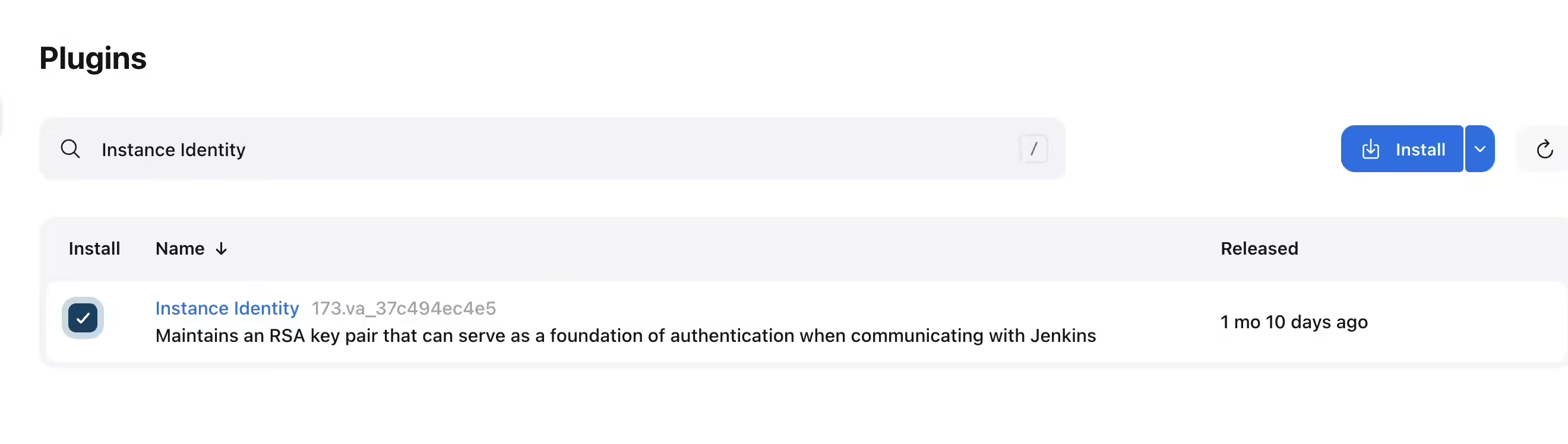
16application.argoproj.io/jenkins-agent created遇到Agent日志出现下面错误,需要安装Instance identity插件解决。【记得插件安装完成后重启Jenkins】
1SEVERE: http://jenkins.jenkins.svc.cluster.local:8080/tcpSlaveAgentListener/ appears to be publishing an invalid X-Instance-Identity.
25
3java.io.IOException: http://jenkins.jenkins.svc.cluster.local:8080/tcpSlaveAgentListener/ appears to be publishing an invalid X-Instance-Identity.
44
5	at org.jenkinsci.remoting.engine.JnlpAgentEndpointResolver.resolve(JnlpAgentEndpointResolver.java:284)
63
7	at hudson.remoting.Engine.innerRun(Engine.java:724)
82
9	at hudson.remoting.Engine.run(Engine.java:540)
https://community.jenkins.io/t/invalid-x-instance-identity/4038
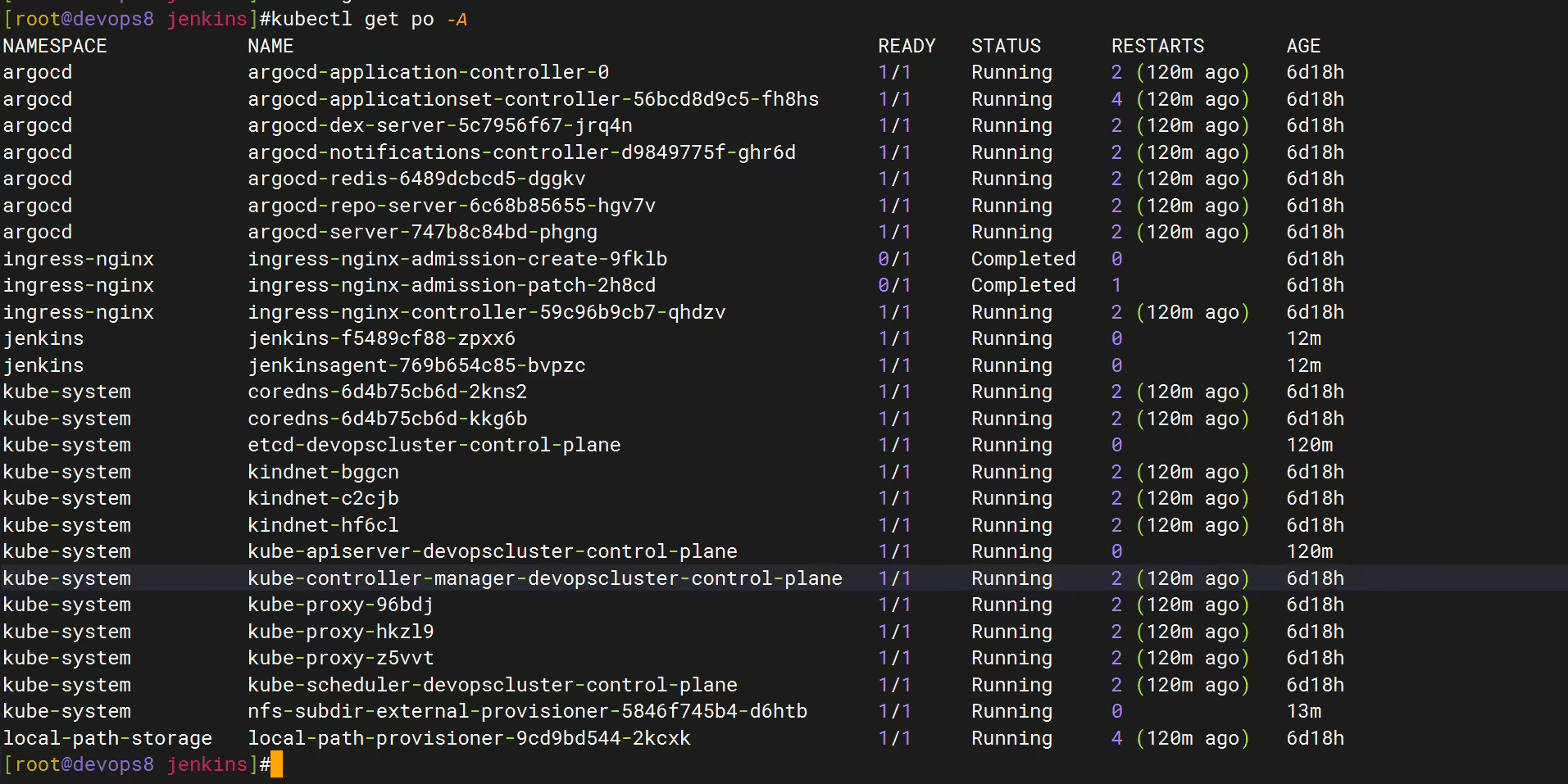
至此,以上jenins已安装完成。
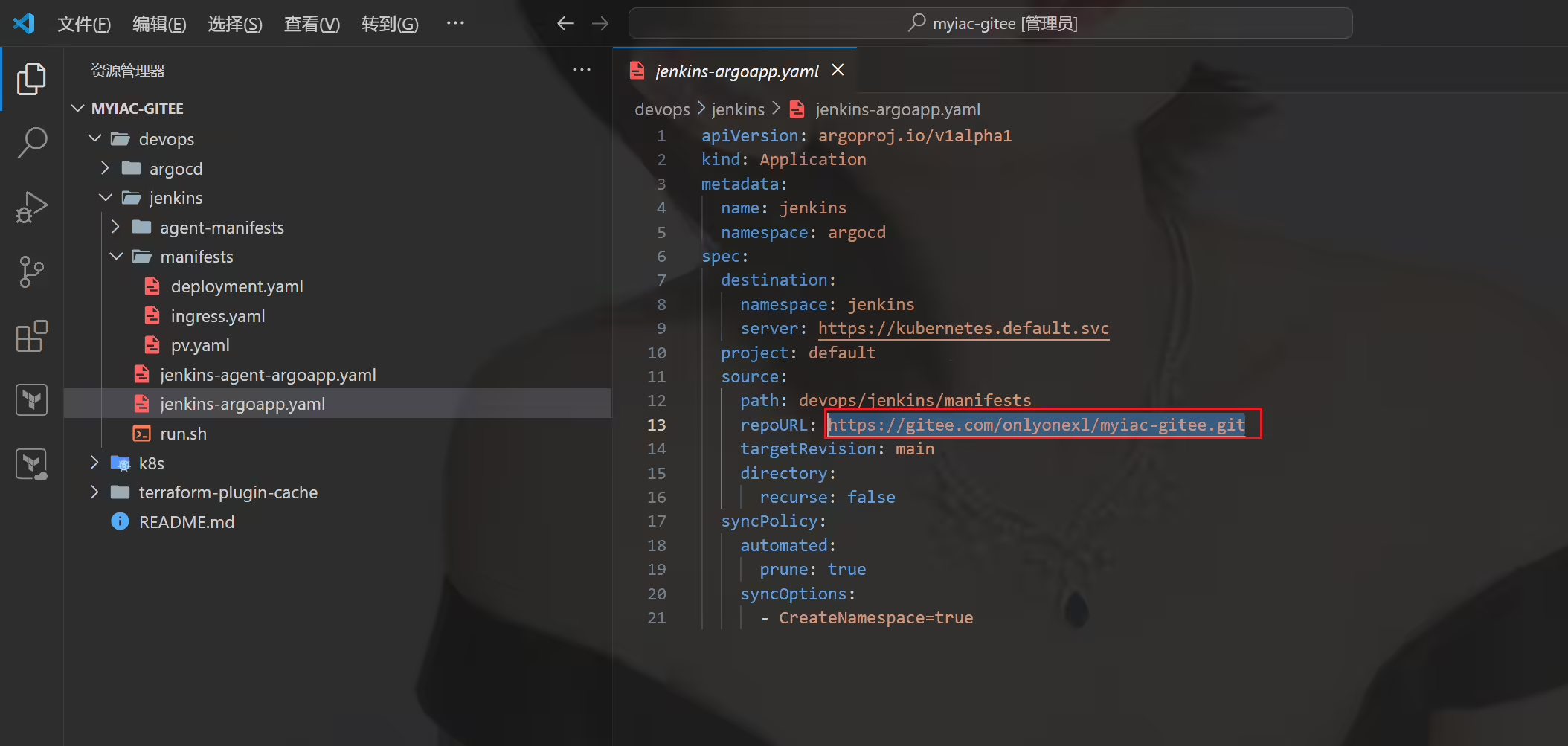
更新完本地仓库里的代码后,一定要先推送到gitee里,不然argocd还是拉取的旧的代码。
Instance identity插件
pipeline插件–pipeline流水线
Role-based Authorization Strategy的授权插件
Pipeline Utility Steps插件–帮我们处理yaml文件和json文件
Stage View插件–查看构建状态
timestamps插件–解决时间日志报错问题
pipeline util插件–
我的博客主旨:
🍀 微信二维码
x2675263825 (舍得), qq:2675263825。

🍀 微信公众号
《云原生架构师实战》

🍀 个人博客站点


🍀 csdn
https://blog.csdn.net/weixin_39246554?spm=1010.2135.3001.5421

🍀 知乎
https://www.zhihu.com/people/foryouone

好了,关于本次就到这里了,感谢大家阅读,最后祝大家生活快乐,每天都过的有意义哦,我们下期见!

精选 · 友链 · 更多

One的公众号
爱折腾博客的小白