
快捷菜单
常用功能一站直达
更多功能请点顶栏「快捷菜单」

==💘 实战:windows上安装python-2022.9.5(测试成功)==
1python-3.8.6
2win10软件位置:python-3.8.6-amd64.exe

官网地址:https://www.python.org/
下载地址:https://www.python.org/ftp/python/3.6.4/python-3.6.4-amd64.exe

==安装过程==
具体安装过程如下:
为了不去设置环境变量,我选择Customize installation安装,并且勾选Add Python 3.8 to PATH。

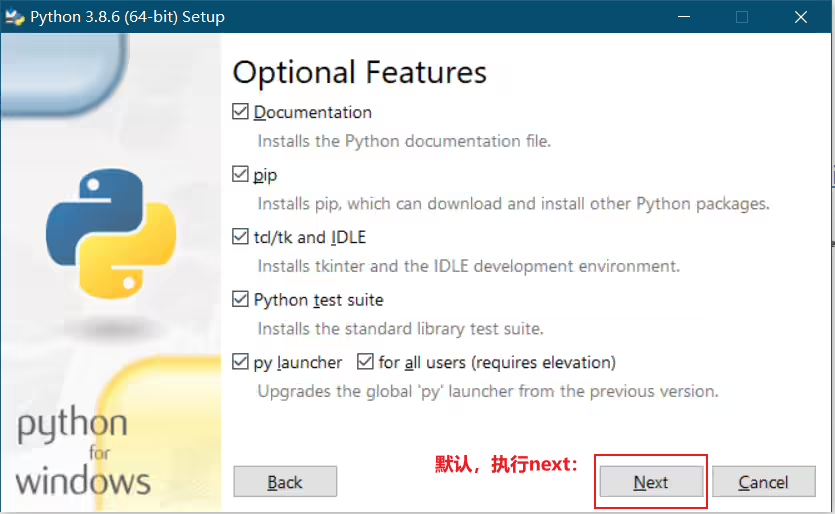
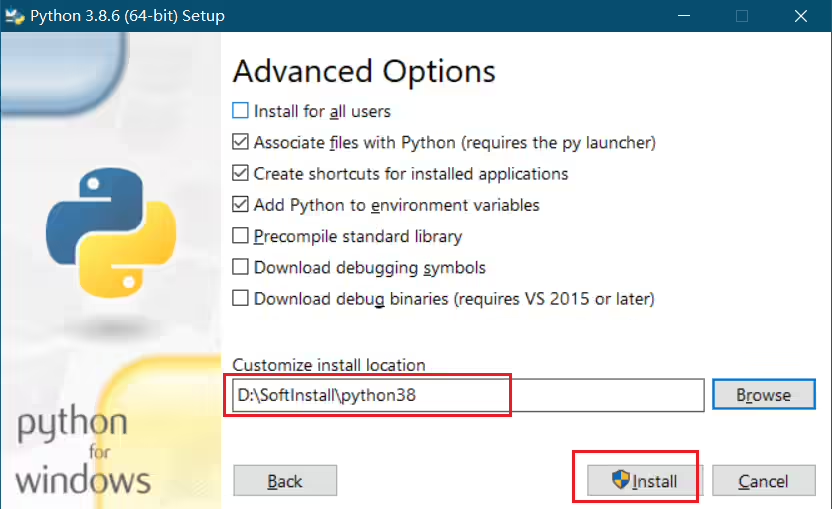
一直点击下一步,直到安装完成即可。
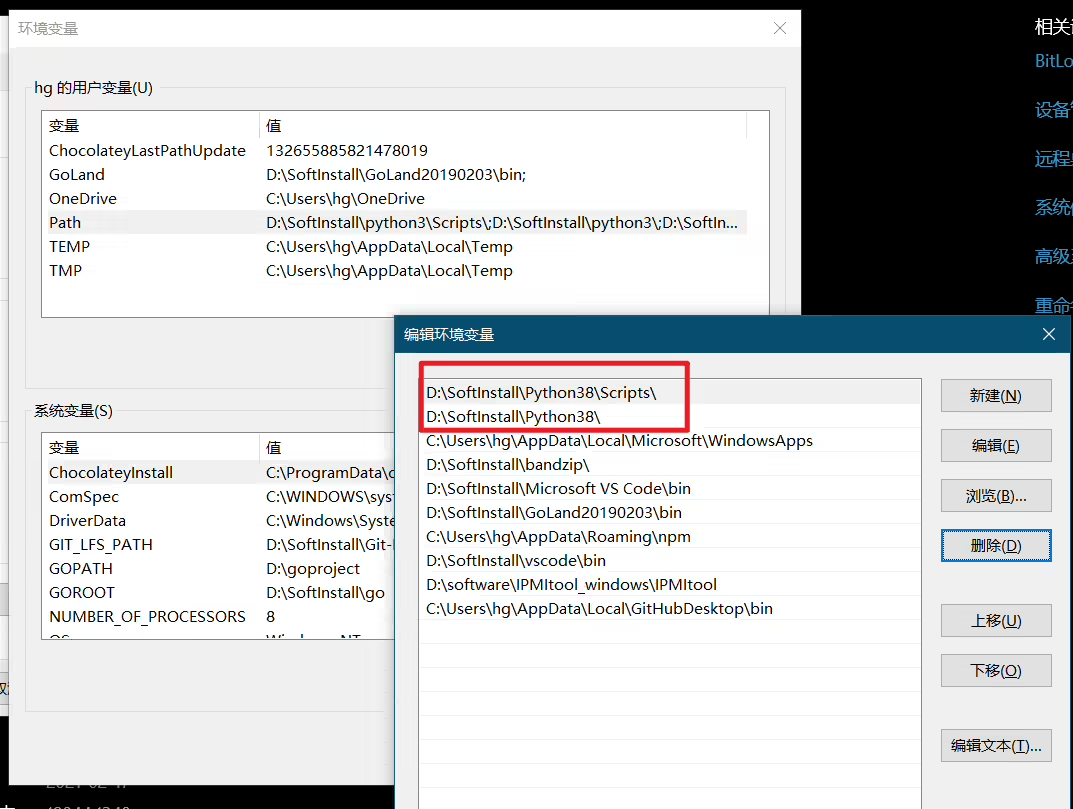
安装完成后,我们来查看下环境变量,其被默认添加到了环境变量下了:
==验证效果==


实验结束。
下载地址:https://www.python.org/downloads/
1方法1:yum安装:一条命令完成安装
2Linux安装:yum install python36 -y
⚠️注意:一般常见的linux发行版都是自带python环境的,但一般多是python2版本的。
1[root@xyy admin]#python
2python            python2           python2.7         python2.7-config  python2-config    python-config
3[root@xyy admin]#python
4Python 2.7.5 (default, Jun 20 2019, 20:27:34)
5[GCC 4.8.5 20150623 (Red Hat 4.8.5-36)] on linux2
6Type "help", "copyright", "credits" or "license" for more information.
7>>>
8>>> exit()
9[root@xyy admin]
⚠️注意:虽然我们在linux上可以通过yum search python来查询yum源提供的python软件包,但是其会比python官网发布的版本要落后好几个版本,会差个1-2年。因此,我们想要在linux服务器上安装较新版本python软件包,就建议使用源码安装的方式去安装python软件。(不仅仅是python,其他软件也是一样的现象)
 1[root@xyy admin]#yum search python
 2……
 3ython3.i686 : Interpreter of the Python programming language
 4python3.x86_64 : Interpreter of the Python programming language
 5python3-debug.i686 : Debug version of the Python runtime
 6python3-debug.x86_64 : Debug version of the Python runtime
 7python3-devel.i686 : Libraries and header files needed for Python development
 8python3-devel.x86_64 : Libraries and header files needed for Python development
 9python3-idle.i686 : A basic graphical development environment for Python
10python3-idle.x86_64 : A basic graphical development environment for Python
11python3-libcomps.x86_64 : Python 3 bindings for libcomps library
12python3-libs.i686 : Python runtime libraries
13python3-libs.x86_64 : Python runtime libraries
14python3-pip.noarch : A tool for installing and managing Python3 packages
15python3-rpm-generators.noarch : Dependency generators for Python RPMs
16python3-rpm-macros.noarch : RPM macros for building Python 3 packages
17python3-setuptools.noarch : Easily build and distribute Python 3 packages
18python3-test.i686 : The self-test suite for the main python3 package
19python3-test.x86_64 : The self-test suite for the main python3 package
20python3-tkinter.i686 : A GUI toolkit for Python
21python3-tkinter.x86_64 : A GUI toolkit for Python
22python3-wheel.noarch : Built-package format for Python
23……1##安装python3
2sudo yum -y install python3 --disablerepo=epel
https://onedayxyy.cn/docs/centos7-install-python3.8.6
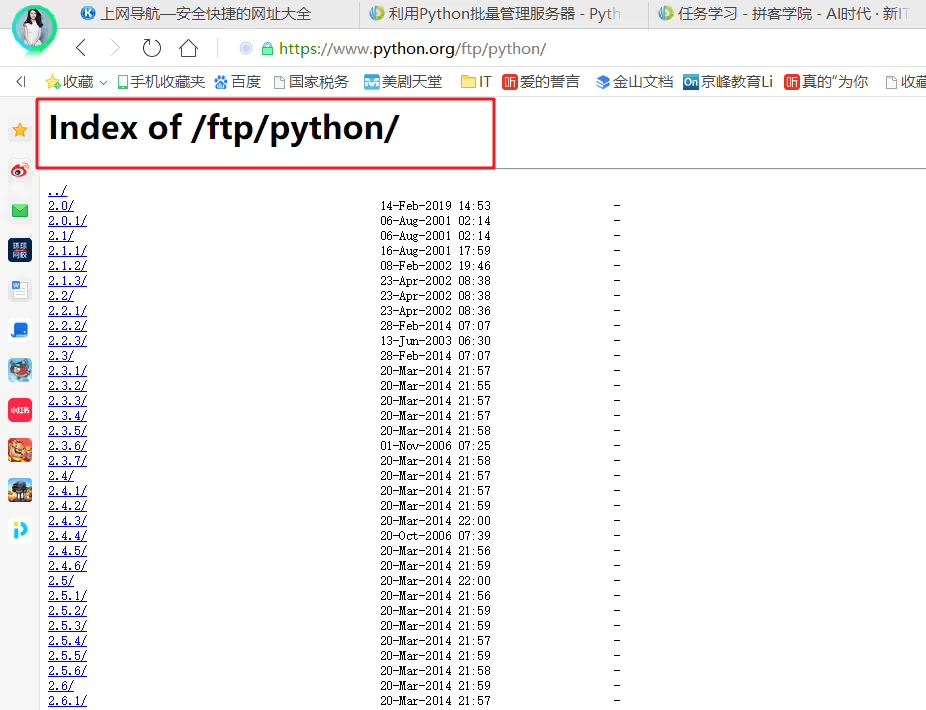
https://www.python.org/ftp/python
精选 · 友链 · 更多

One的公众号
爱折腾博客的小白